
AeroTrace is a flight companion for following a trip from departure to arrival. Add flights by number, boarding-pass scan, or pasted itinerary, then check live status, gate changes, delays, and connection details from the app, Lock Screen, or Dynamic Island. Airport tools include terminal maps, estimated security waits, nearby amenities, and leave-for-airport reminders; offline maps are available when a connection drops. Some advanced alerts and planning tools require AeroTrace Pro. The US App Store lists monthly Pro at $2.99 and yearly at $24.99, with a seven-day trial advertised in a recent update. Apple’s unverified privacy label lists identifiers and usage data for tracking, plus unlinked analytics data. The current listing requires iOS 18.6 or later.

AeroTrace: Flight Tracker
Track flight status, gates, delays, and connections with Live Activities, boarding-pass import, airport tools, and offline maps.
Overview
A closer look at AeroTrace: Flight Tracker.
A closer look
App screenshots



Choose with confidence
The useful details.
What it does
- Track flight status, gates, delays, cancellations, and inbound aircraft updates.
- Add a flight by scanning a boarding pass, pasting an itinerary, or entering a flight number.
- Use Lock Screen and Dynamic Island updates, notifications, and Siri queries for active trips.
- Check airport maps, amenities, estimated security waits, connection guidance, and offline maps.
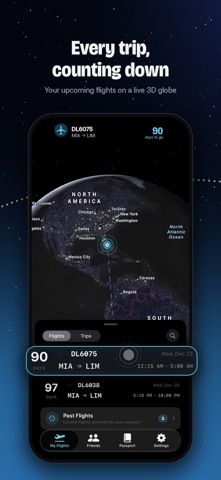
- Keep a travel passport with visited routes and yearly flight statistics.
A good fit for
- Travelers who want flight changes and connection details in one place.
- People who prefer quick trip updates on the Lock Screen or Dynamic Island.
Worth knowing
- Some advanced alerts and trip-planning features are part of AeroTrace Pro.
- Flight and airport information depends on available airline and airport feeds; verify critical changes with the airline.
- The US App Store lists Pro at $2.99 monthly or $24.99 yearly; Apple’s unverified privacy label lists identifiers and usage data used for tracking.
Frequently asked questions
Answers based on the app’s official listing and reviewed information.
Can AeroTrace track a flight in real time?
Yes. It displays flight status and updates such as gate changes, delays, and cancellations when data is available.
How can I add a flight?
The listing describes scanning a boarding pass, pasting an itinerary, or entering a flight number.
Does it show flight updates without opening the app?
AeroTrace lists Lock Screen and Dynamic Island Live Activities, along with notifications for trip changes.
Can I use its maps without internet?
The listing describes offline maps for use when a network connection is unavailable.
How much does AeroTrace Pro cost?
The US App Store lists $2.99 monthly and $24.99 yearly. Check the current store offer and trial terms before subscribing.
Which iPhone software version is required?
The current US listing requires iOS 18.6 or later.
Researched from official sources; this is not a hands-on review. Last checked 2026-11-19.
Keep exploring
More apps that might be a good fit.

Lure – Trip Planner
Create day-by-day city itineraries with custom maps, geographically grouped stops, restaurant ideas, visit estimates, and budget notes.

EzRoute - Travel
Browse and share day-by-day itineraries from travelers, with places, meals, activities, transport notes, and tips.

DummyFares: Flight Itinerary
Order flight itinerary or temporary reservation documents, then track bookings and keep passenger details and PDFs together.