
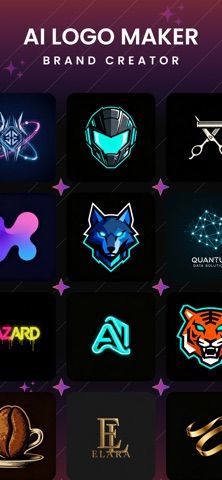
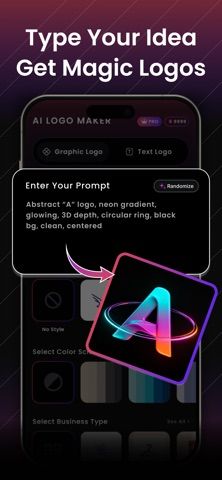
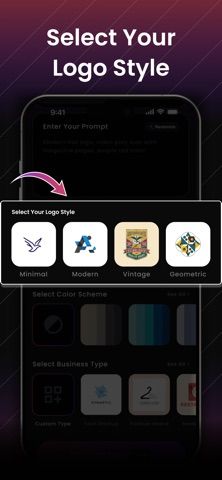
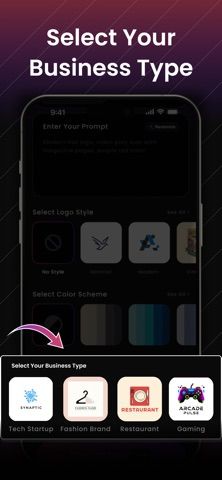
AI Logo Maker: Brand Creator generates logo concepts from a written prompt and lets users choose between graphic and text-based designs. The App Store describes options for a brand name and slogan, visual styles, colors, and business types, with designs produced in a few steps. It is intended for small businesses, freelancers, startups, and personal projects, but the listing does not promise trademark clearance or exclusive rights to generated artwork. The app is free to download and includes advertising. The US listing shows a weekly plan at $4.99 and credit packs at $4.99, $9.99, and $24.99. Its yearly plan is labeled $39.99, while the description also calls that price monthly, so users should verify the billing period in the purchase sheet. Apple’s unverified privacy label lists device identifiers for tracking and photos or videos for app functionality.

AI Logo Maker: Brand Creator
Generate graphic or text logos from a prompt, select visual styles and colors, and buy extra generation credits in AI Logo Maker.
Overview
A closer look at AI Logo Maker: Brand Creator.
A closer look
App screenshots
Choose with confidence
The useful details.
What it does
- Generate a graphic or text logo from a written description.
- Add a business name and slogan to a text-based logo concept.
- Choose from styles, colors, and business categories before generating.
- Use a credit or stamina pack for additional logo generations.
- Create draft branding for a small business, social profile, or personal project.
A good fit for
- Small-business owners or creators who need quick logo concepts to explore.
- Users who want a prompt-based starting point before refining a brand identity.
Worth knowing
- The listing includes advertising and paid subscriptions or generation credits.
- The US page labels a $39.99 product “Yearly Access,” but its description also says $39.99/month; confirm the billing period before purchase.
- Apple’s unverified privacy label lists device identifiers for tracking and photos or videos for app functionality; generated logos are not stated to be trademark-cleared.
Frequently asked questions
Answers based on the app’s official listing and reviewed information.
What can AI Logo Maker: Brand Creator create?
It creates graphic or text-based logo concepts from a written prompt, with choices for style, colors, business type, brand name, and slogan.
Do I need design experience to use it?
The developer describes a guided prompt-and-style workflow for people without design experience. The listing does not guarantee a finished or trademark-cleared brand identity.
How much does AI Logo Maker cost?
The US listing shows weekly access at $4.99, yearly access at $39.99, and credit packs from $4.99 to $24.99. The description conflicts on the yearly plan’s billing period, so verify the purchase sheet.
Can I buy more logo-generation credits?
Yes. The listing shows packs of 100 stamina for $4.99, 300 for $9.99, and 1,000 for $24.99.
What data does the privacy label mention?
Apple’s unverified label lists device identifiers for tracking and photos or videos for app functionality. Review the current disclosure before uploading brand or personal images.
Which devices support AI Logo Maker?
The US App Store lists it for iPhone and requires iOS 15 or later. The listing also says it contains advertising.
Researched from official sources; this is not a hands-on review. Last checked 2026-11-19.
Keep exploring
More apps that might be a good fit.

AI Song & Music Maker - Foxify
An AI music creation app for generating songs, lyrics, beats, voice-based covers, and remixes from ideas or audio.

Photo Collage EZ
Arrange photos in grid or creative layouts, customize backgrounds and borders, adjust crop and shadows, and export collages up to 4K.

GreyForge - Miniature painting
Preview paint schemes on a miniature photo, get step-by-step painting recipes, and organize projects for tabletop figures.