
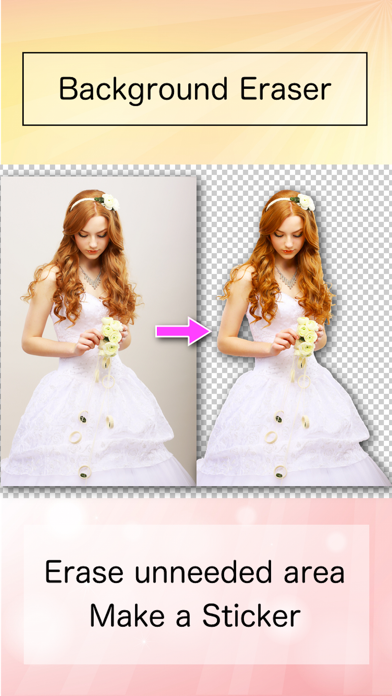
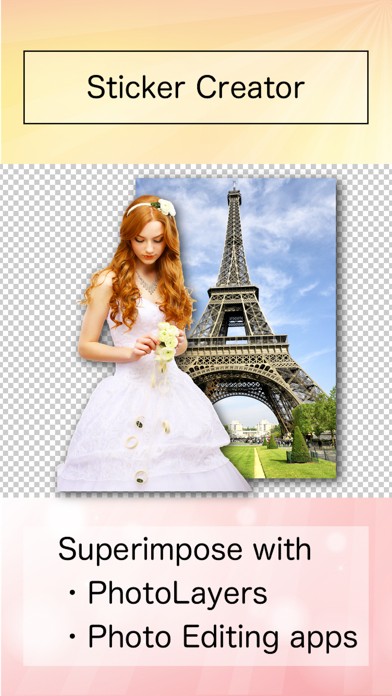
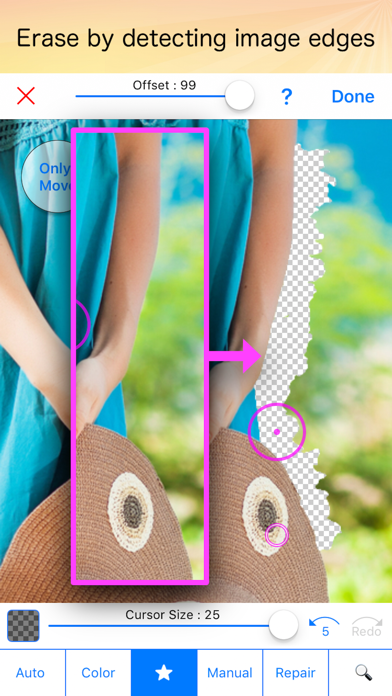
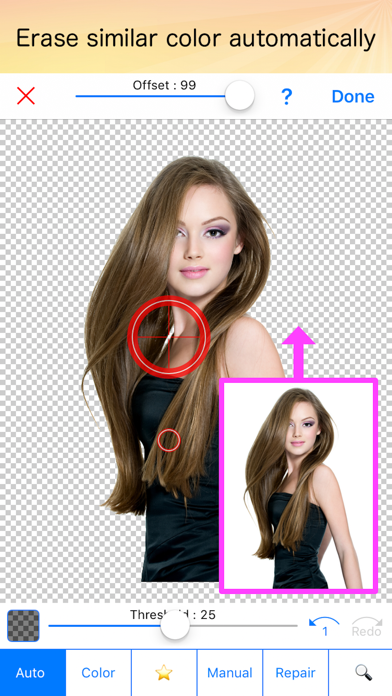
Background Eraser 〜 Stickers is an iPhone app in the photo background removal category. Apple’s U.S. listing introduces it with the short description “◇ Background Eraser helps you cut pictures and make a picture’s background transparent. ◇…” The app’s workflow centers on isolating a subject or removing a photo background, with tools such as select a photo and isolate its foreground subject. and remove or replace a background where supported. Use related cutout or object-cleanup tools if included. Export the edited image for sharing or design work. It may suit creators preparing product or portrait images. People who need to isolate a subject from a photo background. Automated cutouts can miss fine edges or alter details; inspect the exported image and review privacy terms for uploaded photos. The listing currently shows the download as Free; the public lookup does not confirm whether every feature is included or which upgrades may be available. Check in-app purchase and renewal details before subscribing. The App Store page lists iOS 17.0+ compatibility. This summary reflects Apple’s U.S. listing checked on 2026-11-19; pricing, availability, privacy terms, supported devices, and features can change. Review current terms before uploading personal data or relying on a particular export or integration.

Background Eraser 〜 Stickers
Background Eraser 〜 Stickers is an iPhone app for photo background removal. It is presented as a tool for isolating a subject or removing a photo background.
Overview
A closer look at Background Eraser 〜 Stickers.
A closer look
App screenshots
Choose with confidence
The useful details.
What it does
- Select a photo and isolate its foreground subject.
- Remove or replace a background where supported.
- Use related cutout or object-cleanup tools if included.
- Export the edited image for sharing or design work.
A good fit for
- Creators preparing product or portrait images.
- People who need to isolate a subject from a photo background.
Worth knowing
- Automated cutouts can miss fine edges or alter details; inspect the exported image and review privacy terms for uploaded photos.
- Review current listing and developer privacy or purchase terms before use.
Frequently asked questions
Answers based on the app’s official listing and reviewed information.
What is Background Eraser 〜 Stickers used for?
Background Eraser 〜 Stickers is an iPhone app for photo background removal. It is presented as a tool for isolating a subject or removing a photo background.
What can you do with Background Eraser 〜 Stickers?
Select a photo and isolate its foreground subject. Remove or replace a background where supported. Use related cutout or object-cleanup tools if included. Export the edited image for sharing or design work.
Who is Background Eraser 〜 Stickers designed for?
Creators preparing product or portrait images. People who need to isolate a subject from a photo background.
What should you know before downloading Background Eraser 〜 Stickers?
Automated cutouts can miss fine edges or alter details; inspect the exported image and review privacy terms for uploaded photos. Review current listing and developer privacy or purchase terms before use.
What does Background Eraser 〜 Stickers cost?
Free to download. Free to download according to the current U.S. App Store listing (Free); optional purchase and subscription terms should be verified in the store.
Which platforms support Background Eraser 〜 Stickers?
Greatooly's reviewed app information lists iOS.
Researched from official sources; this is not a hands-on review. Last checked 2026-11-19.
Keep exploring
More apps that might be a good fit.

Photoroom: AI Photo & Video
Photoroom: AI Photo & Video is an iPhone app for photo background removal. It is presented as a tool for isolating a subject or removing a photo background.

Magic Eraser Background Editor
Magic Eraser Background Editor is an iPhone app for photo background removal. It is presented as a tool for isolating a subject or removing a photo background.

PopCut: AI Video Editor & Maker
Edit short videos with AI captions, background removal, effects, voiceovers, and 4K export.