
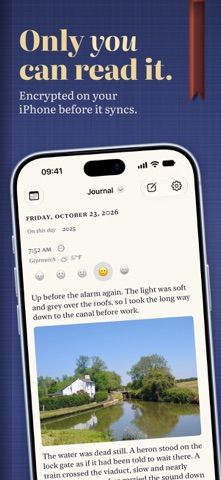
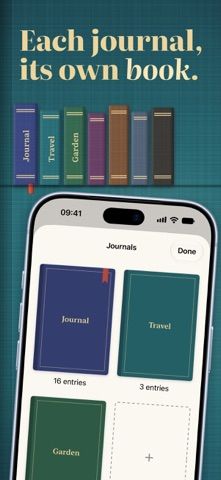
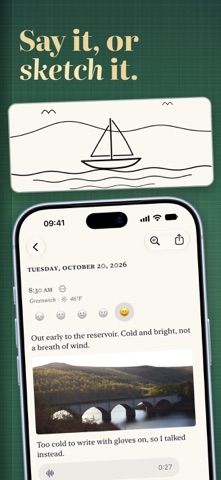
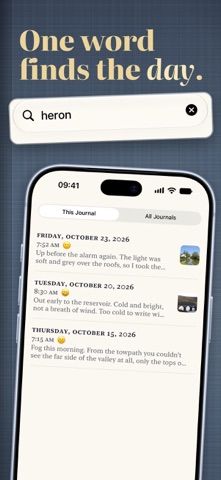
Bifolio is a personal journal app organized as a shelf of separate journals. Its listing describes text entries with photos, video, audio, drawings, and mood markers, plus search, a writing calendar, and an On This Day view. The developer says entries are encrypted on the iPhone before syncing through the user's iCloud account; there is no Bifolio account or developer-hosted server. An optional recovery key and Face ID, Touch ID, or passcode lock are listed. Users can export entries as PDFs or Markdown files and import from Day One, Apple Journal, or a prior Bifolio export. Exported files are not encrypted, a limitation the developer says is disclosed in the app. The App Store listing had no ratings when checked, so privacy claims and sync behavior have limited public feedback so far.
Bifolio: Private Journal
Keep a private journal with encrypted entries, multimedia notes, search, reminders, and export tools.
Overview
A closer look at Bifolio: Private Journal.
A closer look
App screenshots
Choose with confidence
The useful details.
What it does
- Organize text, photos, video, audio, drawings, and mood notes into multiple journals.
- Search entries and review writing history in a calendar or On This Day view.
- Use device-level encryption before optional iCloud sync and lock the journal biometrically.
- Import supported journal exports and export entries to PDF or Markdown files.
A good fit for
- People seeking a multimedia journal with local-first storage and optional iCloud sync.
Worth knowing
- The developer describes iCloud and Keychain as part of sync and recovery; review the setup and recovery-key process.
- Exports and backups are plain files and are not encrypted, according to the listing.
- The App Store listing had no user ratings when checked; assess privacy and sync behavior for your needs.
Frequently asked questions
Answers based on the app’s official listing and reviewed information.
What is Bifolio: Private Journal used for?
Keep a private journal with encrypted entries, multimedia notes, search, reminders, and export tools.
What can you do with Bifolio: Private Journal?
Organize text, photos, video, audio, drawings, and mood notes into multiple journals. Search entries and review writing history in a calendar or On This Day view. Use device-level encryption before optional iCloud sync and lock the journal biometrically. Import supported journal exports and export entries to PDF or Markdown files.
Who is Bifolio: Private Journal designed for?
People seeking a multimedia journal with local-first storage and optional iCloud sync.
What should you know before downloading Bifolio: Private Journal?
The developer describes iCloud and Keychain as part of sync and recovery; review the setup and recovery-key process. Exports and backups are plain files and are not encrypted, according to the listing. The App Store listing had no user ratings when checked; assess privacy and sync behavior for your needs.
Does Bifolio: Private Journal include paid features?
The reviewed listing does not confirm current in-app purchase options.
Which platforms support Bifolio: Private Journal?
Greatooly's reviewed app information lists iOS.
Researched from official sources; this is not a hands-on review. Last checked 2026-11-04.
Keep exploring
More apps that might be a good fit.

Steadwell: Home Maintenance
Steadwell keeps a private home record of appliances, repairs, paint, and maintenance suggestions, with offline access and optional iCloud sync.

Sanjog: Sikh Wedding Planner
Sanjog plans Sikh wedding ceremonies together with shared guest RSVPs, budgets, checklists, schedules, vendors, and guest-ready PDFs.

VowFolio: Wedding Planner
VowFolio Planner organizes a couple’s guest list, seating chart, budget, checklist, vendors, wedding website, and guest photos.