
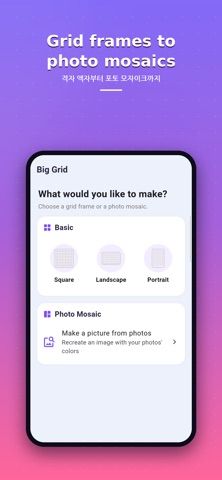
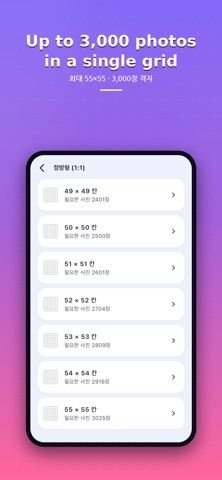
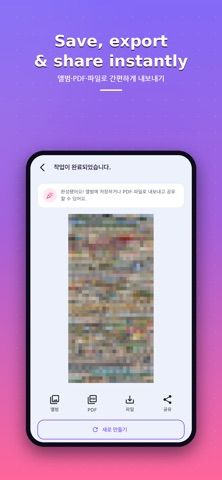
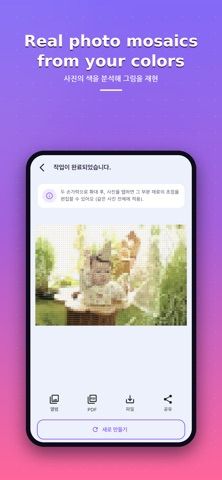
Big Grid turns a collection of personal photos into one large collage or color-matched mosaic. Choose from square, landscape, or portrait frames, then set a grid as large as 55 by 55 cells. For a mosaic, select a target image and let the app use the colors in chosen photos to recreate its overall shape. Albums can be selected in order, and each cell can be adjusted so a face or important subject remains visible. Finished projects can be saved to the photo library or exported as a PDF or image file for sharing or printing. The developer says processing stays on-device and photos do not leave the phone; an account is not required. Big Grid is free to use according to the listing, though users should verify export dimensions and printer settings for a particular project.

Big Grid - Photo Collage
An on-device photo collage maker for large grids, high-resolution mosaics, and printable exports.
Overview
A closer look at Big Grid - Photo Collage.
A closer look
App screenshots
Choose with confidence
The useful details.
What it does
- Build photo grids up to 55 by 55 cells
- Create a color-matched mosaic from a target picture
- Adjust each cell's crop and focal point
- Save to the photo library or export as a PDF or file
A good fit for
- People making a large collage or mosaic from personal photo albums
- Users who want an on-device collage workflow without an account
Worth knowing
- Large projects can contain thousands of cells; check the export resolution and print dimensions before ordering physical output.
Frequently asked questions
Answers based on the app’s official listing and reviewed information.
What is Big Grid - Photo Collage used for?
An on-device photo collage maker for large grids, high-resolution mosaics, and printable exports.
What can you do with Big Grid - Photo Collage?
Build photo grids up to 55 by 55 cells Create a color-matched mosaic from a target picture Adjust each cell's crop and focal point Save to the photo library or export as a PDF or file
Who is Big Grid - Photo Collage designed for?
People making a large collage or mosaic from personal photo albums Users who want an on-device collage workflow without an account
What should you know before downloading Big Grid - Photo Collage?
Large projects can contain thousands of cells; check the export resolution and print dimensions before ordering physical output.
Does Big Grid - Photo Collage include paid features?
The developer says the app is free to use and does not require an account.
Which platforms support Big Grid - Photo Collage?
Greatooly's reviewed app information lists iOS.
Researched from official sources; this is not a hands-on review. Last checked 2026-11-04.
Keep exploring
More apps that might be a good fit.

Dreamy Room: AI Room Design
Dreamy Room uses a photo of a real room to generate AI interior concepts in styles, colors, and furnishing directions you can compare.

Roomture: AI Interior Design
Roomture redesigns interior, exterior and garden photos with AI, then lets users compare, refine and save design ideas.

Verde: AI Backyard Design Plan
Verde turns photos of gardens, balconies, and rooms into AI redesigns that account for existing structures and practical dimensions.