
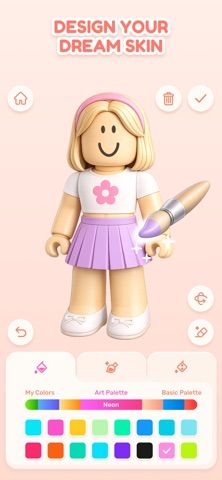
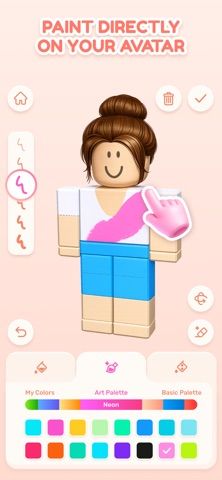
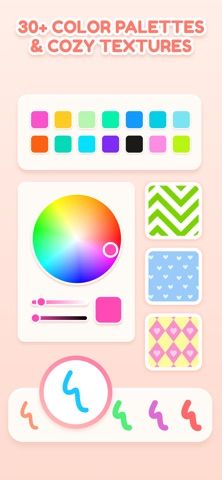
Cozy Avatar Drawing Studio lets users create custom outfits and skins for a game character. The editor places the avatar on screen while users draw and paint directly on the model, making it possible to see color and pattern changes as they work. Palettes, textures, clothing options, and simple tools support designs ranging from soft and playful to completely different styles. Finished skins can be saved into a personal collection and exported as a texture file. A built-in guide explains how to upload a finished skin to the user's game. The app is designed for beginners as well as people who already enjoy drawing, coloring, fashion, and character customization. The App Store description does not specify prices or whether paid options are offered.

Cozy Avatar Drawing Studio
A character skin editor for painting outfits, customizing colors and textures, and exporting game-ready avatar designs.
Overview
A closer look at Cozy Avatar Drawing Studio.
A closer look
App screenshots

Choose with confidence
The useful details.
What it does
- Paint directly on a character avatar and preview changes while designing.
- Customize outfits with color palettes, textures, and simple drawing tools.
- Save finished designs into a personal collection and export skin textures.
- Follow an in-app guide for uploading a design to a compatible game.
A good fit for
- Players who want to design and export custom character skins without a full drawing suite.
Worth knowing
- The listing does not clearly state which game formats are supported or whether paid features are available.
- Exported designs still need to be uploaded through the target game's supported workflow.
Frequently asked questions
Answers based on the app’s official listing and reviewed information.
What is Cozy Avatar Drawing Studio used for?
A character skin editor for painting outfits, customizing colors and textures, and exporting game-ready avatar designs.
What can you do with Cozy Avatar Drawing Studio?
Paint directly on a character avatar and preview changes while designing. Customize outfits with color palettes, textures, and simple drawing tools. Save finished designs into a personal collection and export skin textures. Follow an in-app guide for uploading a design to a compatible game.
Who is Cozy Avatar Drawing Studio designed for?
Players who want to design and export custom character skins without a full drawing suite.
What should you know before downloading Cozy Avatar Drawing Studio?
The listing does not clearly state which game formats are supported or whether paid features are available. Exported designs still need to be uploaded through the target game's supported workflow.
Does Cozy Avatar Drawing Studio include paid features?
The reviewed listing does not confirm current in-app purchase options.
Which platforms support Cozy Avatar Drawing Studio?
Greatooly's reviewed app information lists iOS.
Researched from official sources; this is not a hands-on review. Last checked 2026-11-04.
Keep exploring
More apps that might be a good fit.

Roomture: AI Interior Design
Roomture redesigns interior, exterior and garden photos with AI, then lets users compare, refine and save design ideas.

Verde: AI Backyard Design Plan
Verde turns photos of gardens, balconies, and rooms into AI redesigns that account for existing structures and practical dimensions.

RoomMakeover: AI Room Design
RoomMakeover previews AI interior-design ideas from room photos, with style controls, credit packs, and Pro plans.