

Dreamy Room: AI Room Design
Dreamy Room uses a photo of a real room to generate AI interior concepts in styles, colors, and furnishing directions you can compare.

Draw in a book-style sketchpad with pressure-sensitive tools, PDF annotation, and optional iCloud sync.
Overview
A closer look
Choose with confidence
Answers based on the app’s official listing and reviewed information.
Draw in a book-style sketchpad with pressure-sensitive tools, PDF annotation, and optional iCloud sync.
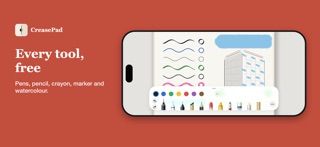
Draw with pen, pencil, crayon, highlighter, and watercolor tools Use a ruler and shape recognition for clean lines Import PDFs, annotate pages, and export them with drawings Use pressure and tilt with Apple Pencil on supported iPads
People who prefer drawing in a notebook-style interface iPad users annotating PDFs with Apple Pencil
The free version is limited to three personal notebooks. iCloud sync requires CreasePad Pro and the user's own iCloud account.
Free to download. The developer says the free version includes three personal notebooks and all drawing tools. CreasePad Pro is a one-time purchase that adds unlimited notebooks and iCloud sync.
Greatooly's reviewed app information lists iOS.
Researched from official sources; this is not a hands-on review. Last checked 2026-11-10.
More apps that might be a good fit.
Dreamy Room uses a photo of a real room to generate AI interior concepts in styles, colors, and furnishing directions you can compare.
Roomture redesigns interior, exterior and garden photos with AI, then lets users compare, refine and save design ideas.
Verde turns photos of gardens, balconies, and rooms into AI redesigns that account for existing structures and practical dimensions.
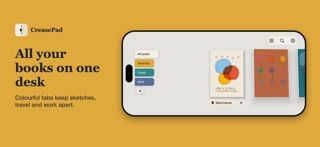
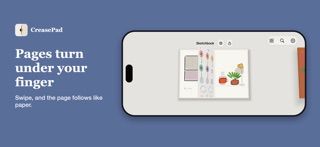
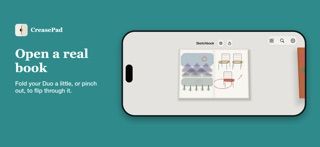
CreasePad presents drawings as notebooks that open and turn like a paper sketchbook. Its free drawing tools include several pen styles, pencil, crayon, highlighter, watercolor, a color picker, and a ruler. On supported iPad and Apple Pencil setups, tools respond to pressure and tilt. Users can import a PDF, draw over its pages, and export it with annotations. The developer says free accounts can keep three personal notebooks and that drawings can always be exported. CreasePad Pro is a one-time purchase for unlimited notebooks and private iCloud sync across iPhone and iPad.

