
Docusign - Upload & Sign Docs is listed in the U.S. App Store as an app for digital signatures. The developer describes it this way: “Docusign eSignature is the world’s #1 way for businesses and individuals to securely send and sign agreements from practically anywhere, at any…” The listing positions the app around adding electronic signatures to documents and agreements. Its listed purpose may suit people looking for an iphone app focused on digital signatures. Users whose needs match adding electronic signatures to documents and agreements. Electronic signature acceptance and document retention requirements depend on the transaction and jurisdiction. The App Store listing is the source for the product description and current download details. Pricing, feature availability, privacy terms, supported devices, and integrations can change. Check current terms before paying, uploading personal information, or relying on a particular workflow. This summary reflects the U.S. listing checked on 2026-11-19.
Docusign - Upload & Sign Docs
Docusign - Upload & Sign Docs is an iPhone app for digital signatures. It is listed by Docusign in the U.S. App Store.
Overview
A closer look at Docusign - Upload & Sign Docs.
A closer look
App screenshots


Choose with confidence
The useful details.
What it does
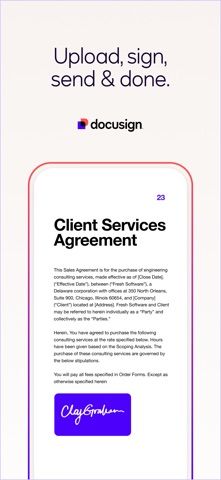
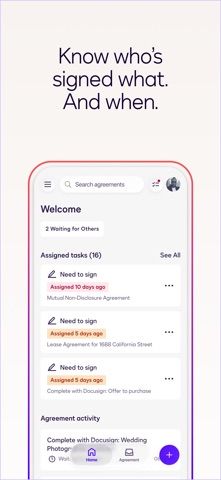
- HOW DOCUSIGN WORKS | e-Sign PDFs, forms, and contracts on the go.
- Step 1: Create your customized digital signature directly on your device.
- Step 2: Upload documents easily via email, Google Drive, DropBox, Box, Evernote, Salesforce, or photo scanning.
- Step 3: E-sign your documents for free with no monthly limit.
A good fit for
- People looking for an iPhone app focused on digital signatures.
- Users whose needs match adding electronic signatures to documents and agreements.
Worth knowing
- Electronic signature acceptance and document retention requirements depend on the transaction and jurisdiction.
- Review the current store listing and developer privacy or purchase terms before use.
Frequently asked questions
Answers based on the app’s official listing and reviewed information.
What is Docusign - Upload & Sign Docs used for?
Docusign - Upload & Sign Docs is an iPhone app for digital signatures. It is listed by Docusign in the U.S. App Store.
What can you do with Docusign - Upload & Sign Docs?
HOW DOCUSIGN WORKS | e-Sign PDFs, forms, and contracts on the go. Step 1: Create your customized digital signature directly on your device. Step 2: Upload documents easily via email, Google Drive, DropBox, Box, Evernote, Salesforce, or photo scanning. Step 3: E-sign your documents for free with no monthly limit.
Who is Docusign - Upload & Sign Docs designed for?
People looking for an iPhone app focused on digital signatures. Users whose needs match adding electronic signatures to documents and agreements.
What should you know before downloading Docusign - Upload & Sign Docs?
Electronic signature acceptance and document retention requirements depend on the transaction and jurisdiction. Review the current store listing and developer privacy or purchase terms before use.
What does Docusign - Upload & Sign Docs cost?
Free to download. Free to download according to the current U.S. App Store listing; check the listing for in-app purchases or subscriptions.
Which platforms support Docusign - Upload & Sign Docs?
Greatooly's reviewed app information lists iOS.
Researched from official sources; this is not a hands-on review. Last checked 2026-11-19.
Keep exploring
More apps that might be a good fit.

eSign: Signature Scanner & PDF
eSign: Signature Scanner & PDF is an iPhone app for digital signatures. It is listed by Profuse SRL in the U.S. App Store.

SignNow: e-Signature app
SignNow: e-Signature app is an iPhone app for digital signatures. It is listed by airSlate, Inc. in the U.S. App Store.
Signature Scanner - SignaScan
Signature Scanner - SignaScan is an iPhone app for digital signatures. It is listed by Harsh Kalavadia in the U.S. App Store.