
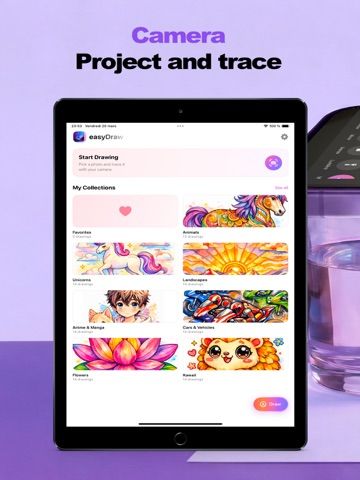
Drawing Projector - Trace&Draw turns an iPhone or iPad into a guide for tracing images onto paper. Camera Mode overlays a drawing through the device camera, while Screen Mode lets users place paper over the display and follow the lines. The listing includes more than 100 ready-made drawings across seven collections and lets users trace their own photos after applying one of five AI styles: Simple Sketch, Detailed Sketch, Anime, Anime Color, or Cartoon. Opacity, zoom, mirror, invert, and position-lock controls help fit the guide to a drawing surface, and finished styled images can be saved to Photos. The app is free to download but says full access requires a subscription. The US App Store lists Premium at $8.99 monthly or $49.99 yearly, plus credit packs from $1.99 to $8.99. It requires iOS 17.6 or later. Apple's unverified privacy label says the developer reports no data collection.
Drawing Projector - Trace&Draw
Trace images onto paper using a camera or on-screen guide, with 100+ templates and AI sketch styles.
Overview
A closer look at Drawing Projector - Trace&Draw.
A closer look
App screenshots
Choose with confidence
The useful details.
What it does
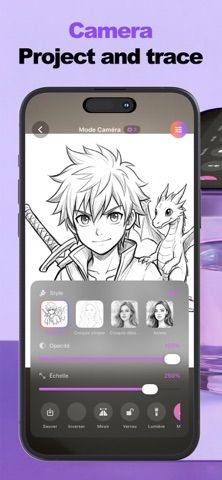
- Trace through a live camera overlay or place paper over the screen and follow an on-screen guide.
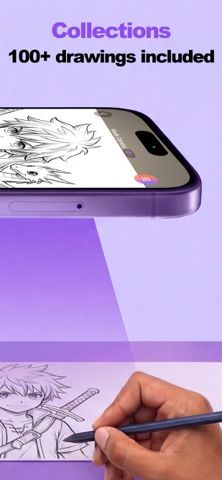
- Choose from more than 100 drawings across seven collections or start from a personal photo.
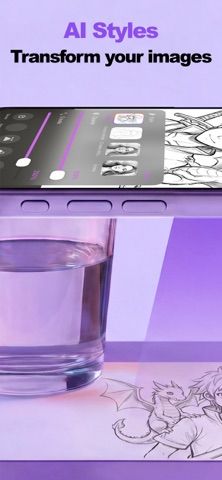
- Apply five AI styles: Simple Sketch, Detailed Sketch, Anime, Anime Color, or Cartoon.
- Adjust opacity, zoom, mirror, invert, and lock the drawing position while tracing.
- Save styled images and create or organize custom drawing collections.
A good fit for
- Beginners who want a visual guide for tracing a drawing onto paper.
- Artists or hobbyists who want to turn a photo into a sketch or anime-style tracing template.
Worth knowing
- Requires iOS or iPadOS 17.6 or later and an internet connection for the listed app features.
- Full access requires a subscription; separate credit packs are also sold in the App Store.
- The developer's App Store privacy disclosure says no data is collected, but Apple marks that disclosure as unverified.
Frequently asked questions
Answers based on the app’s official listing and reviewed information.
What is Drawing Projector - Trace&Draw used for?
It projects a drawing guide through the camera or displays it on-screen so you can trace the image onto paper.
How do Camera Mode and Screen Mode work?
Camera Mode overlays the image in the camera view as you draw on paper. Screen Mode displays the guide on the screen for tracing through the paper.
Which AI drawing styles are included?
The listing names Simple Sketch, Detailed Sketch, Anime, Anime Color, and Cartoon.
Can I trace my own photo?
Yes. The listing says you can use your own photo, apply a style, and trace the resulting guide.
How much does Drawing Projector Premium cost?
The US App Store lists Premium at $8.99 monthly or $49.99 yearly. Credit packs are listed separately from $1.99 to $8.99.
Which devices support Drawing Projector - Trace&Draw?
The App Store lists iPhone and iPad support and requires iOS or iPadOS 17.6 or later. Greatooly's reviewed platform information lists iOS.
Researched from official sources; this is not a hands-on review. Last checked 2026-11-19.
Keep exploring
More apps that might be a good fit.

AI Song & Music Maker - Foxify
An AI music creation app for generating songs, lyrics, beats, voice-based covers, and remixes from ideas or audio.

Photo Collage EZ
Arrange photos in grid or creative layouts, customize backgrounds and borders, adjust crop and shadows, and export collages up to 4K.
GreyForge - Miniature painting
Preview paint schemes on a miniature photo, get step-by-step painting recipes, and organize projects for tabletop figures.