GreatoolyGreatooly
DrawinGrid app icon

DrawinGrid

Use adjustable grids and tracing tools to sketch from reference images and organize art projects.

By BUTTERFLYRAY LIMITEDApp Store rating 4.7 (5,037)Official store informationPublished 2026/11/03Checked 2026-11-03

Overview

A closer look at DrawinGrid.

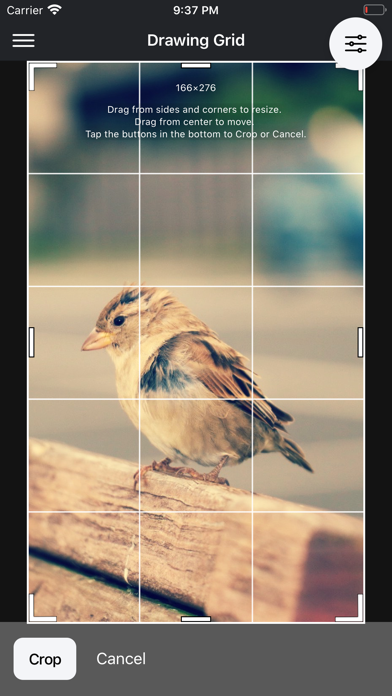
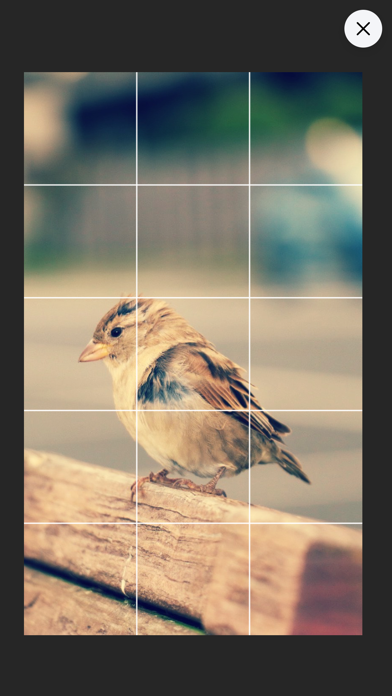
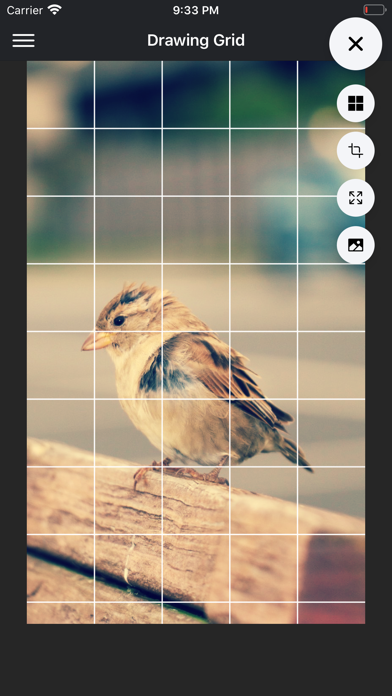
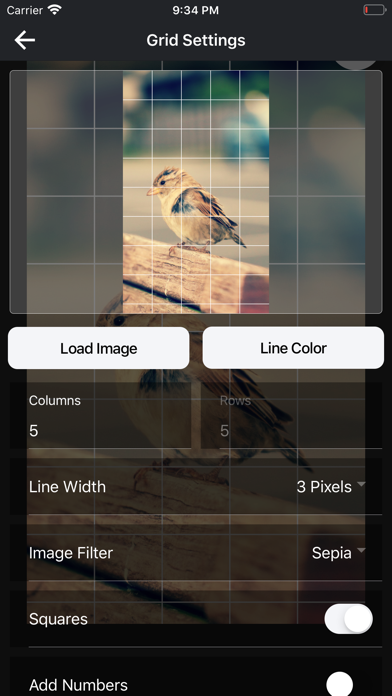
DrawinGrid is a drawing companion for artists who work from reference photos. Users can load an image, adjust a grid’s size and spacing, zoom into details, and export the gridded reference for drawing on paper or digitally. The app also describes AR sketching and on-screen tracing tools, with undo and redo controls.

Beyond drawing aids, the app includes project management features for keeping references, progress, and finished work together. Artists can create a public gallery and optionally mark work as available or sold. The listing says some pro features, including cloud sync, AI-assisted tools, and the public gallery, require an account and are available through in-app purchases.

Reference images may have copyright or privacy restrictions, especially when shared in a public gallery. Confirm permission before publishing someone else’s artwork or photograph. AR tracing and camera overlays depend on the device and can vary in accuracy. We have not tested export quality, account privacy, or gallery moderation; check current purchase options and terms before uploading work.
A closer look

App screenshots

DrawinGrid official iOS screenshot 1DrawinGrid official iOS screenshot 2Official iOS store screenshotOfficial iOS store screenshot

Choose with confidence

The useful details.

What it does

  • Create adjustable grids over reference images
  • Use AR or on-screen tracing with zoom, move, and undo tools
  • Organize references, progress, and finished work into projects
  • Optionally publish a gallery or mark artwork as available

A good fit for

  • Artists who use reference images and want drawing aids plus lightweight project organization

Worth knowing

  • Cloud sync, AI tools, and public gallery features require an account and may require purchases.
  • Check copyright and privacy permissions before publishing reference or finished images.
  • We have not tested AR accuracy, gallery moderation, export quality, or current purchase terms.

Frequently asked questions

Answers based on the app’s official listing and reviewed information.

What is DrawinGrid used for?

Use adjustable grids and tracing tools to sketch from reference images and organize art projects.

What can you do with DrawinGrid?

Create adjustable grids over reference images Use AR or on-screen tracing with zoom, move, and undo tools Organize references, progress, and finished work into projects Optionally publish a gallery or mark artwork as available

Who is DrawinGrid designed for?

Artists who use reference images and want drawing aids plus lightweight project organization

What should you know before downloading DrawinGrid?

Cloud sync, AI tools, and public gallery features require an account and may require purchases. Check copyright and privacy permissions before publishing reference or finished images. We have not tested AR accuracy, gallery moderation, export quality, or current purchase terms.

Does DrawinGrid include paid features?

The reviewed listing does not confirm current in-app purchase options.

Which platforms support DrawinGrid?

Greatooly's reviewed app information lists iOS.

Researched from official sources; this is not a hands-on review. Last checked 2026-11-03.

Keep exploring

More apps that might be a good fit.

Roomture: AI Interior Design

Roomture redesigns interior, exterior and garden photos with AI, then lets users compare, refine and save design ideas.

Verde: AI Backyard Design Plan

Verde turns photos of gardens, balconies, and rooms into AI redesigns that account for existing structures and practical dimensions.

RoomMakeover: AI Room Design

RoomMakeover previews AI interior-design ideas from room photos, with style controls, credit packs, and Pro plans.