
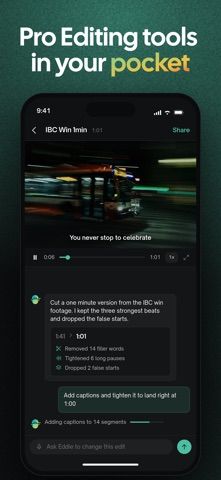
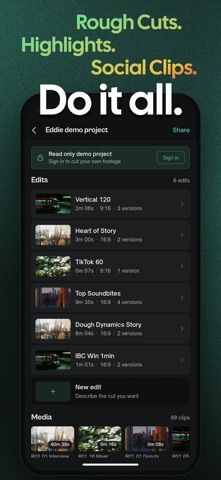
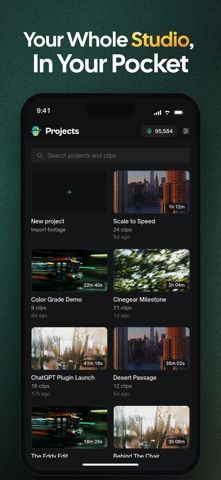
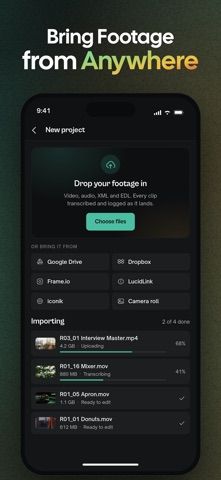
Eddie is a mobile video-editing companion built around describing the edit you want in plain language. Import footage from Photos or use a Frame.io link, then request actions such as opening with a particular shot, adding b-roll, tightening an ending, or making a vertical social cut. The developer says Eddie analyzes clips and audio to assemble an edit, and the app supports workspace collaboration and review links that viewers can open on the web without an account. Projects can sync between phone and desktop, and edits can be opened in Premiere Pro, DaVinci Resolve, or Final Cut Pro for further work. A sample project is available to explore without an account. The App Store listing does not specify subscription prices or the full account requirements for production use, so check current access terms before importing client or sensitive footage.

Eddie AI Video Editor
An AI video editor that turns natural-language edit requests into a rough cut from selected footage.
Overview
A closer look at Eddie AI Video Editor.
A closer look
App screenshots
Choose with confidence
The useful details.
What it does
- Import footage from Photos or a Frame.io link
- Describe edits with prompts such as shot selection and pacing changes
- Share workspace projects and send web review links
- Sync with desktop and continue in supported professional editors
A good fit for
- Video creators who want to explore prompt-based rough cuts on mobile
- Editing teams that need project review links and a path to desktop finishing
Worth knowing
- The listing does not state complete pricing or production access requirements; review how uploaded footage is handled before using sensitive material.
Frequently asked questions
Answers based on the app’s official listing and reviewed information.
What is Eddie AI Video Editor used for?
An AI video editor that turns natural-language edit requests into a rough cut from selected footage.
What can you do with Eddie AI Video Editor?
Import footage from Photos or a Frame.io link Describe edits with prompts such as shot selection and pacing changes Share workspace projects and send web review links Sync with desktop and continue in supported professional editors
Who is Eddie AI Video Editor designed for?
Video creators who want to explore prompt-based rough cuts on mobile Editing teams that need project review links and a path to desktop finishing
What should you know before downloading Eddie AI Video Editor?
The listing does not state complete pricing or production access requirements; review how uploaded footage is handled before using sensitive material.
Does Eddie AI Video Editor include paid features?
The listing says a sample project can be explored without an account and the US App Store offers a free download.
Which platforms support Eddie AI Video Editor?
Greatooly's reviewed app information lists iOS.
Researched from official sources; this is not a hands-on review. Last checked 2026-11-04.
Keep exploring
More apps that might be a good fit.

Dreamy Room: AI Room Design
Dreamy Room uses a photo of a real room to generate AI interior concepts in styles, colors, and furnishing directions you can compare.

Roomture: AI Interior Design
Roomture redesigns interior, exterior and garden photos with AI, then lets users compare, refine and save design ideas.

Verde: AI Backyard Design Plan
Verde turns photos of gardens, balconies, and rooms into AI redesigns that account for existing structures and practical dimensions.