
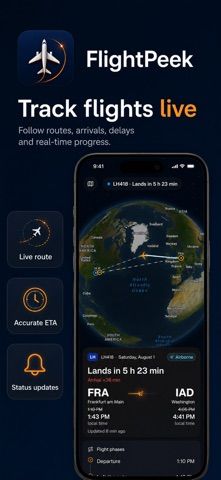
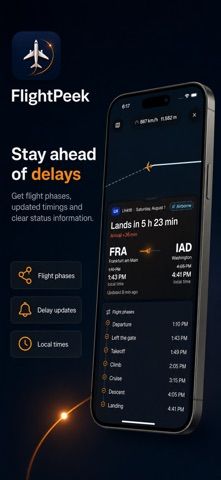
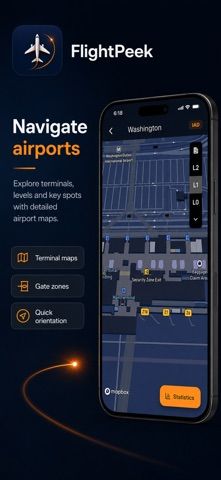
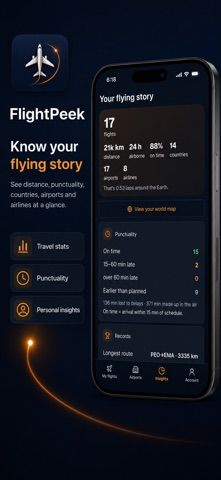
FlightPeek presents live flight and airport information in a mobile travel dashboard. Users can follow a route on an interactive globe and review status, speed, altitude, and estimated arrival time. A timeline compares scheduled and updated flight milestones, while the app says it can show terminals, gates, baggage areas, security zones, and other details at supported airports. Airport performance views include departures, punctuality, delays, cancellations, and disrupted routes. A personal flying history can summarize distance, time airborne, visited countries, airlines, and delay records. The app is free to download and describes the overall product as a premium experience, but the store text does not specify what is free or whether access requires a subscription or one-time purchase. Data availability varies by airline, airport, and provider.
FlightPeek: Flight Tracker
A flight tracker with live routes, delay timelines, supported-airport maps, airport performance, and personal travel stats.
Overview
A closer look at FlightPeek: Flight Tracker.
A closer look
App screenshots
Choose with confidence
The useful details.
What it does
- Follow flight routes and review status, altitude, speed, and estimated arrival
- Compare planned and updated flight milestones and delays
- Explore maps and facilities at supported airports
- Review personal flight history and airport performance statistics
A good fit for
- Travelers monitoring a flight or meeting someone at an airport
- Aviation enthusiasts who want flight and airport information in one app
Worth knowing
- Flight and airport coverage depends on external data availability, and the listing does not explain premium access or purchase terms.
Frequently asked questions
Answers based on the app’s official listing and reviewed information.
What is FlightPeek: Flight Tracker used for?
A flight tracker with live routes, delay timelines, supported-airport maps, airport performance, and personal travel stats.
What can you do with FlightPeek: Flight Tracker?
Follow flight routes and review status, altitude, speed, and estimated arrival Compare planned and updated flight milestones and delays Explore maps and facilities at supported airports Review personal flight history and airport performance statistics
Who is FlightPeek: Flight Tracker designed for?
Travelers monitoring a flight or meeting someone at an airport Aviation enthusiasts who want flight and airport information in one app
What should you know before downloading FlightPeek: Flight Tracker?
Flight and airport coverage depends on external data availability, and the listing does not explain premium access or purchase terms.
Does FlightPeek: Flight Tracker include paid features?
The US App Store lists a free download.
Which platforms support FlightPeek: Flight Tracker?
Greatooly's reviewed app information lists iOS.
Researched from official sources; this is not a hands-on review. Last checked 2026-11-04.
Keep exploring
More apps that might be a good fit.

Tripdrobe: Outfit Packing List
Plan outfits and packing lists by trip date, with premium weather, baggage, wardrobe, and group tools.

SkyFlight Tracker
A flight companion with live status, gate countdowns, route maps, layover risk alerts, airport weather, and travel statistics.
FLITx・Live Flight Tracker Map
A live flight map for searching aircraft and routes, checking flight status, and viewing nearby airport activity.