
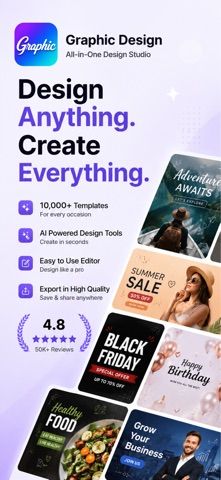
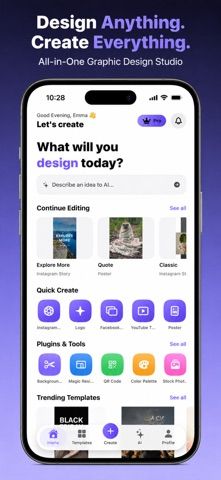
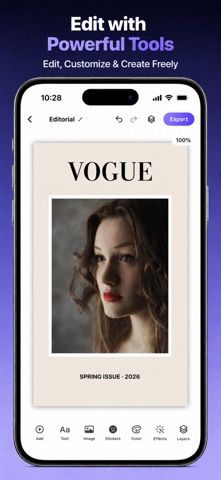
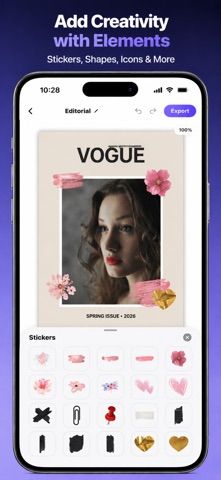
Graphic Design is a mobile design studio for creating social posts, stories, posters, logos, covers, and other promotional graphics. Users can start from a template or describe an idea for AI-generated concepts, then edit text and images, resize elements, adjust colors, apply effects, and manage layers. Stickers, shapes, icons, brush effects, and decorative graphics add finishing details. The workflow is intended for people who want to make a quick design without using a desktop editor or starting from a blank canvas. The App Store description does not specify current pricing, export formats, watermark rules, or limits on AI generations, so check the app's purchase screen and output settings before using it for a client deliverable or print job. Review generated designs for text and layout errors before publishing.
Graphic Design・
Graphic Design is a mobile editor for social posts, stories, posters, logos, and covers. It offers AI-generated design concepts, templates, text and image editing, layers, colors, effects, stickers, shapes, icons, and export. The listing does not specify current pricing, export formats, or any premium limits.
Overview
A closer look at Graphic Design・.
A closer look
App screenshots
Choose with confidence
The useful details.
What it does
- AI-generated design concepts from a short prompt
- Templates for posts, stories, posters, logos, and thumbnails
- Editor for text, images, colors, effects, and layers
- Stickers, shapes, icons, and brush effects
A good fit for
- Creators who need quick mobile social graphics
- People who want a template-based starting point for posters or logos
Worth knowing
- The listing does not specify export formats, watermark rules, AI limits, or current pricing; review generated designs before publishing.
Frequently asked questions
Answers based on the app’s official listing and reviewed information.
What is Graphic Design・ used for?
Graphic Design is a mobile editor for social posts, stories, posters, logos, and covers. It offers AI-generated design concepts, templates, text and image editing, layers, colors, effects, stickers, shapes, icons, and export. The listing does not specify current pricing, export formats, or any premium limits.
What can you do with Graphic Design・?
AI-generated design concepts from a short prompt Templates for posts, stories, posters, logos, and thumbnails Editor for text, images, colors, effects, and layers Stickers, shapes, icons, and brush effects
Who is Graphic Design・ designed for?
Creators who need quick mobile social graphics People who want a template-based starting point for posters or logos
What should you know before downloading Graphic Design・?
The listing does not specify export formats, watermark rules, AI limits, or current pricing; review generated designs before publishing.
Does Graphic Design・ include paid features?
The reviewed listing does not confirm current in-app purchase options.
Which platforms support Graphic Design・?
Greatooly's reviewed app information lists iOS.
Researched from official sources; this is not a hands-on review. Last checked 2026-11-04.
Keep exploring
More apps that might be a good fit.

Verde: AI Backyard Design Plan
Verde turns photos of gardens, balconies, and rooms into AI redesigns that account for existing structures and practical dimensions.

RoomMakeover: AI Room Design
RoomMakeover previews AI interior-design ideas from room photos, with style controls, credit packs, and Pro plans.

Zu3D
Zu3D combines stop-motion capture, drawing, video editing, green-screen effects, sound, and export tools for animated films.