
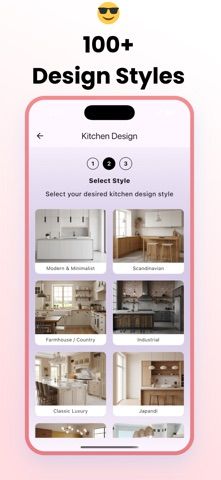
Home Design: Room Planner uses photos to help visualize changes to interiors and outdoor spaces. Its App Store listing describes redesign concepts for kitchens, bedrooms, living rooms, and bathrooms, along with a garden planner for patios and landscapes. Users can explore more than 30 interior styles, try color palettes, and preview furniture or finish changes before committing to a renovation. The app is positioned as a visualization tool for homeowners, real estate agents, and design enthusiasts. Generated images are ideas rather than construction plans, and the listing does not explain the accuracy of dimensions or current pricing, so verify measurements and purchase terms separately.
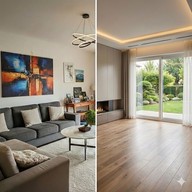
Home Design: Room Planner
An AI room and garden design app that previews interior styles and layout ideas from photos of a space.
By Berke KurnazReleased 2026/01/13App Store rating 5.0 (5)Official store informationPublished 2026/11/04Checked 2026-11-04
Overview
A closer look at Home Design: Room Planner.
A closer look
App screenshots
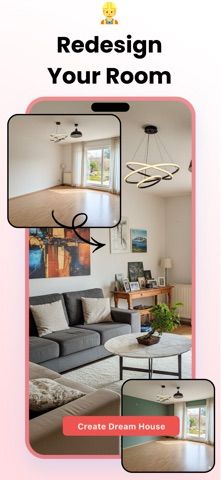
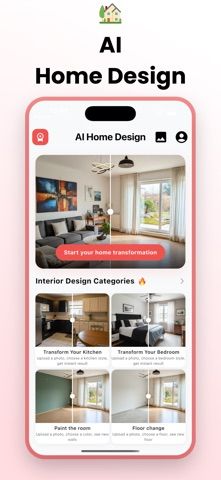
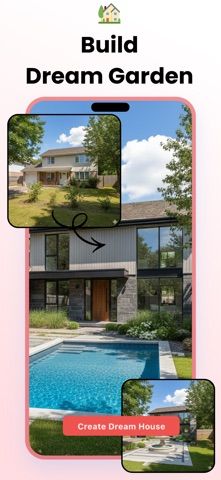
Choose with confidence
The useful details.
What it does
- Generate room redesign concepts from photos
- Explore styles for kitchens, bedrooms, living rooms, and bathrooms
- Plan gardens, patios, and outdoor areas
- Preview color palettes and furniture arrangements
A good fit for
- Homeowners exploring visual ideas before a room refresh
- People comparing interior styles or garden layouts
Worth knowing
- The listing presents visual concepts and does not establish construction-ready measurements or pricing terms.
Frequently asked questions
Answers based on the app’s official listing and reviewed information.
What is Home Design: Room Planner used for?
An AI room and garden design app that previews interior styles and layout ideas from photos of a space.
What can you do with Home Design: Room Planner?
Generate room redesign concepts from photos Explore styles for kitchens, bedrooms, living rooms, and bathrooms Plan gardens, patios, and outdoor areas Preview color palettes and furniture arrangements
Who is Home Design: Room Planner designed for?
Homeowners exploring visual ideas before a room refresh People comparing interior styles or garden layouts
What should you know before downloading Home Design: Room Planner?
The listing presents visual concepts and does not establish construction-ready measurements or pricing terms.
Does Home Design: Room Planner include paid features?
The App Store lists a free download.
Which platforms support Home Design: Room Planner?
Greatooly's reviewed app information lists iOS.
Researched from official sources; this is not a hands-on review. Last checked 2026-11-04.
Keep exploring
More apps that might be a good fit.

VowFolio: Wedding Planner
VowFolio Planner organizes a couple’s guest list, seating chart, budget, checklist, vendors, wedding website, and guest photos.

LevelUp! Kids
LevelUp! Kids turns family chores into quests, letting children earn points for screen time or rewards that parents approve.

Wantd - Curated Wishlist
Wantd saves products from online shops into shareable wishlists, keeps gift reservations secret, and supports group gifts and a social feed.