
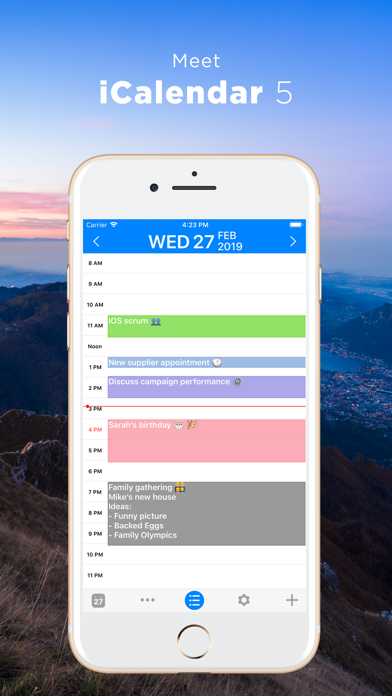
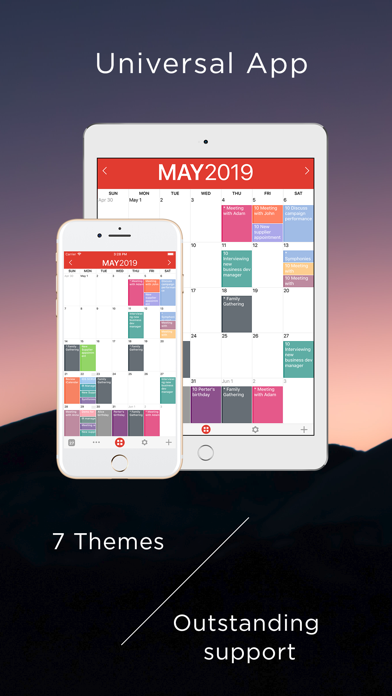
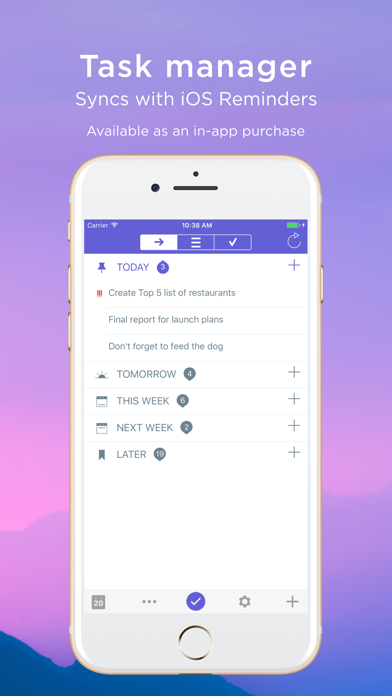
iCalendar is a paid calendar app for organizing events and reminders across personal or work calendars. It supports accounts from iCloud, Google, Exchange, Outlook, and Yahoo, with day, week, month, and year views, color coding, recurring events, search, alerts, time-zone handling, and PDF export. A task manager can sync with iOS Reminders as a separate in-app purchase. The optional Calendar Store subscription adds regularly updated holiday, sports, weather, stock, and other calendars after a one-month trial. Confirm account compatibility, the current download price, and renewal terms before switching; importing or syncing an existing calendar should be tested with a noncritical calendar first.

iCalendar
Manage calendars from iCloud, Google, Exchange, Outlook, or Yahoo, review day to year views, and organize tasks in iCalendar.
By Symfonies, Inc.Official store informationPublished 2026/11/03Checked 2026-11-03
Overview
A closer look at iCalendar.
A closer look
App screenshots
Choose with confidence
The useful details.
What it does
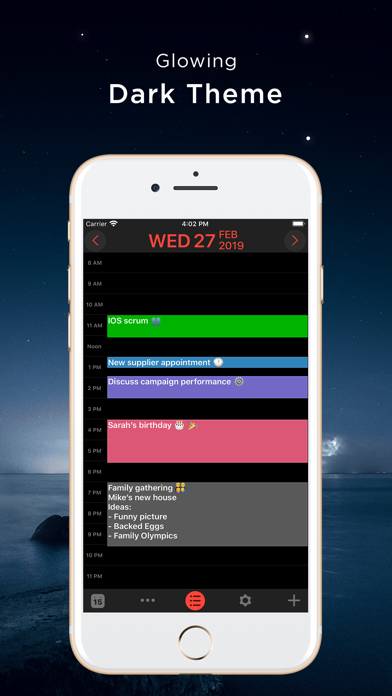
- View events by day, week, month, or year and color-code calendars.
- Sync supported iCloud, Google, Exchange, Outlook, or Yahoo calendars.
- Create repeating events, alerts, and time-zone-aware appointments.
- Search, print, or export calendar views to PDF; add a task manager through an in-app purchase.
A good fit for
- People who want a multi-account calendar with flexible views, event search, and optional task support.
Worth knowing
- The app is a paid download; verify the current price and account compatibility.
- The task manager costs extra, and Calendar Store updates require an auto-renewing subscription after a one-month trial.
- Test calendar sync and backup with noncritical data before changing an established schedule.
Frequently asked questions
Answers based on the app’s official listing and reviewed information.
What is iCalendar used for?
Manage calendars from iCloud, Google, Exchange, Outlook, or Yahoo, review day to year views, and organize tasks in iCalendar.
What can you do with iCalendar?
View events by day, week, month, or year and color-code calendars. Sync supported iCloud, Google, Exchange, Outlook, or Yahoo calendars. Create repeating events, alerts, and time-zone-aware appointments. Search, print, or export calendar views to PDF; add a task manager through an in-app purchase.
Who is iCalendar designed for?
People who want a multi-account calendar with flexible views, event search, and optional task support.
What should you know before downloading iCalendar?
The app is a paid download; verify the current price and account compatibility. The task manager costs extra, and Calendar Store updates require an auto-renewing subscription after a one-month trial. Test calendar sync and backup with noncritical data before changing an established schedule.
Does iCalendar include paid features?
The US App Store listing showed a $2.99 paid download when reviewed; confirm current price before purchase. The task manager is listed as a $0.99 in-app purchase; confirm current price.
Which platforms support iCalendar?
Greatooly's reviewed app information lists iOS.
Researched from official sources; this is not a hands-on review. Last checked 2026-11-03.
Keep exploring
More apps that might be a good fit.

VowFolio: Wedding Planner
VowFolio Planner organizes a couple’s guest list, seating chart, budget, checklist, vendors, wedding website, and guest photos.

LevelUp! Kids
LevelUp! Kids turns family chores into quests, letting children earn points for screen time or rewards that parents approve.

Wantd - Curated Wishlist
Wantd saves products from online shops into shareable wishlists, keeps gift reservations secret, and supports group gifts and a social feed.