GreatoolyGreatooly
Koala Sampler • Beat Maker app icon

Koala Sampler • Beat Maker

Sample sounds with a phone microphone or imported audio, build beats with effects and a sequencer, and export tracks from a compact sampler.

By Mazbox LimitedApp Store rating 4.8 (1,458)Official store informationPublished 2026/11/03Checked 2026-11-03

Overview

A closer look at Koala Sampler • Beat Maker.

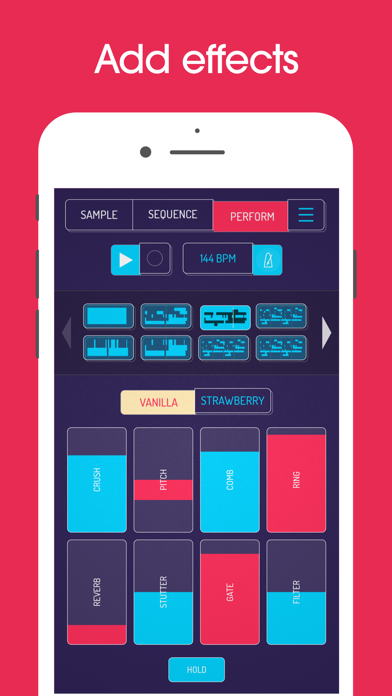
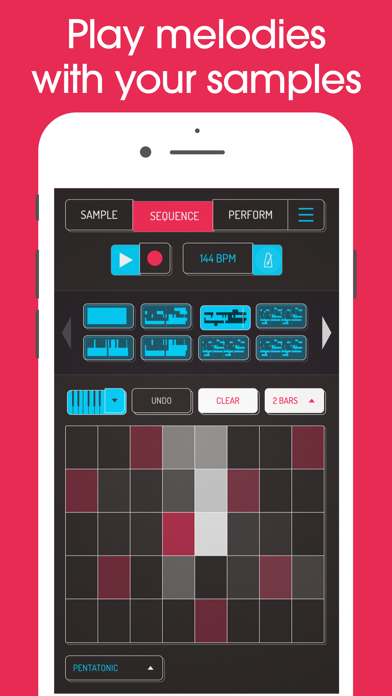
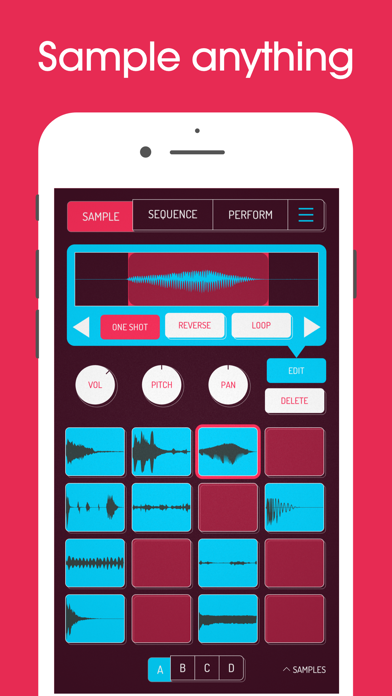
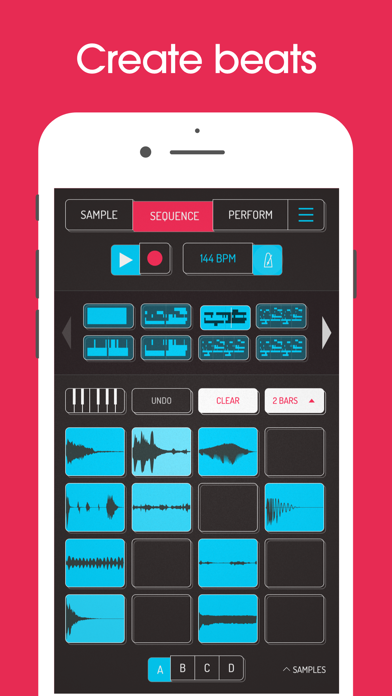
Koala Sampler is a pocket music-making app for recording and arranging samples. Users can capture sounds with the phone microphone or import audio, then shape clips with effects, sequence patterns, and resample the result. The listing describes up to 64 samples, built-in sounds, WAV export, and direct export to Ableton Live Set.

The interface is designed for fast beat-making rather than detailed multitrack editing. Optional SAMURAI and MIXER in-app purchases add features such as time-stretching, sync, channel mixing, and extra effects. The US App Store currently lists the base app for $4.99; add-on prices were not stated in the description reviewed.

Before publishing a track, confirm rights for imported samples and sounds. Export and sync behavior should be tested with the user's production setup. We have not assessed audio quality, plugin compatibility, or commercial licensing. The app is a creative tool, not a replacement for a full desktop audio workstation.
A closer look

App screenshots

Koala Sampler • Beat Maker official iOS screenshot 1Koala Sampler • Beat Maker official iOS screenshot 2Official iOS store screenshotOfficial iOS store screenshot

Choose with confidence

The useful details.

What it does

  • Record samples with the microphone or import audio files
  • Create beats with a sequencer, built-in sounds, and effects
  • Resample output and export WAV loops or tracks
  • Add optional SAMURAI and MIXER features through in-app purchases

A good fit for

  • Beat makers who want to capture sounds and build quick musical sketches on an iPhone or iPad

Worth knowing

  • The US App Store currently lists the base app for $4.99; add-on prices were not stated.
  • Confirm rights for imported samples before publishing or monetizing tracks.
  • The mobile sampler is not a full desktop production or multitrack editing environment.

Frequently asked questions

Answers based on the app’s official listing and reviewed information.

What is Koala Sampler • Beat Maker used for?

Sample sounds with a phone microphone or imported audio, build beats with effects and a sequencer, and export tracks from a compact sampler.

What can you do with Koala Sampler • Beat Maker?

Record samples with the microphone or import audio files Create beats with a sequencer, built-in sounds, and effects Resample output and export WAV loops or tracks Add optional SAMURAI and MIXER features through in-app purchases

Who is Koala Sampler • Beat Maker designed for?

Beat makers who want to capture sounds and build quick musical sketches on an iPhone or iPad

What should you know before downloading Koala Sampler • Beat Maker?

The US App Store currently lists the base app for $4.99; add-on prices were not stated. Confirm rights for imported samples before publishing or monetizing tracks. The mobile sampler is not a full desktop production or multitrack editing environment.

Does Koala Sampler • Beat Maker include paid features?

The US App Store currently lists Koala Sampler for $4.99; the amount may change. Optional SAMURAI and MIXER in-app purchases add further features; current add-on prices were not stated in the listing excerpt reviewed.

Which platforms support Koala Sampler • Beat Maker?

Greatooly's reviewed app information lists iOS.

Researched from official sources; this is not a hands-on review. Last checked 2026-11-03.

Keep exploring

More apps that might be a good fit.

Verde: AI Backyard Design Plan

Verde turns photos of gardens, balconies, and rooms into AI redesigns that account for existing structures and practical dimensions.

RoomMakeover: AI Room Design

RoomMakeover previews AI interior-design ideas from room photos, with style controls, credit packs, and Pro plans.

Zu3D

Zu3D combines stop-motion capture, drawing, video editing, green-screen effects, sound, and export tools for animated films.