
Lineova is a drawing and painting studio for iPhone, iPad, and Mac. It combines a set of natural-media brushes with layer-based illustration, vector line art, color tools, and texture painting on 3D models. The listing also describes comic page templates, frame-by-frame animation, and export formats such as SVG, GLB, and USDZ. The free version includes essential brushes, up to three layers, and PNG, JPEG, or HEIC export. A one-time Premium purchase unlocks additional brushes, unlimited layers, vector and 3D tools, animation export, and more formats; the app offers a three-day Premium trial. The listing says the purchase works across Apple devices under the same Apple Account.

Lineova: Drawing & Painting
A multi-device drawing studio with brushes, vector tools, 3D texture painting, layers, comics, and animation.
By Malık SARIReleased 2026/09/30No ratings yetOfficial store informationPublished 2026/11/04Checked 2026-11-04
Overview
A closer look at Lineova: Drawing & Painting.
A closer look
App screenshots
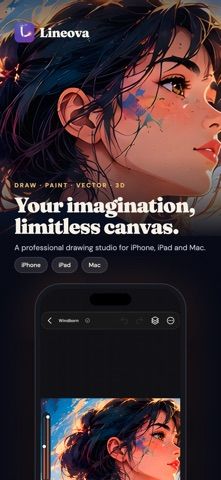
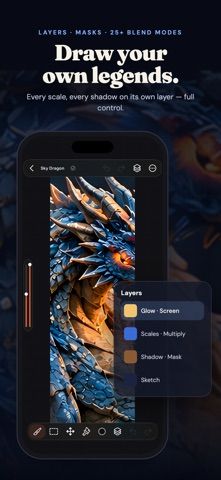
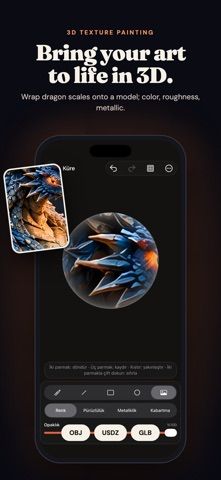
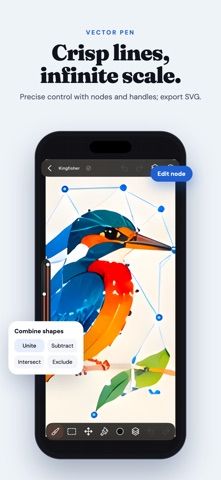
Choose with confidence
The useful details.
What it does
- Draw with more than 35 brushes and customize brush behavior.
- Create editable vector paths, comic pages, and frame-by-frame animations.
- Paint textures on 3D models and export formats including USDZ or GLB.
- Use layers, masks, blend modes, and color-management tools.
A good fit for
- Digital illustrators and hobby artists who want drawing, vector, 3D, and animation tools in one app.
Worth knowing
- The free version is limited to three layers and basic export formats; many advanced tools require Premium.
- Premium is a one-time purchase with a three-day trial; current price was not stated in the captured listing.
Frequently asked questions
Answers based on the app’s official listing and reviewed information.
What is Lineova: Drawing & Painting used for?
A multi-device drawing studio with brushes, vector tools, 3D texture painting, layers, comics, and animation.
What can you do with Lineova: Drawing & Painting?
Draw with more than 35 brushes and customize brush behavior. Create editable vector paths, comic pages, and frame-by-frame animations. Paint textures on 3D models and export formats including USDZ or GLB. Use layers, masks, blend modes, and color-management tools.
Who is Lineova: Drawing & Painting designed for?
Digital illustrators and hobby artists who want drawing, vector, 3D, and animation tools in one app.
What should you know before downloading Lineova: Drawing & Painting?
The free version is limited to three layers and basic export formats; many advanced tools require Premium. Premium is a one-time purchase with a three-day trial; current price was not stated in the captured listing.
Does Lineova: Drawing & Painting include paid features?
Lineova Premium is a one-time purchase with a three-day free trial; exact price was not stated in the captured listing.
Which platforms support Lineova: Drawing & Painting?
Greatooly's reviewed app information lists iOS.
Researched from official sources; this is not a hands-on review. Last checked 2026-11-04.
Keep exploring
More apps that might be a good fit.

Roomture: AI Interior Design
Roomture redesigns interior, exterior and garden photos with AI, then lets users compare, refine and save design ideas.

Verde: AI Backyard Design Plan
Verde turns photos of gardens, balconies, and rooms into AI redesigns that account for existing structures and practical dimensions.

RoomMakeover: AI Room Design
RoomMakeover previews AI interior-design ideas from room photos, with style controls, credit packs, and Pro plans.