
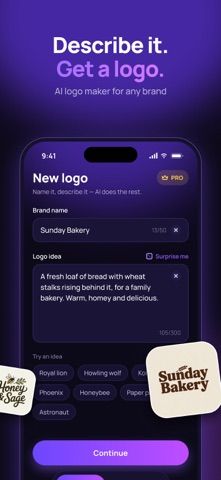
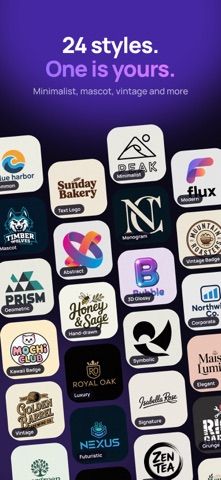
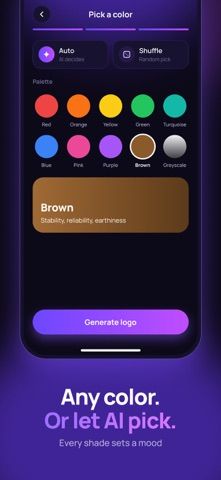
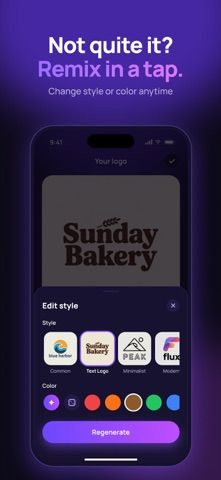
Logo Maker AI: Logo Creator generates logo concepts from a brand name and a written idea. The listing describes choosing from 24 styles, selecting or randomizing colors, and regenerating designs after changing the prompt or visual direction. Saved concepts appear in a My Designs area and can be exported for use on websites, social media, merchandise, or business cards. A subscription is required to unlock full access, with auto-renewal described in the listing. The App Store metadata does not include current plan prices, so review the trial if offered, renewal timing, and cancellation settings before subscribing. Generated marks should be checked for readability, originality, and potential trademark conflicts before commercial use. The listing had no user ratings when checked, so the product's output quality has limited independent feedback so far.

Logo Maker AI: Logo Creator
Generate logo concepts from a brand name and prompt, then adjust style and colors before saving designs.
Overview
A closer look at Logo Maker AI: Logo Creator.
A closer look
App screenshots
Choose with confidence
The useful details.
What it does
- Create logo concepts using a brand name, prompt, style, and color direction.
- Choose from listed visual styles such as minimalist, mascot, vintage, or geometric.
- Revise prompts and colors, then keep generated options in My Designs.
- Save or share designs for common brand and social uses.
A good fit for
- Small businesses and creators who want to explore quick logo concepts before refining a brand identity.
Worth knowing
- Full access requires an auto-renewing subscription; verify price, trial, renewal, and cancellation terms.
- Generated logos need originality and trademark checks before commercial use.
- The listing had no user ratings when checked, so independent output-quality feedback is limited.
Frequently asked questions
Answers based on the app’s official listing and reviewed information.
What is Logo Maker AI: Logo Creator used for?
Generate logo concepts from a brand name and prompt, then adjust style and colors before saving designs.
What can you do with Logo Maker AI: Logo Creator?
Create logo concepts using a brand name, prompt, style, and color direction. Choose from listed visual styles such as minimalist, mascot, vintage, or geometric. Revise prompts and colors, then keep generated options in My Designs. Save or share designs for common brand and social uses.
Who is Logo Maker AI: Logo Creator designed for?
Small businesses and creators who want to explore quick logo concepts before refining a brand identity.
What should you know before downloading Logo Maker AI: Logo Creator?
Full access requires an auto-renewing subscription; verify price, trial, renewal, and cancellation terms. Generated logos need originality and trademark checks before commercial use. The listing had no user ratings when checked, so independent output-quality feedback is limited.
Does Logo Maker AI: Logo Creator include paid features?
The listing says full access requires an auto-renewing subscription. Current prices and plan intervals were not present in the metadata snapshot; verify in the App Store.
Which platforms support Logo Maker AI: Logo Creator?
Greatooly's reviewed app information lists iOS.
Researched from official sources; this is not a hands-on review. Last checked 2026-11-04.
Keep exploring
More apps that might be a good fit.

Verde: AI Backyard Design Plan
Verde turns photos of gardens, balconies, and rooms into AI redesigns that account for existing structures and practical dimensions.

RoomMakeover: AI Room Design
RoomMakeover previews AI interior-design ideas from room photos, with style controls, credit packs, and Pro plans.

Zu3D
Zu3D combines stop-motion capture, drawing, video editing, green-screen effects, sound, and export tools for animated films.