
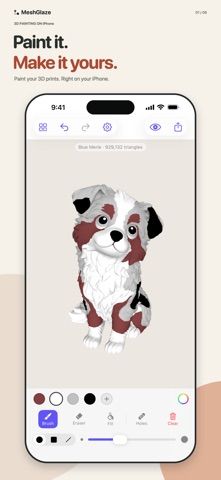
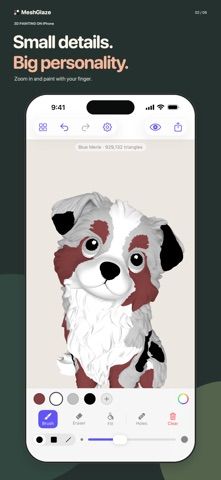
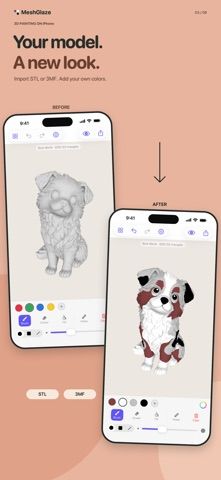
MeshGlaze lets users paint colors onto 3D models from an iPhone or iPad before continuing the work in a desktop tool or slicer. Import an STL or 3MF, choose colors, and paint directly on the surface; iPad users can use Apple Pencil pressure to adjust strokes. The listing describes fill tools, an eight-color palette, edge controls, undo, and offline work without an account. Painting and file import are free. A one-time purchase unlocks export formats, including painted 3MF and OBJ with material and texture files. Color handling can vary by slicer and format, so check the exported file in the software used for printing.
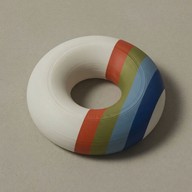
MeshGlaze - 3D Model Painter
A 3D model painting app for STL and 3MF files, with brush tools and a one-time export unlock.
By druidori s.r.o.Released 2026/08/17App Store rating 5.0 (1)Official store informationPublished 2026/11/04Checked 2026-11-04
Overview
A closer look at MeshGlaze - 3D Model Painter.
A closer look
App screenshots
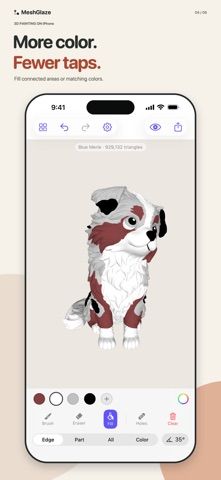
Choose with confidence
The useful details.
What it does
- Import STL and 3MF models and paint directly on their surfaces
- Use brushes, fill tools, color palettes, and Apple Pencil on iPad
- Work offline without an account or ads
- Unlock 3MF and OBJ export through a one-time purchase
A good fit for
- 3D printing hobbyists planning multicolor models
- Users who want to test color designs on mobile before using a slicer
Worth knowing
- Export requires a purchase, and color handling depends on the slicer and file format.
Frequently asked questions
Answers based on the app’s official listing and reviewed information.
What is MeshGlaze - 3D Model Painter used for?
A 3D model painting app for STL and 3MF files, with brush tools and a one-time export unlock.
What can you do with MeshGlaze - 3D Model Painter?
Import STL and 3MF models and paint directly on their surfaces Use brushes, fill tools, color palettes, and Apple Pencil on iPad Work offline without an account or ads Unlock 3MF and OBJ export through a one-time purchase
Who is MeshGlaze - 3D Model Painter designed for?
3D printing hobbyists planning multicolor models Users who want to test color designs on mobile before using a slicer
What should you know before downloading MeshGlaze - 3D Model Painter?
Export requires a purchase, and color handling depends on the slicer and file format.
Does MeshGlaze - 3D Model Painter include paid features?
Importing and painting are free. A one-time in-app purchase unlocks export formats; the current price is not stated in the description.
Which platforms support MeshGlaze - 3D Model Painter?
Greatooly's reviewed app information lists iOS.
Researched from official sources; this is not a hands-on review. Last checked 2026-11-04.
Keep exploring
More apps that might be a good fit.

Verde: AI Backyard Design Plan
Verde turns photos of gardens, balconies, and rooms into AI redesigns that account for existing structures and practical dimensions.

RoomMakeover: AI Room Design
RoomMakeover previews AI interior-design ideas from room photos, with style controls, credit packs, and Pro plans.

Zu3D
Zu3D combines stop-motion capture, drawing, video editing, green-screen effects, sound, and export tools for animated films.