
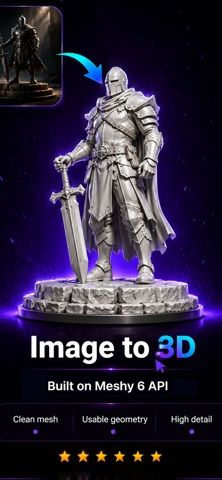
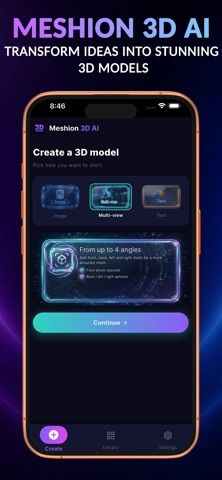
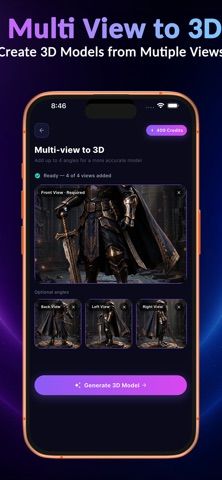
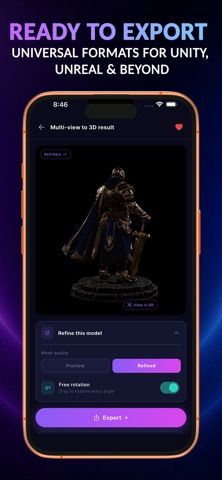
Meshion AI creates 3D assets from text prompts or images. Users can describe a character, prop, or object, upload a reference image, or provide several angles of the same subject for multiview generation. Generated models can be inspected in an interactive viewer, previewed in augmented reality when supported, and exported in formats such as GLB, OBJ, FBX, or USDZ. The app targets hobbyists and creators making game assets, product concepts, and prototypes without beginning in a desktop modeling tool. The developer says optional auto-renewing subscriptions provide additional access and features, with plans and prices shown in the app. Results from a small number of images may omit hidden geometry or introduce errors; inspect and edit models before production use. Review photo-processing terms before uploading reference images.
Meshion Ai: 3D Model Generator
An AI 3D asset generator that creates models from text prompts or one to several images.
Overview
A closer look at Meshion Ai: 3D Model Generator.
A closer look
App screenshots
Choose with confidence
The useful details.
What it does
- Generate 3D models from text descriptions, a single image, or multiple views.
- Inspect generated assets in an interactive viewer and supported AR previews.
- Export models in GLB, OBJ, FBX, or USDZ formats.
- Use generated assets as starting points for game, product, or concept workflows.
A good fit for
- Creators who want a quick 3D asset draft from a text prompt or reference images.
Worth knowing
- Generated geometry may be inaccurate, especially on surfaces missing from the reference images.
- Inspect and refine models before production, animation, or 3D printing.
- Additional access requires an auto-renewing subscription; review image-processing and plan terms before uploading or subscribing.
Frequently asked questions
Answers based on the app’s official listing and reviewed information.
What is Meshion Ai: 3D Model Generator used for?
An AI 3D asset generator that creates models from text prompts or one to several images.
What can you do with Meshion Ai: 3D Model Generator?
Generate 3D models from text descriptions, a single image, or multiple views. Inspect generated assets in an interactive viewer and supported AR previews. Export models in GLB, OBJ, FBX, or USDZ formats. Use generated assets as starting points for game, product, or concept workflows.
Who is Meshion Ai: 3D Model Generator designed for?
Creators who want a quick 3D asset draft from a text prompt or reference images.
What should you know before downloading Meshion Ai: 3D Model Generator?
Generated geometry may be inaccurate, especially on surfaces missing from the reference images. Inspect and refine models before production, animation, or 3D printing. Additional access requires an auto-renewing subscription; review image-processing and plan terms before uploading or subscribing.
Does Meshion Ai: 3D Model Generator include paid features?
Optional auto-renewing subscriptions add access and features. Current plans and prices appear in the app.
Which platforms support Meshion Ai: 3D Model Generator?
Greatooly's reviewed app information lists iOS.
Researched from official sources; this is not a hands-on review. Last checked 2026-11-04.
Keep exploring
More apps that might be a good fit.

Verde: AI Backyard Design Plan
Verde turns photos of gardens, balconies, and rooms into AI redesigns that account for existing structures and practical dimensions.

RoomMakeover: AI Room Design
RoomMakeover previews AI interior-design ideas from room photos, with style controls, credit packs, and Pro plans.

Zu3D
Zu3D combines stop-motion capture, drawing, video editing, green-screen effects, sound, and export tools for animated films.