
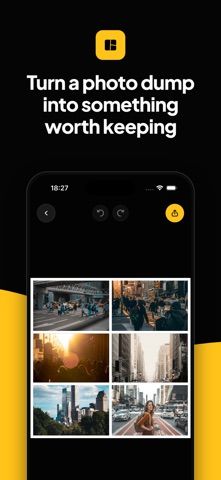
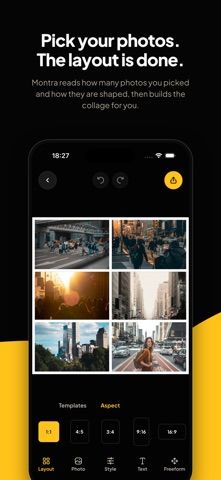
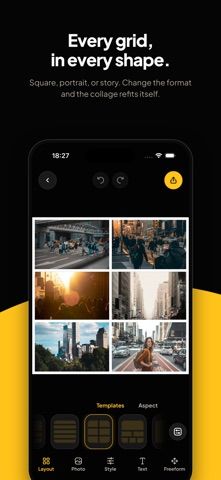
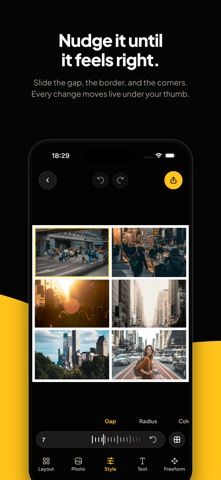
Montra makes photo collages by choosing a layout based on the number and shape of selected photos. Users can start with an automatic grid or a template, then change the aspect ratio, spacing, border, corners, and background color. Individual photos can be moved, zoomed, rotated, flipped, filtered, or swapped; freeform mode lets users place and resize frames on a canvas. The developer says projects stay on the device, photos are not uploaded, and no account is required. The free version supports up to six photos, while a single Pro purchase raises the limit to sixteen. The App Store lists iOS 16.4 or later; the paid limit is still capped at sixteen photos.

Montra: Photo Collage Maker
A private photo collage maker with automatic layouts, adjustable grids, freeform canvases, and a one-time Pro upgrade.
By Daniel LealReleased 2026/09/17No ratings yetOfficial store informationPublished 2026/11/04Checked 2026-11-04
Overview
A closer look at Montra: Photo Collage Maker.
A closer look
App screenshots
Choose with confidence
The useful details.
What it does
- Auto-fit a collage layout to the number and orientation of selected photos.
- Adjust grid spacing, borders, corners, colors, and aspect ratio.
- Edit photos in frames or arrange them freely on a canvas.
- Export a full-quality JPEG without creating an account.
A good fit for
- People who want quick, customizable photo collages without uploading images to an account.
Worth knowing
- The free version allows up to six photos and Pro raises that to sixteen; iOS 16.4 or later is required.
Frequently asked questions
Answers based on the app’s official listing and reviewed information.
What is Montra: Photo Collage Maker used for?
A private photo collage maker with automatic layouts, adjustable grids, freeform canvases, and a one-time Pro upgrade.
What can you do with Montra: Photo Collage Maker?
Auto-fit a collage layout to the number and orientation of selected photos. Adjust grid spacing, borders, corners, colors, and aspect ratio. Edit photos in frames or arrange them freely on a canvas. Export a full-quality JPEG without creating an account.
Who is Montra: Photo Collage Maker designed for?
People who want quick, customizable photo collages without uploading images to an account.
What should you know before downloading Montra: Photo Collage Maker?
The free version allows up to six photos and Pro raises that to sixteen; iOS 16.4 or later is required.
Does Montra: Photo Collage Maker include paid features?
Montra Pro is a single purchase that raises the collage limit to 16 photos; the current US price is shown in the App Store.
Which platforms support Montra: Photo Collage Maker?
Greatooly's reviewed app information lists iOS.
Researched from official sources; this is not a hands-on review. Last checked 2026-11-04.
Keep exploring
More apps that might be a good fit.

Roomture: AI Interior Design
Roomture redesigns interior, exterior and garden photos with AI, then lets users compare, refine and save design ideas.

Verde: AI Backyard Design Plan
Verde turns photos of gardens, balconies, and rooms into AI redesigns that account for existing structures and practical dimensions.

RoomMakeover: AI Room Design
RoomMakeover previews AI interior-design ideas from room photos, with style controls, credit packs, and Pro plans.