GreatoolyGreatooly
My Scans PRO, pdf scanner app app icon

My Scans PRO, pdf scanner app

Scan paper documents into organized PDFs, combine pages, share files, and optionally sync documents through My Scans Cloud.

By TOP APP d.o.o.App Store rating 4.8 (3,173)Official store informationPublished 2026/11/03Checked 2026-11-03

Overview

A closer look at My Scans PRO, pdf scanner app.

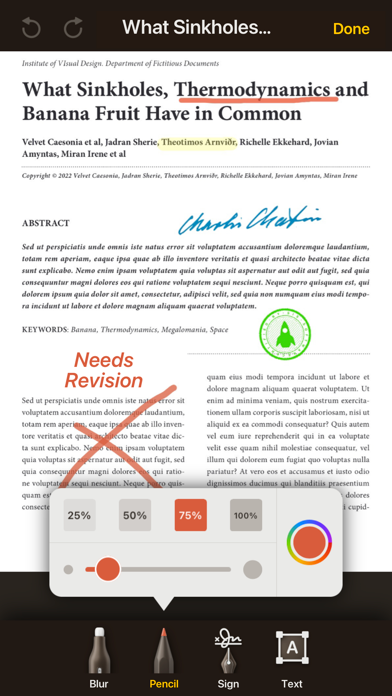
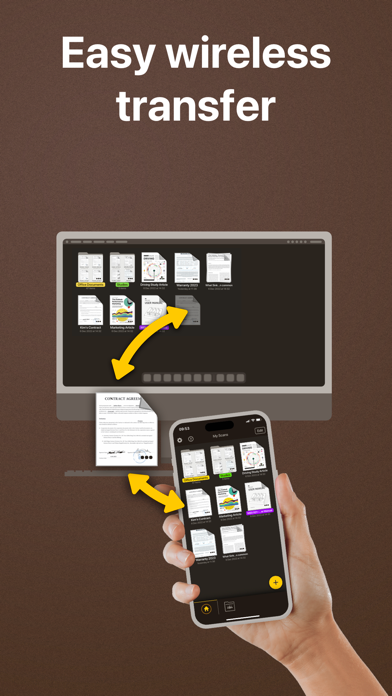
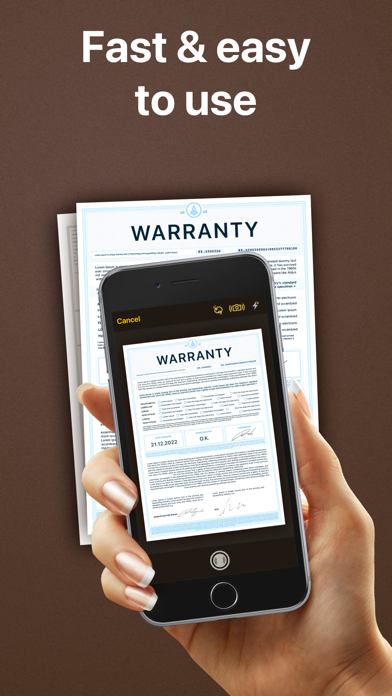
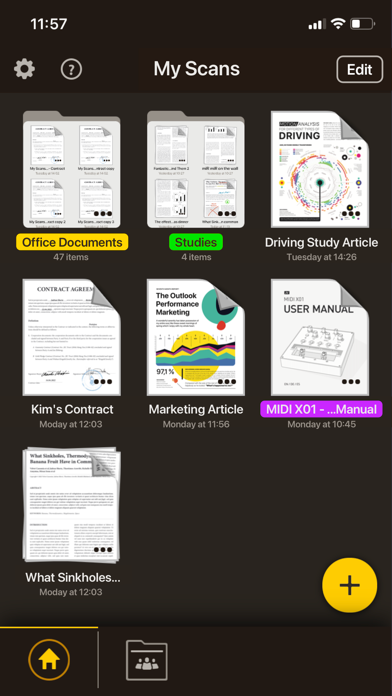
My Scans is a document-scanning app for turning paper pages into digital files. It uses the phone camera to detect page edges, crop images, and organize scans into folders. The listing describes multi-page documents, PDF and image sharing, printing, and built-in fax support. Searchable PDF creation is listed as a feature available in the full version or the Pro app.

The US App Store currently lists the Pro app for $10.99. The description separately lists My Scans Cloud for device sync, browser access, backup, and shared folders at $2.99 per month or $19.99 per year; confirm current terms before subscribing. Cloud features require the service to be enabled.

The app can be useful for receipts, forms, and paper records, but scans should be checked for legibility and missing pages. Documents may contain sensitive personal or business data, so review the developer's privacy terms and sharing settings before uploading them. We have not tested OCR, fax delivery, or cloud restoration.
A closer look

App screenshots

My Scans PRO, pdf scanner app official iOS screenshot 1My Scans PRO, pdf scanner app official iOS screenshot 2Official iOS store screenshotOfficial iOS store screenshot

Choose with confidence

The useful details.

What it does

  • Capture pages with automatic edge detection and cropping
  • Combine multiple pages and organize files in folders
  • Share or print scans as PDFs or images
  • Use optional cloud sync, backup, and shared folders

A good fit for

  • People who want a phone-based document scanner with folder organization and optional cloud access

Worth knowing

  • The US listing currently shows a $10.99 paid download; verify the price before purchase.
  • Cloud sync is a separate service with monthly or annual pricing described in the listing; confirm current terms.
  • Searchable PDF creation is limited to the full version or Pro app, and sensitive files need careful handling.

Frequently asked questions

Answers based on the app’s official listing and reviewed information.

What is My Scans PRO, pdf scanner app used for?

Scan paper documents into organized PDFs, combine pages, share files, and optionally sync documents through My Scans Cloud.

What can you do with My Scans PRO, pdf scanner app?

Capture pages with automatic edge detection and cropping Combine multiple pages and organize files in folders Share or print scans as PDFs or images Use optional cloud sync, backup, and shared folders

Who is My Scans PRO, pdf scanner app designed for?

People who want a phone-based document scanner with folder organization and optional cloud access

What should you know before downloading My Scans PRO, pdf scanner app?

The US listing currently shows a $10.99 paid download; verify the price before purchase. Cloud sync is a separate service with monthly or annual pricing described in the listing; confirm current terms. Searchable PDF creation is limited to the full version or Pro app, and sensitive files need careful handling.

Does My Scans PRO, pdf scanner app include paid features?

The US App Store currently lists My Scans PRO as a $10.99 paid download; the amount may change. The listing describes optional My Scans Cloud at $2.99 per month or $19.99 per year; verify current price and renewal terms in the app.

Which platforms support My Scans PRO, pdf scanner app?

Greatooly's reviewed app information lists iOS.

Researched from official sources; this is not a hands-on review. Last checked 2026-11-03.

Keep exploring

More apps that might be a good fit.

HomeKeep Home Inventory

HomeKeep stores a private home inventory on iPhone, tracking item values and warranties with free CSV export and paid PDF reports.

Hold My Juice

Hold My Juice connects family email and calendars to surface school forms, activity changes, deadlines, and schedule conflicts.

Timen - Time Tracking

Timen tracks billable and non-billable work offline, then syncs hours to its web app for invoices, exports, and team reports.