
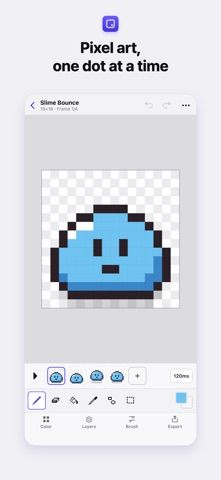
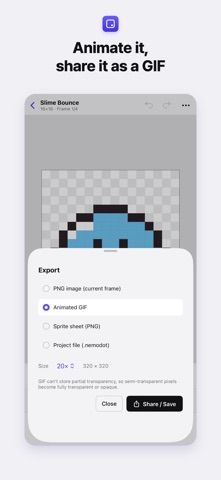
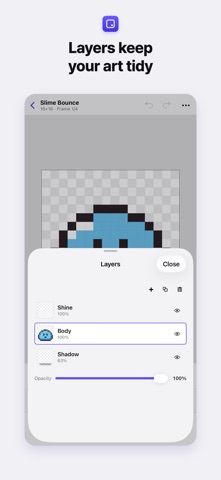
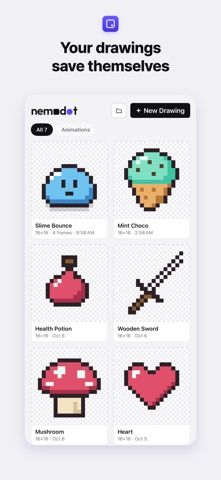
nemodot is a pixel art editor for illustrations, icons, and short sprite animations. The drawing tools include pencil, eraser, fill, geometric shapes, mirror drawing, selection tools, and a pixel-perfect cleanup option for diagonals. Artists can work with layers and palettes, arrange animation frames, and preview motion with onion skin. Projects can be exported as PNG, animated GIF, or sprite sheets at scaled sizes, and PNG or GIF files can be imported for further editing. The developer describes support for touch, Apple Pencil, mouse, and Mac keyboard shortcuts, with English and Korean interfaces. Drawings save automatically and remain on the device; the listing says there are no ads and no account requirement. The US App Store listing is marked free to download and showed no in-app purchase options in the captured metadata.

nemodot - Pixel Art Editor
A pixel art editor for drawing and animation with layers, palette import and export, sprite sheets, GIFs, and stylus support.
Overview
A closer look at nemodot - Pixel Art Editor.
A closer look
App screenshots
Choose with confidence
The useful details.
What it does
- Draw with pixel-focused tools, selection modes, layers, palettes, and undo or redo.
- Create animations with adjustable frames, playback, and onion-skin guides.
- Import PNG or GIF files and export PNGs, animated GIFs, or sprite sheets.
- Use touch, Apple Pencil, mouse, and Mac keyboard shortcuts; save projects locally.
A good fit for
- Pixel artists who want to draw and animate sprites on iPhone, iPad, or Mac.
Worth knowing
- The app focuses on pixel art and frame animation rather than general photo or vector design.
- The developer says artwork stays on-device; the listing does not describe cloud collaboration or automatic sync.
- The captured US listing is free to download and showed no in-app purchase options; verify current store terms.
Frequently asked questions
Answers based on the app’s official listing and reviewed information.
What is nemodot - Pixel Art Editor used for?
A pixel art editor for drawing and animation with layers, palette import and export, sprite sheets, GIFs, and stylus support.
What can you do with nemodot - Pixel Art Editor?
Draw with pixel-focused tools, selection modes, layers, palettes, and undo or redo. Create animations with adjustable frames, playback, and onion-skin guides. Import PNG or GIF files and export PNGs, animated GIFs, or sprite sheets. Use touch, Apple Pencil, mouse, and Mac keyboard shortcuts; save projects locally.
Who is nemodot - Pixel Art Editor designed for?
Pixel artists who want to draw and animate sprites on iPhone, iPad, or Mac.
What should you know before downloading nemodot - Pixel Art Editor?
The app focuses on pixel art and frame animation rather than general photo or vector design. The developer says artwork stays on-device; the listing does not describe cloud collaboration or automatic sync. The captured US listing is free to download and showed no in-app purchase options; verify current store terms.
Does nemodot - Pixel Art Editor include paid features?
The US App Store listing is marked free to download. No in-app purchase options appeared in the captured metadata; confirm current terms in the store.
Which platforms support nemodot - Pixel Art Editor?
Greatooly's reviewed app information lists iOS.
Researched from official sources; this is not a hands-on review. Last checked 2026-11-04.
Keep exploring
More apps that might be a good fit.

Roomture: AI Interior Design
Roomture redesigns interior, exterior and garden photos with AI, then lets users compare, refine and save design ideas.

Verde: AI Backyard Design Plan
Verde turns photos of gardens, balconies, and rooms into AI redesigns that account for existing structures and practical dimensions.

RoomMakeover: AI Room Design
RoomMakeover previews AI interior-design ideas from room photos, with style controls, credit packs, and Pro plans.