
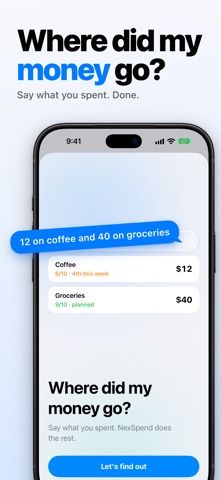
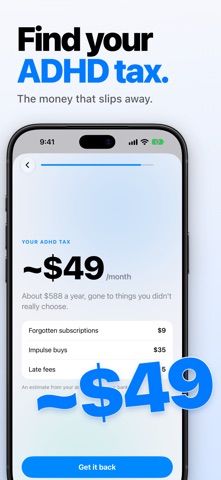
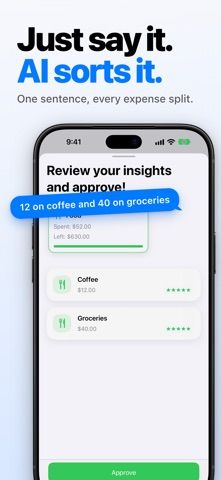
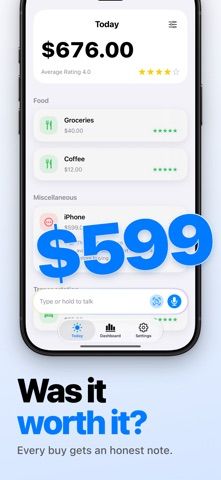
NexSpend is an expense and budget tracker designed around quick capture and a calmer presentation. The listing says users can turn a short natural-language note or a scanned receipt into categorized spending, then set budgets that align with their income day. It also describes tracking recurring bills and subscriptions, with AI-powered insights intended to summarize spending patterns. Recent listing notes mention improved iCloud syncing and an updated upgrade and trial flow. NexSpend is positioned as an ADHD-friendly tool, but it is not a medical or clinical product and does not treat ADHD. The App Store description indicates premium features and an upgrade flow without publishing current subscription prices in the listing. Review what information receipt scanning or AI features process before entering sensitive financial details, and verify each suggested category before accepting it.

NexSpend: ADHD Expense Tracker
An ADHD-oriented expense tracker with receipt scanning, payday-aware budgets, and AI-generated insights.
Overview
A closer look at NexSpend: ADHD Expense Tracker.
A closer look
App screenshots
Choose with confidence
The useful details.
What it does
- Log expenses from natural-language notes or scanned receipts
- Set budgets around an income day and review category suggestions
- Track recurring bills and subscriptions
- Use AI-powered summaries and iCloud syncing as described by the developer
A good fit for
- People who want low-friction expense capture and payday-aware budgeting
- Users who prefer short summaries and automated categorization suggestions
Worth knowing
- AI categories and insights can be wrong and should be checked; premium pricing and data handling details should be reviewed before use.
Frequently asked questions
Answers based on the app’s official listing and reviewed information.
What is NexSpend: ADHD Expense Tracker used for?
An ADHD-oriented expense tracker with receipt scanning, payday-aware budgets, and AI-generated insights.
What can you do with NexSpend: ADHD Expense Tracker?
Log expenses from natural-language notes or scanned receipts Set budgets around an income day and review category suggestions Track recurring bills and subscriptions Use AI-powered summaries and iCloud syncing as described by the developer
Who is NexSpend: ADHD Expense Tracker designed for?
People who want low-friction expense capture and payday-aware budgeting Users who prefer short summaries and automated categorization suggestions
What should you know before downloading NexSpend: ADHD Expense Tracker?
AI categories and insights can be wrong and should be checked; premium pricing and data handling details should be reviewed before use.
Does NexSpend: ADHD Expense Tracker include paid features?
The US App Store lists a free download; premium features are available through an upgrade flow. A premium subscription and trial flow are described, but current plan prices and terms are not stated in the listing.
Which platforms support NexSpend: ADHD Expense Tracker?
Greatooly's reviewed app information lists iOS.
Researched from official sources; this is not a hands-on review. Last checked 2026-11-04.
Keep exploring
More apps that might be a good fit.
GoStash: Home Inventory
GoStash creates a searchable home inventory from photos, supports shared spaces and iCloud backup, tracks expirations, quantity and item value, with optional Pro upgrades.

Leaflet: Plant Care Tracker
Leaflet keeps houseplant care schedules, watering reminders, growth photos, room groups, care history and pet-safety notes in an offline plant journal.

Wishdea: Gift Wishlists
Wishdea helps people share gift wishlists with links, private passcodes, gift details, priorities and surprise-safe reservations to prevent duplicates.