
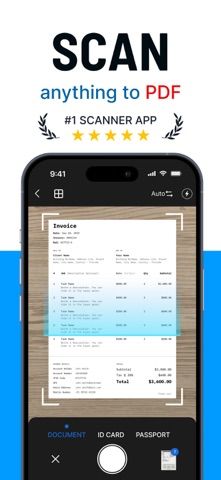
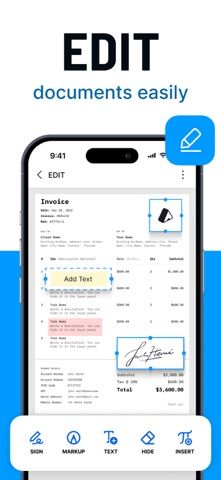
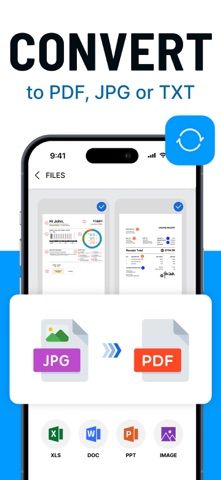
PDF Scanner App: Docs Scan turns an iPhone camera into a document capture and editing tool. The listing describes automatic page detection and cropping, multi-page scans, PDF creation, annotations, signatures, and file conversion. Users can organize scans, search by file details or content, and share documents through email, AirDrop, or other apps. This can help with receipts, forms, notes, and everyday paperwork, but the listing's broad format support and text-editing features should be checked on representative files before depending on them. Scans may contain identity or financial information; review cloud handling, local storage, access controls, and export quality before capturing sensitive documents.
PDF Scanner App: Docs Scan
Scan pages to PDF, crop and annotate documents, sign files, and organize or share scans with PDF Scanner.
By Appselect LtdApp Store rating 4.8 (493)Official store informationPublished 2026/11/03Checked 2026-11-03
Overview
A closer look at PDF Scanner App: Docs Scan.
A closer look
App screenshots
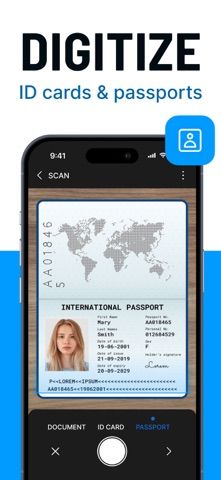
Choose with confidence
The useful details.
What it does
- Capture and crop pages into multi-page PDF scans.
- Annotate, highlight, sign, or add content to supported files.
- Organize documents and search by available file details or content.
- Share scans through email, AirDrop, or other installed apps.
A good fit for
- People who need occasional mobile document scans and simple PDF markup.
Worth knowing
- Verify conversion and text-editing results on important files before sending them.
- Scans can contain sensitive personal data; check storage, upload, and privacy settings.
- Review free scan limits, subscription or purchase terms, and cancellation steps.
Frequently asked questions
Answers based on the app’s official listing and reviewed information.
What is PDF Scanner App: Docs Scan used for?
Scan pages to PDF, crop and annotate documents, sign files, and organize or share scans with PDF Scanner.
What can you do with PDF Scanner App: Docs Scan?
Capture and crop pages into multi-page PDF scans. Annotate, highlight, sign, or add content to supported files. Organize documents and search by available file details or content. Share scans through email, AirDrop, or other installed apps.
Who is PDF Scanner App: Docs Scan designed for?
People who need occasional mobile document scans and simple PDF markup.
What should you know before downloading PDF Scanner App: Docs Scan?
Verify conversion and text-editing results on important files before sending them. Scans can contain sensitive personal data; check storage, upload, and privacy settings. Review free scan limits, subscription or purchase terms, and cancellation steps.
Does PDF Scanner App: Docs Scan include paid features?
The reviewed listing does not confirm current in-app purchase options.
Which platforms support PDF Scanner App: Docs Scan?
Greatooly's reviewed app information lists iOS.
Researched from official sources; this is not a hands-on review. Last checked 2026-11-03.
Keep exploring
More apps that might be a good fit.

HomeKeep Home Inventory
HomeKeep stores a private home inventory on iPhone, tracking item values and warranties with free CSV export and paid PDF reports.

Hold My Juice
Hold My Juice connects family email and calendars to surface school forms, activity changes, deadlines, and schedule conflicts.

Timen - Time Tracking
Timen tracks billable and non-billable work offline, then syncs hours to its web app for invoices, exports, and team reports.