
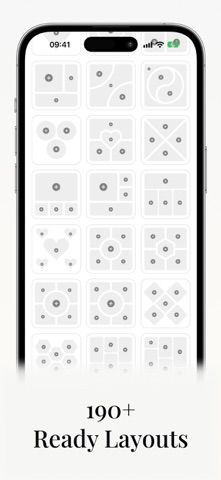
Grid Co is a collage maker for combining photos into grids, story layouts, portrait or square compositions, and connected multi-slide carousels. Users can start with a template, adjust photo spacing, crop and rotate images, and add text, fonts, stickers, frames, backgrounds, colors, and basic filters. Projects can stay as drafts and be exported to the photo library when ready to share. The listing notes support for both screens of iPhone Duo. Grid Co Premium is an optional monthly or yearly subscription that unlocks premium templates and removes the export watermark. The listing does not show current subscription prices, so review the purchase screen before subscribing. The free editing and export options may include a watermark.

Photo Collage Maker - Grid Co
A photo collage editor for grids, stories, multi-slide carousels, and social posts.
By NEONIQUE YAZILIM VE TEKNOLOJI HIZMETLERI ANONIM SIRKETIReleased 2026/10/28App Store rating 5.0 (3)Official store informationPublished 2026/11/04Checked 2026-11-04
Overview
A closer look at Photo Collage Maker - Grid Co.
A closer look
App screenshots



Choose with confidence
The useful details.
What it does
- Build photo grids and collages from editable templates.
- Create square, portrait, story, and multi-slide carousel layouts.
- Personalize designs with text, fonts, stickers, frames, backgrounds, and color choices.
- Save projects as drafts, then export finished images to the photo library.
A good fit for
- Social media creators who want to assemble branded or connected photo layouts on an iPhone.
Worth knowing
- Premium templates and watermark-free exports require an optional subscription.
- The listing does not specify subscription prices; confirm the amount and renewal period in the app.
Frequently asked questions
Answers based on the app’s official listing and reviewed information.
What is Photo Collage Maker - Grid Co used for?
A photo collage editor for grids, stories, multi-slide carousels, and social posts.
What can you do with Photo Collage Maker - Grid Co?
Build photo grids and collages from editable templates. Create square, portrait, story, and multi-slide carousel layouts. Personalize designs with text, fonts, stickers, frames, backgrounds, and color choices. Save projects as drafts, then export finished images to the photo library.
Who is Photo Collage Maker - Grid Co designed for?
Social media creators who want to assemble branded or connected photo layouts on an iPhone.
What should you know before downloading Photo Collage Maker - Grid Co?
Premium templates and watermark-free exports require an optional subscription. The listing does not specify subscription prices; confirm the amount and renewal period in the app.
Does Photo Collage Maker - Grid Co include paid features?
Grid Co Premium is offered as an optional monthly or yearly auto-renewing subscription. Current prices are shown in the app before purchase.
Which platforms support Photo Collage Maker - Grid Co?
Greatooly's reviewed app information lists iOS.
Researched from official sources; this is not a hands-on review. Last checked 2026-11-04.
Keep exploring
More apps that might be a good fit.

Dreamy Room: AI Room Design
Dreamy Room uses a photo of a real room to generate AI interior concepts in styles, colors, and furnishing directions you can compare.

Roomture: AI Interior Design
Roomture redesigns interior, exterior and garden photos with AI, then lets users compare, refine and save design ideas.

Verde: AI Backyard Design Plan
Verde turns photos of gardens, balconies, and rooms into AI redesigns that account for existing structures and practical dimensions.