
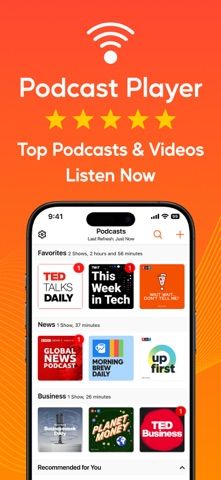
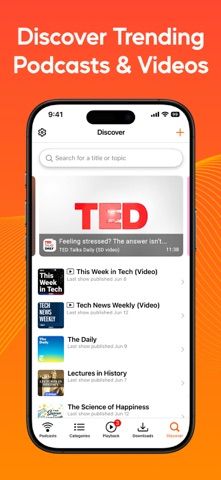
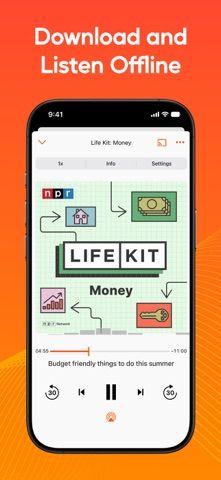
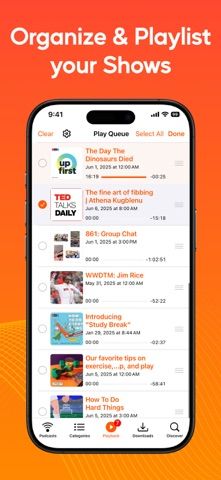
Podcast Player is an audio and video podcast app with tools for organizing shows and adjusting playback. Listeners can search a podcast directory or add a feed URL, download or stream episodes, set a sleep timer, and group subscriptions into categories. Audio controls include silence removal and sound processing, while iCloud sync can keep listening data aligned across devices. The app is free with ads, and the listing also describes subscription terms; check the current plan and renewal price before starting any trial or upgrade. Some feeds require a password or a working RSS address, and downloads may use substantial storage or mobile data.

EntertainmentAudiobook listening appsPlaylist organizing appsPodcast discovery appsPodcast listening appsRadio listening appsSound and ambient audio apps
Podcast Player - Video & RSS
Stream or download podcasts, organize subscriptions, reduce silence, and sync listening across Apple devices.
By Maple Media Apps, LLCApp Store rating 4.7 (2,201)Official store informationPublished 2026/11/03Checked 2026-11-03
Overview
A closer look at Podcast Player - Video & RSS.
A closer look
App screenshots
Choose with confidence
The useful details.
What it does
- Search a podcast directory or add a feed by URL.
- Stream or download episodes and organize shows into categories.
- Use silence removal, audio controls, and a sleep timer.
- Sync listening data with iCloud across supported devices.
A good fit for
- Podcast listeners who want feed controls, downloads, and playback adjustments.
Worth knowing
- The free version includes ads; verify the subscription features and current price.
- Some shows may require authentication or a valid feed URL.
- Downloads use device storage and may consume mobile data when streamed.
Frequently asked questions
Answers based on the app’s official listing and reviewed information.
What is Podcast Player - Video & RSS used for?
Stream or download podcasts, organize subscriptions, reduce silence, and sync listening across Apple devices.
What can you do with Podcast Player - Video & RSS?
Search a podcast directory or add a feed by URL. Stream or download episodes and organize shows into categories. Use silence removal, audio controls, and a sleep timer. Sync listening data with iCloud across supported devices.
Who is Podcast Player - Video & RSS designed for?
Podcast listeners who want feed controls, downloads, and playback adjustments.
What should you know before downloading Podcast Player - Video & RSS?
The free version includes ads; verify the subscription features and current price. Some shows may require authentication or a valid feed URL. Downloads use device storage and may consume mobile data when streamed.
Does Podcast Player - Video & RSS include paid features?
The reviewed listing does not confirm current in-app purchase options.
Which platforms support Podcast Player - Video & RSS?
Greatooly's reviewed app information lists iOS.
Researched from official sources; this is not a hands-on review. Last checked 2026-11-03.
Keep exploring
More apps that might be a good fit.

VocaBurst: Language Learning
VocaBurst teaches vocabulary through typing, spoken recall, quizzes and spaced repetition in a language-learning arcade game.

Songmo: AI Song & Music Maker
Songmo turns a text prompt or lyrics into two AI-produced song takes with vocals, stereo mixing and shareable lyric videos.
Friday: Movie & TV Recs
Friday builds movie and TV recommendations from the titles you rate, with taste predictions and streaming availability.