GreatoolyGreatooly
Sketch Club app icon

Sketch Club

A paid drawing and painting studio with layered canvases, vector and brush tools, photo editing, community challenges, and Apple Pencil support.

By blackpawn.comApp Store rating 4.8 (2,616)Official store informationPublished 2026/11/03Checked 2026-11-03

Overview

A closer look at Sketch Club.

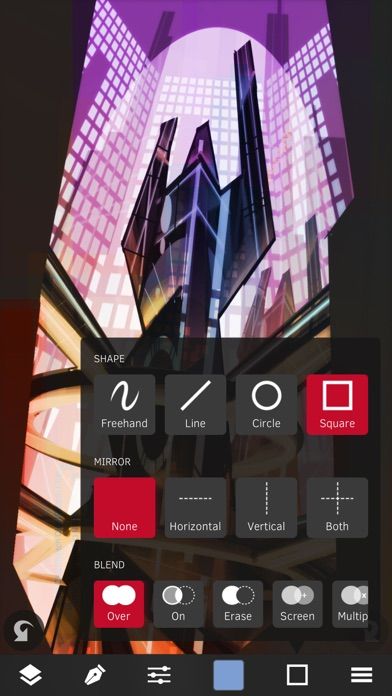
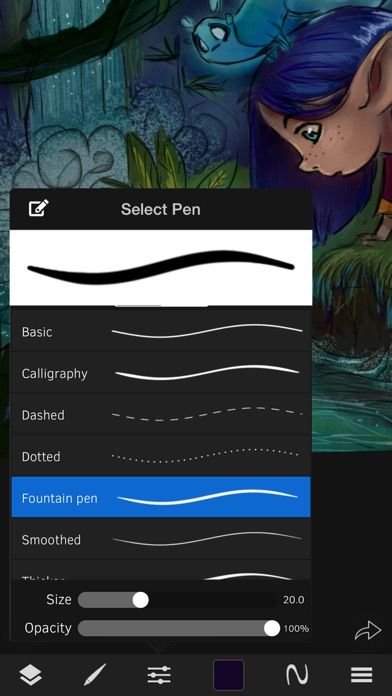
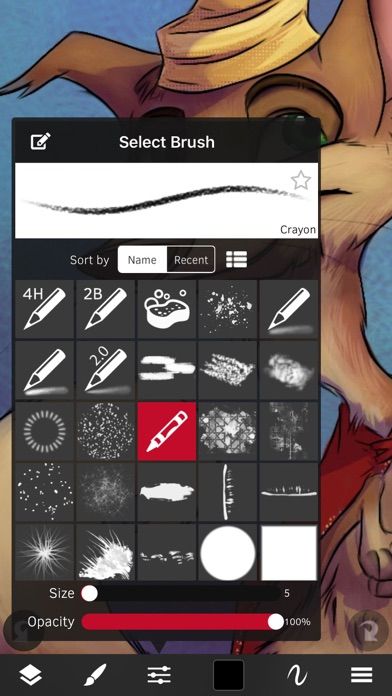
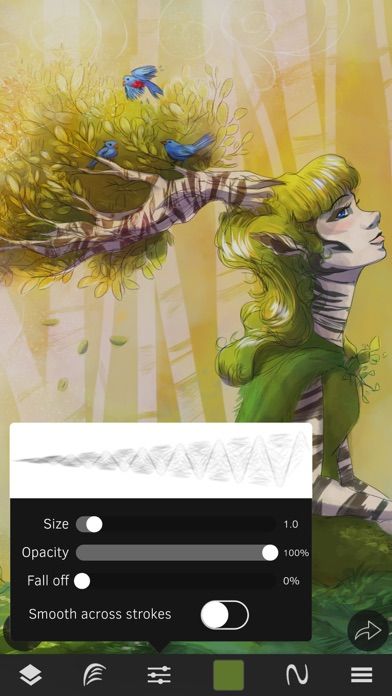
Sketch Club is a drawing, painting, and image-editing app for iPhone and iPad. Its toolset includes brushes, vector tools, text, fills, smudging, selection tools, and layer filters. Canvases support many layers and large print-oriented sizes, while transform, mirroring, and shape tools help build more controlled compositions.

The app also has a creative community with daily challenges, competitions, and collaborative drawing boards. Artists can record a canvas process and export a video, share presets, or export PSD files. The listing highlights Apple Pencil and other stylus support, which may make the iPad version more comfortable for detailed work.

The US App Store currently lists Sketch Club as a US$2.99 paid download. Large canvases and many layers may require a capable device and available storage. Community challenges are optional; the app can also be used as a standalone drawing tool. We have not tested stylus compatibility or export workflows.
A closer look

App screenshots

Sketch Club official iOS screenshot 1Sketch Club official iOS screenshot 2Official iOS store screenshotOfficial iOS store screenshot

Choose with confidence

The useful details.

What it does

  • Draw and paint with brush, vector, text, selection, and fill tools
  • Use layered canvases, filters, transforms, and mirroring modes
  • Export PSD files and recorded drawing-process videos
  • Join daily challenges, competitions, and collaborative community boards

A good fit for

  • Digital artists who want a full-featured drawing app with layers and an optional community

Worth knowing

  • The US listing shows a US$2.99 paid download; regional pricing may differ.
  • Large canvases and many layers can use substantial device memory and storage.
  • Some stylus features depend on compatible hardware.

Frequently asked questions

Answers based on the app’s official listing and reviewed information.

What is Sketch Club used for?

A paid drawing and painting studio with layered canvases, vector and brush tools, photo editing, community challenges, and Apple Pencil support.

What can you do with Sketch Club?

Draw and paint with brush, vector, text, selection, and fill tools Use layered canvases, filters, transforms, and mirroring modes Export PSD files and recorded drawing-process videos Join daily challenges, competitions, and collaborative community boards

Who is Sketch Club designed for?

Digital artists who want a full-featured drawing app with layers and an optional community

What should you know before downloading Sketch Club?

The US listing shows a US$2.99 paid download; regional pricing may differ. Large canvases and many layers can use substantial device memory and storage. Some stylus features depend on compatible hardware.

Does Sketch Club include paid features?

The reviewed listing reports no in-app purchases.

Which platforms support Sketch Club?

Greatooly's reviewed app information lists iOS.

Researched from official sources; this is not a hands-on review. Last checked 2026-11-03.

Keep exploring

More apps that might be a good fit.

Verde: AI Backyard Design Plan

Verde turns photos of gardens, balconies, and rooms into AI redesigns that account for existing structures and practical dimensions.

RoomMakeover: AI Room Design

RoomMakeover previews AI interior-design ideas from room photos, with style controls, credit packs, and Pro plans.

Zu3D

Zu3D combines stop-motion capture, drawing, video editing, green-screen effects, sound, and export tools for animated films.