
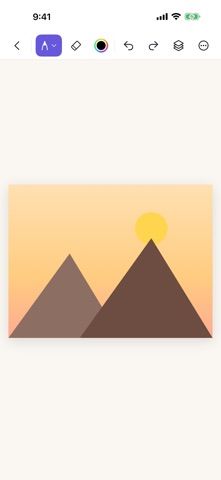
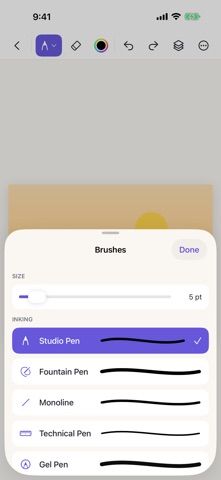
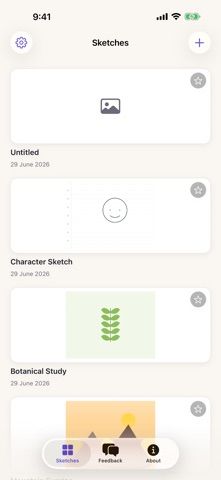
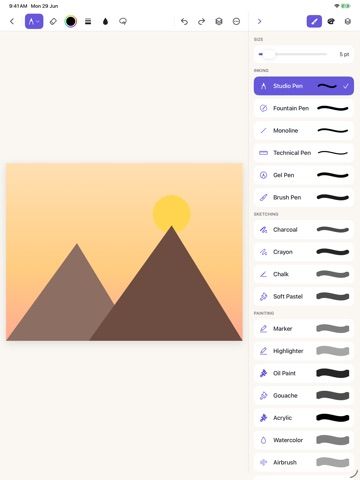
Sketchbook Studio is a drawing and painting canvas designed for iPad and Apple Pencil. It offers brush styles such as pencil, marker, crayon, fountain pen, and watercolor, with adjustable size, opacity, and color. Layers can be duplicated, reordered, hidden, locked, or blended, while rulers and symmetry guides support more structured illustrations. Users can choose page templates for ruled notes, grids, storyboards, or music, and place a photo beneath the canvas as a tracing reference. Filters add a finishing effect, and an augmented-reality preview can place a completed sketch into the surrounding space. The developer says drawings are saved on the device. The listing does not specify current pricing or cloud sync, so users should check the App Store offer and export options before starting a long project.

Sketchbook Studio
Sketchbook Studio is an iPad drawing and painting app for Apple Pencil. It includes pressure-sensitive brushes, layers, rulers, symmetry guides, filters, page templates, photo tracing overlays, and augmented-reality previews. Sketches are saved on the device; current pricing is not specified in the listing.
Overview
A closer look at Sketchbook Studio.
A closer look
App screenshots
Choose with confidence
The useful details.
What it does
- Pressure-sensitive Apple Pencil brushes and color controls
- Layer editing, eraser, fill, rulers, and symmetry guides
- Page templates and adjustable photo tracing references
- Filters and augmented-reality preview for finished sketches
A good fit for
- iPad users who sketch or paint with Apple Pencil
- Illustrators who want layers, guides, and tracing references on a tablet
Worth knowing
- The listing presents it as an iPad-focused app and does not specify current pricing or cloud-sync options.
Frequently asked questions
Answers based on the app’s official listing and reviewed information.
What is Sketchbook Studio used for?
Sketchbook Studio is an iPad drawing and painting app for Apple Pencil. It includes pressure-sensitive brushes, layers, rulers, symmetry guides, filters, page templates, photo tracing overlays, and augmented-reality previews. Sketches are saved on the device; current pricing is not specified in the listing.
What can you do with Sketchbook Studio?
Pressure-sensitive Apple Pencil brushes and color controls Layer editing, eraser, fill, rulers, and symmetry guides Page templates and adjustable photo tracing references Filters and augmented-reality preview for finished sketches
Who is Sketchbook Studio designed for?
iPad users who sketch or paint with Apple Pencil Illustrators who want layers, guides, and tracing references on a tablet
What should you know before downloading Sketchbook Studio?
The listing presents it as an iPad-focused app and does not specify current pricing or cloud-sync options.
Does Sketchbook Studio include paid features?
The reviewed listing does not confirm current in-app purchase options.
Which platforms support Sketchbook Studio?
Greatooly's reviewed app information lists iOS.
Researched from official sources; this is not a hands-on review. Last checked 2026-11-04.
Keep exploring
More apps that might be a good fit.

Verde: AI Backyard Design Plan
Verde turns photos of gardens, balconies, and rooms into AI redesigns that account for existing structures and practical dimensions.

RoomMakeover: AI Room Design
RoomMakeover previews AI interior-design ideas from room photos, with style controls, credit packs, and Pro plans.

Zu3D
Zu3D combines stop-motion capture, drawing, video editing, green-screen effects, sound, and export tools for animated films.