
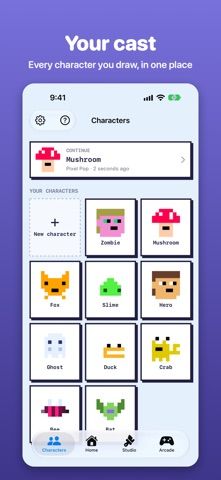
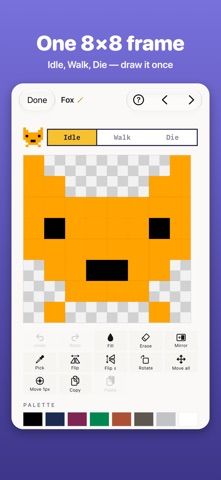
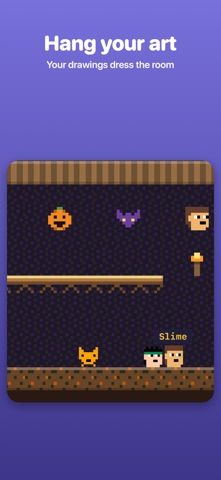
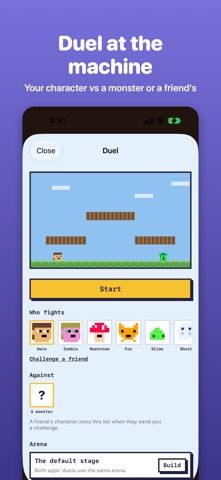
Spriteer makes pixel art within a deliberately small 8×8 canvas. Draw one frame for a character, then build additional poses that the app turns into an animated sprite. Mirror drawing, onion skin, a fixed palette, undo, and a live walking preview support the compact workflow. Creations can be organized into project-like skins, exported as PNG or GIF, and tested in 38 built-in arcade games that use the artwork. Five characters are free; an optional one-time Unlock All purchase removes the character limit and adds extra palette and export options, with no subscription. Spriteer is available on iPhone and iPad and can also share project files with the related Pythoneer app. Its small canvas is a creative constraint, so it is best for icons and game sprites rather than detailed illustration.

Spriteer: 8×8 Pixel Art Studio
An 8×8 pixel-art studio that animates characters and lets you try them in built-in arcade games.
Overview
A closer look at Spriteer: 8×8 Pixel Art Studio.
A closer look
App screenshots
Choose with confidence
The useful details.
What it does
- Draw characters and objects on an 8×8 pixel canvas.
- Animate poses with onion skin and preview a character’s walk cycle.
- Export PNG or GIF files and test sprites in 38 built-in arcade games.
- Organize art into skins and share files with compatible tools.
A good fit for
- Pixel-art beginners and game creators who enjoy making tiny animated sprites.
Worth knowing
- The 8×8 canvas is intentionally limited and is not suited to detailed illustration. Unlock All is a one-time purchase; confirm its current regional price in the App Store.
Frequently asked questions
Answers based on the app’s official listing and reviewed information.
What is Spriteer: 8×8 Pixel Art Studio used for?
An 8×8 pixel-art studio that animates characters and lets you try them in built-in arcade games.
What can you do with Spriteer: 8×8 Pixel Art Studio?
Draw characters and objects on an 8×8 pixel canvas. Animate poses with onion skin and preview a character’s walk cycle. Export PNG or GIF files and test sprites in 38 built-in arcade games. Organize art into skins and share files with compatible tools.
Who is Spriteer: 8×8 Pixel Art Studio designed for?
Pixel-art beginners and game creators who enjoy making tiny animated sprites.
What should you know before downloading Spriteer: 8×8 Pixel Art Studio?
The 8×8 canvas is intentionally limited and is not suited to detailed illustration. Unlock All is a one-time purchase; confirm its current regional price in the App Store.
Does Spriteer: 8×8 Pixel Art Studio include paid features?
Spriteer offers an optional one-time Unlock All purchase; the current US price should be confirmed in the App Store purchase sheet.
Which platforms support Spriteer: 8×8 Pixel Art Studio?
Greatooly's reviewed app information lists iOS.
Researched from official sources; this is not a hands-on review. Last checked 2026-11-04.
Keep exploring
More apps that might be a good fit.

Verde: AI Backyard Design Plan
Verde turns photos of gardens, balconies, and rooms into AI redesigns that account for existing structures and practical dimensions.

RoomMakeover: AI Room Design
RoomMakeover previews AI interior-design ideas from room photos, with style controls, credit packs, and Pro plans.

Zu3D
Zu3D combines stop-motion capture, drawing, video editing, green-screen effects, sound, and export tools for animated films.