
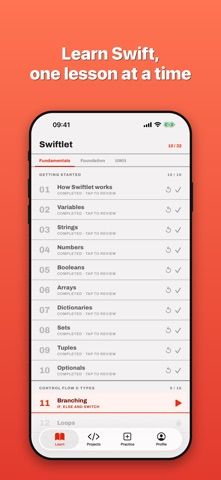
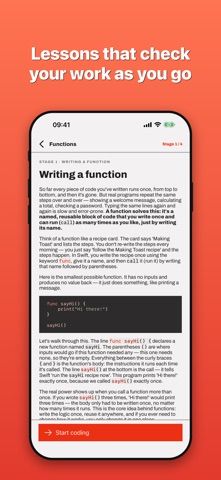
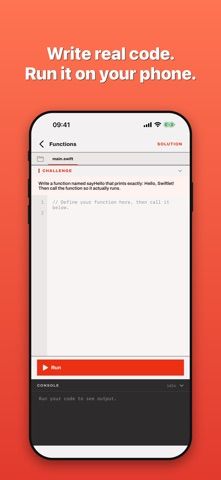
Swiftlet teaches Swift through interactive lessons that ask learners to write code and run it on the device. Topics include variables, branching, loops, collections, functions, closures, enums, structs, classes, protocols, generics, error handling, and async/await. Guided projects let learners combine concepts into small apps, while lessons and challenges track progress locally. The developer says code runs on-device, the app works offline, and no account, tracking, or ads are required; no Mac setup is needed for the lessons. Swiftlet is an independent learning tool and is not affiliated with or endorsed by Apple. The US App Store listing is free to download and the captured metadata showed no in-app purchase options. It can help learners practice Swift syntax on a phone, but it is not a replacement for learning Apple's full development and distribution workflow.
Swiftlet — Learn to Code
An offline Swift learning app with an on-device code runner, interactive lessons, guided projects, and coding challenges.
Overview
A closer look at Swiftlet — Learn to Code.
A closer look
App screenshots
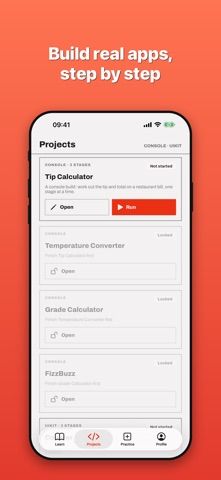
Choose with confidence
The useful details.
What it does
- Learn Swift syntax through interactive lessons that ask users to write and run code.
- Practice topics from basic variables and loops through protocols and async/await.
- Build small apps through guided projects and coding challenges.
- Save progress on-device and continue learning offline without an account.
A good fit for
- Beginners who want hands-on Swift practice and a code runner on an iPhone.
Worth knowing
- Swiftlet is an independent learning app and is not affiliated with or endorsed by Apple.
- It teaches language concepts but does not replace the full Mac-based app development and publishing workflow.
- The US listing is marked free to download and showed no in-app purchase options when checked.
Frequently asked questions
Answers based on the app’s official listing and reviewed information.
What is Swiftlet — Learn to Code used for?
An offline Swift learning app with an on-device code runner, interactive lessons, guided projects, and coding challenges.
What can you do with Swiftlet — Learn to Code?
Learn Swift syntax through interactive lessons that ask users to write and run code. Practice topics from basic variables and loops through protocols and async/await. Build small apps through guided projects and coding challenges. Save progress on-device and continue learning offline without an account.
Who is Swiftlet — Learn to Code designed for?
Beginners who want hands-on Swift practice and a code runner on an iPhone.
What should you know before downloading Swiftlet — Learn to Code?
Swiftlet is an independent learning app and is not affiliated with or endorsed by Apple. It teaches language concepts but does not replace the full Mac-based app development and publishing workflow. The US listing is marked free to download and showed no in-app purchase options when checked.
Does Swiftlet — Learn to Code include paid features?
The US App Store listing is marked free to download. No in-app purchase options appeared in the captured metadata; confirm current terms in the store.
Which platforms support Swiftlet — Learn to Code?
Greatooly's reviewed app information lists iOS.
Researched from official sources; this is not a hands-on review. Last checked 2026-11-04.
Keep exploring
More apps that might be a good fit.

Garden Planner: Landscape AI
Garden Planner: Landscape AI redesigns a yard or patio photo in 24 styles, with before-and-after comparison and private local designs.

Homefolio: Home Inventory
Homefolio records household belongings, values, receipts, serial numbers, and warranties, then exports a claim-ready inventory report.

Reading Log: Nightly Minutes
Reading Log: Nightly Minutes tracks children’s reading minutes or pages, streaks, and weekly summaries for school logs.