
Unroll turns selected photos into social carousels, collages, photo stories, or scrapbook-style layouts. Users can start from a template or build a freestyle design, then add text, stickers, drawings, backgrounds, and photo cutouts. For carousel posts, a wide image can be split across several slides so the design continues as people swipe. The app also includes grids, mood boards, and seasonal template collections, with controls for reordering and aligning elements. The developer says the download is free and all functionality is available to users. It is currently listed for iPhone, and Apple’s privacy label says identifiers may be used for tracking.

Unroll: Carousel Collage Maker
A photo-design app for seamless social carousels, collages, multi-page stories, cutouts, templates, and custom layouts.
By Sohel Ibna SaadReleased 2026/09/23App Store rating 4.9 (43)Official store informationPublished 2026/11/04Checked 2026-11-04
Overview
A closer look at Unroll: Carousel Collage Maker.
A closer look
App screenshots
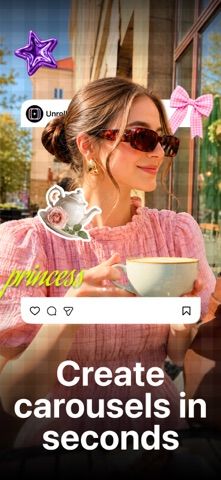
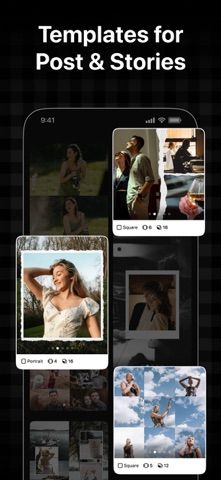
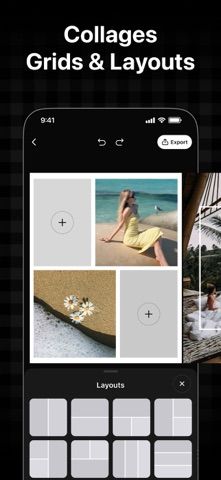

Choose with confidence
The useful details.
What it does
- Create photo grids, freestyle collages, and multi-page stories.
- Split a wide image into a continuous carousel across multiple slides.
- Add text, stickers, drawings, cutouts, gradients, and custom backgrounds.
- Start with templates or arrange and align elements manually.
A good fit for
- Creators who make photo carousels, collages, and visual posts for social channels.
Worth knowing
- The app is listed for iPhone; Apple’s privacy label indicates identifiers may be used for tracking.
Frequently asked questions
Answers based on the app’s official listing and reviewed information.
What is Unroll: Carousel Collage Maker used for?
A photo-design app for seamless social carousels, collages, multi-page stories, cutouts, templates, and custom layouts.
What can you do with Unroll: Carousel Collage Maker?
Create photo grids, freestyle collages, and multi-page stories. Split a wide image into a continuous carousel across multiple slides. Add text, stickers, drawings, cutouts, gradients, and custom backgrounds. Start with templates or arrange and align elements manually.
Who is Unroll: Carousel Collage Maker designed for?
Creators who make photo carousels, collages, and visual posts for social channels.
What should you know before downloading Unroll: Carousel Collage Maker?
The app is listed for iPhone; Apple’s privacy label indicates identifiers may be used for tracking.
Does Unroll: Carousel Collage Maker include paid features?
The reviewed listing reports no in-app purchases.
Which platforms support Unroll: Carousel Collage Maker?
Greatooly's reviewed app information lists iOS.
Researched from official sources; this is not a hands-on review. Last checked 2026-11-04.
Keep exploring
More apps that might be a good fit.

Verde: AI Backyard Design Plan
Verde turns photos of gardens, balconies, and rooms into AI redesigns that account for existing structures and practical dimensions.

RoomMakeover: AI Room Design
RoomMakeover previews AI interior-design ideas from room photos, with style controls, credit packs, and Pro plans.

Zu3D
Zu3D combines stop-motion capture, drawing, video editing, green-screen effects, sound, and export tools for animated films.