
VSCO: Photo & Video Editor is listed in the U.S. App Store as an app for photo filters and editing presets. The developer describes it this way: “Welcome to VSCO — your complete photography platform solution for unmatched photo filters, AI photo editing, video editing, portfolio sites, client workflows…” The listing positions the app around applying visual presets and other photo-editing adjustments. Its listed purpose may suit people looking for an iphone app focused on photo filters and editing presets. Users whose needs match applying visual presets and other photo-editing adjustments. Filters can change image colors or details; inspect the exported image and review photo privacy terms. The App Store listing is the source for the product description and current download details. Pricing, feature availability, privacy terms, supported devices, and integrations can change. Check current terms before paying, uploading personal information, or relying on a particular workflow. This summary reflects the U.S. listing checked on 2026-11-19.

VSCO: Photo & Video Editor
VSCO: Photo & Video Editor is an iPhone app for photo filters and editing presets. It is listed by Visual Supply Company in the U.S. App Store.
Overview
A closer look at VSCO: Photo & Video Editor.
A closer look
App screenshots

Choose with confidence
The useful details.
What it does
- Welcome to VSCO — your complete photography platform solution for unmatched photo filters, AI photo editing, video editing, portfolio sites, client workflows, and community. VSCO is where photographers turn pro.
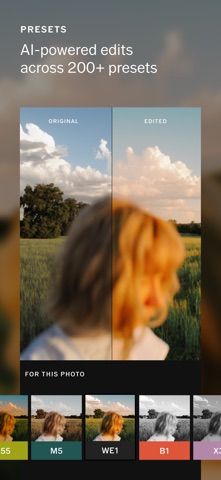
- + PHOTO PRESETS AND FILTERS
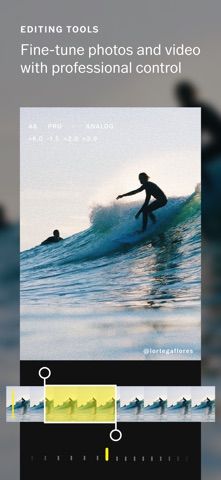
- Use professional-grade photo filters and editing tools such as Crop and Fade to effortlessly showcase your style.
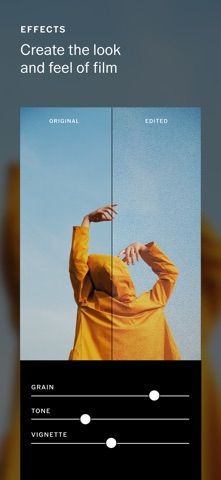
- Try photo filters that reflect vintage film looks inspired by Kodak, Fuji, Agfa, and others with Film X presets.
A good fit for
- People looking for an iPhone app focused on photo filters and editing presets.
- Users whose needs match applying visual presets and other photo-editing adjustments.
Worth knowing
- Filters can change image colors or details; inspect the exported image and review photo privacy terms.
- Review the current store listing and developer privacy or purchase terms before use.
Frequently asked questions
Answers based on the app’s official listing and reviewed information.
What is VSCO: Photo & Video Editor used for?
VSCO: Photo & Video Editor is an iPhone app for photo filters and editing presets. It is listed by Visual Supply Company in the U.S. App Store.
What can you do with VSCO: Photo & Video Editor?
Welcome to VSCO — your complete photography platform solution for unmatched photo filters, AI photo editing, video editing, portfolio sites, client workflows, and community. VSCO is where photographers turn pro. + PHOTO PRESETS AND FILTERS Use professional-grade photo filters and editing tools such as Crop and Fade to effortlessly showcase your style. Try photo filters that reflect vintage film looks inspired by Kodak, Fuji, Agfa, and others with Film X presets.
Who is VSCO: Photo & Video Editor designed for?
People looking for an iPhone app focused on photo filters and editing presets. Users whose needs match applying visual presets and other photo-editing adjustments.
What should you know before downloading VSCO: Photo & Video Editor?
Filters can change image colors or details; inspect the exported image and review photo privacy terms. Review the current store listing and developer privacy or purchase terms before use.
What does VSCO: Photo & Video Editor cost?
Free to download. Free to download according to the current U.S. App Store listing; check the listing for in-app purchases or subscriptions.
Which platforms support VSCO: Photo & Video Editor?
Greatooly's reviewed app information lists iOS.
Researched from official sources; this is not a hands-on review. Last checked 2026-11-19.
Keep exploring
More apps that might be a good fit.

Tezza: Aesthetic Photo Editor
Tezza: Aesthetic Photo Editor is an iPhone app for photo filters and editing presets. It is listed by Tezza App LLC in the U.S. App Store.

Collage Maker- PhotoCollageApp
Arrange photos in social-ready grids, then add text, drawing, filters, and emojis.

AV Studio: Audio Video Editor
Trim, merge, compress, and enhance audio or video files, add captions and effects, and edit offline.