
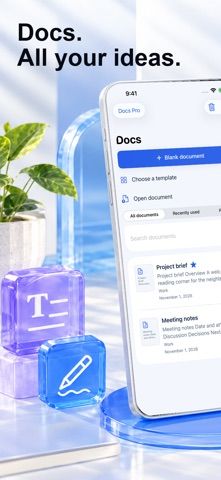
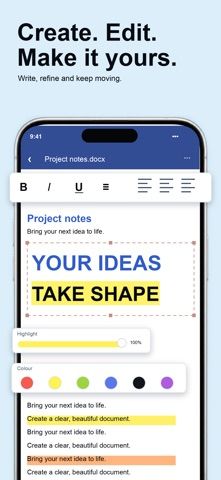
Word Editor gives iPhone users a compact workspace for creating and revising Word documents. It supports common formatting such as fonts, headings, lists, paragraph alignment, tables, and images, and includes comments plus tracked changes for review. Documents stay in an on-device library and can be shared as editable DOCX files or exported as PDFs. The free tier allows three active library documents; Docs Pro raises that limit and adds personal templates. The App Store says an internet connection is needed when the app launches, and complex layouts or unsupported DOCX elements may render differently. It does not provide live collaborative editing, so review the preview before sending a file.
Word Editor: Edit Docx & PDF
A mobile DOCX editor for writing, formatting, reviewing, and exporting documents as DOCX or PDF.
By secgin gida sanayi ve ticaret limited sirketiReleased 2026/10/12No ratings yetOfficial store informationPublished 2026/11/04Checked 2026-11-04
Overview
A closer look at Word Editor: Edit Docx & PDF.
A closer look
App screenshots
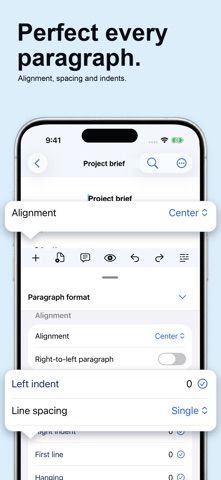
Choose with confidence
The useful details.
What it does
- Create and edit DOCX documents with common text and paragraph formatting.
- Insert tables and images, and review drafts with comments and tracked changes.
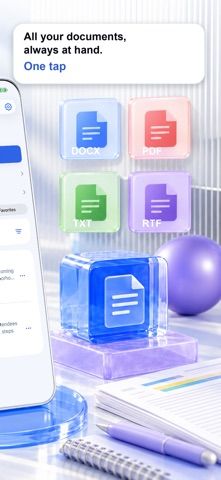
- Keep documents in a device library and export or share DOCX and PDF files.
- Use Docs Pro for an unlimited document library and personal templates.
A good fit for
- People who need to make focused edits to Word documents from an iPhone.
Worth knowing
- The free plan is limited to three active library documents; complex layouts may not render identically, and live co-editing is not included.
Frequently asked questions
Answers based on the app’s official listing and reviewed information.
What is Word Editor: Edit Docx & PDF used for?
A mobile DOCX editor for writing, formatting, reviewing, and exporting documents as DOCX or PDF.
What can you do with Word Editor: Edit Docx & PDF?
Create and edit DOCX documents with common text and paragraph formatting. Insert tables and images, and review drafts with comments and tracked changes. Keep documents in a device library and export or share DOCX and PDF files. Use Docs Pro for an unlimited document library and personal templates.
Who is Word Editor: Edit Docx & PDF designed for?
People who need to make focused edits to Word documents from an iPhone.
What should you know before downloading Word Editor: Edit Docx & PDF?
The free plan is limited to three active library documents; complex layouts may not render identically, and live co-editing is not included.
Does Word Editor: Edit Docx & PDF include paid features?
Docs Pro uses optional auto-renewing subscriptions. Billing periods, prices, and any introductory offers are shown before purchase and may vary by region.
Which platforms support Word Editor: Edit Docx & PDF?
Greatooly's reviewed app information lists iOS.
Researched from official sources; this is not a hands-on review. Last checked 2026-11-04.
Keep exploring
More apps that might be a good fit.

HomeKeep Home Inventory
HomeKeep stores a private home inventory on iPhone, tracking item values and warranties with free CSV export and paid PDF reports.

Hold My Juice
Hold My Juice connects family email and calendars to surface school forms, activity changes, deadlines, and schedule conflicts.

Timen - Time Tracking
Timen tracks billable and non-billable work offline, then syncs hours to its web app for invoices, exports, and team reports.