
Best Habit Tracker Apps in 2026: 10 Picks for Different Routines
Compare 10 habit tracker apps for iPhone and Android, from Streaks and Habitify to HabitKit and Habitica. Find the right fit for your routine, devices, and budget.
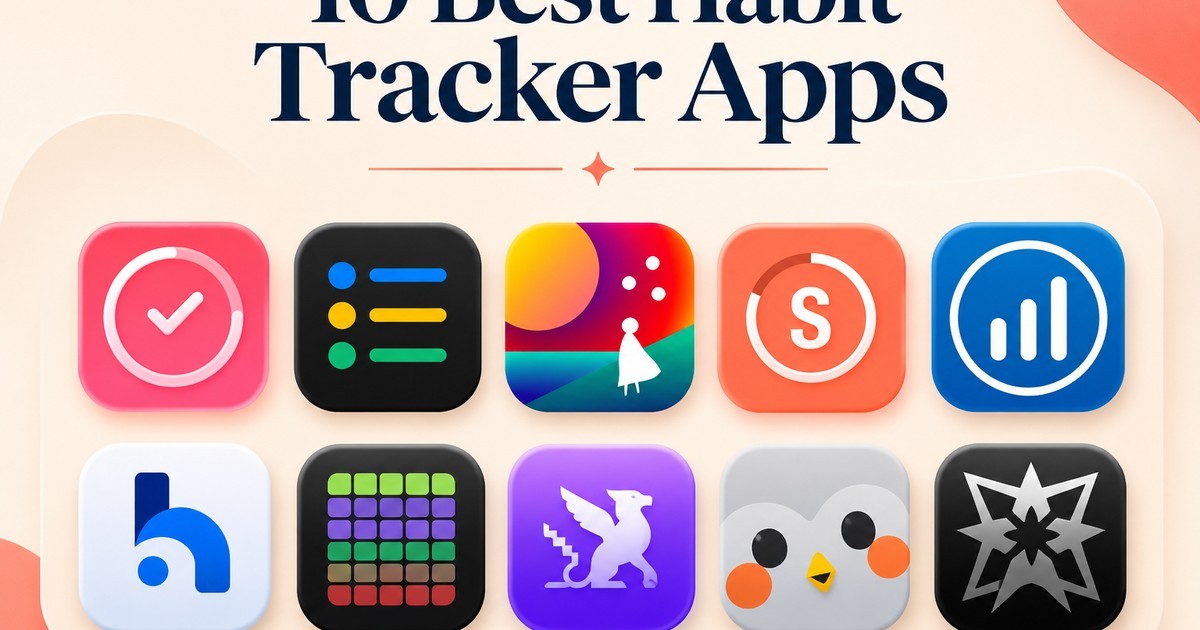
Compare 10 habit tracker apps for iPhone and Android, from Streaks and Habitify to HabitKit and Habitica. Find the right fit for your routine, devices, and budget.
App · Best for · Platforms · Free starting point · Main trade-off
Habit Tracker by InnerGrow · Broad feature set and wellness tracking · iPhone, iPad, Apple Watch · Free with a limited habit count · Crowded feature set and paid upgrades
Productive · Scheduled routines and guided programs · iPhone, iPad, Apple Watch · Free, with limits · Programs and detailed stats require Premium
Fabulous · Guided routines and coaching · iPhone and Android · Free to download · Coaching style and subscription may not suit everyone
Streaks · Apple users who want a one-time purchase · iPhone, iPad, Mac, Apple Watch, Vision Pro · No free version · Apple-only, capped at 24 habits, strict streak model
Strides · Habits plus measurable goals · iPhone, iPad, Mac, Apple Watch · Free tier · Advanced trackers, sync and reports are paid
Habitify · Cross-platform tracking and automation · iPhone, Android, Mac, Apple Watch, web · Free for up to 3 habits · Unlimited habits and some integrations are paid
HabitKit · Visual progress grids and offline use · iPhone, Android · Free for 4 habits · No automatic cross-device sync; some charts/widgets are Pro
Habitica · RPG-style motivation and social accountability · iPhone, Android, web · Core tracking is free · Game mechanics can feel busy or pressure-heavy
Finch · Gentle self-care and a virtual pet · iPhone, Android · Core app is free · More self-care companion than bare-bones habit log
Habit Tracker: For Minimalist · A simple private one-tap log · iPhone · Free for 1 habit · Small feature set; Pro unlocks unlimited habits and widgets
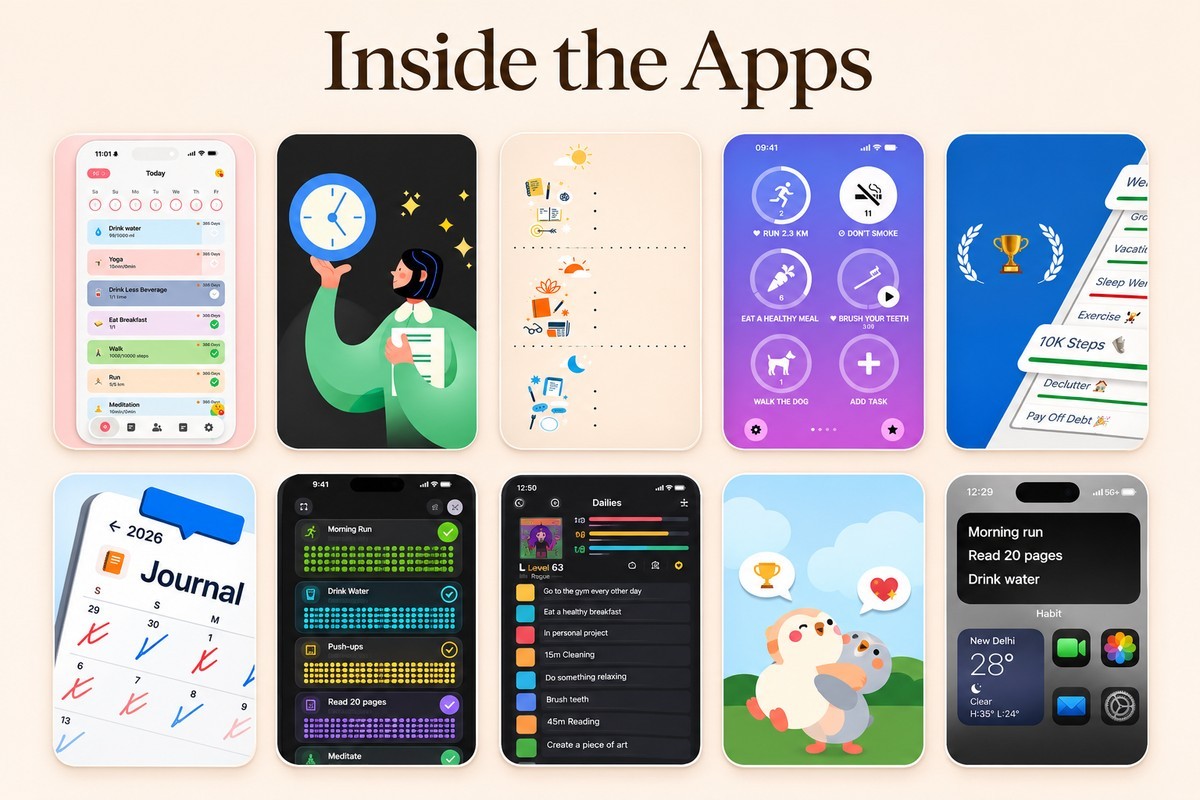
Official US App Store screenshots for visual reference. Screens may vary by app version, device, and region; these images are not hands-on test results.
Quick answer: Choose Streaks if you want a paid-once tracker integrated with Apple Health; Habitify if you move between devices; HabitKit if a visual grid motivates you; Strides if you track numbers and targets as well as routines; Habitica or Finch if rewards or a companion help you return. For a minimalist on-device tracker, compare Greatooly-listed Habit Tracker: For Minimalist and HabitKit.
“Best habit tracker” can mean a small daily checklist, a health-linked tracker that fills in automatically, an app that teaches routines, a game, or a way to track measurable goals. The ten picks above represent different versions of that job. They recur across current habit-app roundups and App Store / Google Play category research, with choices covering the Apple and Android ecosystems, mainstream products, and a privacy-focused Greatooly listing.
This is an editorial shortlist, not a claim that one source publishes a definitive universal ranking. The order is a practical grouping rather than an objective score. We considered whether each app’s stated function is genuinely habit tracking, which devices it supports, how its free tier works, and what trade-off a user should investigate before starting. We did not install every app, conduct a controlled usability study, or independently test sync and data accuracy. Where a product owner publishes a comparison that includes its own app, that commercial relationship should be considered when interpreting its recommendation.
The category results also mix different storefronts. A rating from the US App Store is not directly comparable to a Google Play rating: they reflect separate audiences, review histories and store policies. App ratings, prices, compatibility and feature limits change, so use this article to make a shortlist and confirm the current details in your own store before committing.
Most established habit trackers have positive reviews, so a high star average alone may not distinguish the right app for you. Instead, check whether the logging method matches your routine, whether a missed day damages your motivation, and whether the app runs on the devices you actually use. One person may want a strict streak and Apple Watch complication; another may need an Android tracker that lets them skip rest days without losing months of progress.
Also look at the habit itself. “Read ten pages” is a count or quantity; “meditate” could be a simple checkmark or a timed session; “walk 8,000 steps” may be filled automatically from a health platform. A basic yes/no tracker can be excellent for a binary behavior and frustrating for a goal that needs units, frequency, or context. Choose the lightest tool that captures the behavior accurately.
The app listed as Habit Tracker by InnerGrow combines everyday routine check-ins with wellness tracking, flexible goals, group habits, mood notes, reminders, charts, widgets, and Apple Health connections. Its US App Store listing describes tracking positive habits and reducing unwanted ones, along with count-based progress such as water intake or exercise. It is a broad toolkit rather than a single-purpose streak counter.
Why consider it: The App Store listing says it can sync selected data from Apple Health, including steps, sleep, exercise and water, and supports widgets and time- or location-based reminders. That may reduce repetitive logging for supported behaviors. It also lists social/group habit features for people who want accountability with friends or family. The current US listing shows 149K ratings and a 4.8 average at the time of research; these figures are a snapshot, not an independent quality test. US App Store listing
What to check: Its listing indicates a free starting tier and paid purchases, but the precise number of free habits and the feature boundaries can vary by offer and version. The App Store in-app purchase panel includes several purchase names and prices, which may not describe a single straightforward plan. Read the paywall in the app before investing time in setup. The wide feature set may also be more than someone wants if the goal is simply to tick off one routine and move on.
Good fit if: You want one app to combine habit tracking with wellness-oriented data, reminders, and optional group motivation. Look elsewhere if: You prefer a highly minimal app, do not want cloud or social features, or need a clearly documented free habit limit before creating an account.
Productive is built around planning habits into a daily routine. Its App Store listing describes creating, completing, pausing or stopping habits, assigning reminders, and reviewing streaks and perfect days. It also offers guided Programs and Challenges, with prompts and check-ins intended to help users follow a routine rather than just record a result. The US listing shows roughly 91K ratings and a 4.6 average in the snapshot checked for this draft. US App Store listing
Why consider it: A tracker can be easier to maintain when each habit has a useful place in the day. Productive lets people schedule habits for morning, afternoon or evening and set reminders around those routines. Programs may help someone who is unsure how to structure a habit plan and prefers a sequence of guided actions to a blank checklist.
What to check: The free version is limited; the listing says unlimited habits, advanced reminders, Programs/Challenges, and deeper statistics are premium features. Subscription prices and included functions can vary, so confirm the current terms. Productive’s guided, motivational approach is not necessarily what a user wants from a simple habit log. If you only need flexible quantitative targets, compare it with Strides or Habitify.
Good fit if: You want to plan habits around a daily schedule and like built-in prompts. Look elsewhere if: You want a free unlimited tracker, cross-platform browser access, or a one-time purchase.
Fabulous frames habit building as part of a wider self-care and routine experience. Rather than focusing only on a list of checkboxes, its public listings describe guided journeys, structured routines, coaching content and wellness exercises. That makes it a different kind of choice from Streaks or HabitKit: it aims to help users decide what to do and build a sequence, not only keep a record of whether a habit happened.
Why consider it: A blank tracker assumes you already know what to change and how to start. A guided app can lower that planning burden by suggesting a sequence, reminders or exercises. This format may appeal to someone who wants a morning routine or a broader self-care framework rather than a customizable spreadsheet of habits. Public roundups commonly include Fabulous among the recognizable routine-oriented options.
What to check: The coaching tone and broader wellness framing will not suit everyone. Some users want a quiet utility with their own wording and schedules; others find courses and prompts helpful. Fabulous is free to download but offers paid features; verify the length of any trial, renewal terms, and current regional price in the relevant app store before starting. Do not assume its subscription is worth it simply because it includes more content—the question is whether you will use the coaching approach.
Good fit if: You want guidance and a structured wellness routine, not just a habit ledger. Look elsewhere if: You prefer to build your own system, want a minimal checklist, or need a clearly specified permanent free tier.
Streaks is an Apple-focused habit tracker organized around building consecutive completion streaks. Its US App Store listing shows a $5.99 one-time purchase, a 4.8 average from about 27K ratings, and compatibility with iPhone, iPad, Mac, Apple Watch and Apple Vision. The app supports up to 24 tasks, flexible schedules such as chosen weekdays or several times per week, negative habits, reminders, widgets and iCloud sync. With permission, it can complete supported habits using Apple Health and Screen Time data. US App Store listing
Why consider it: If you already use Apple devices, automatic completion from health data can reduce the effort of logging steps, workouts or sleep-related goals. The one-time price may also be attractive if you would rather not add another recurring subscription. A full Apple Watch app, widgets, Siri and Shortcuts support can put check-ins close at hand.
What to check: Streaks is not a free trial-first choice: it is paid up front. It also has a cap of 24 tasks and no Android version. Most importantly, its central streak mechanic can be motivating for some people and discouraging for others. If an illness, travel day or ordinary interruption makes a broken streak feel like failure, choose an app with skip days, flexible recovery or a progress score that does not reset. Streaks FAQ and feature description
Good fit if: You use Apple devices, value Health integration, and like a direct streak display. Look elsewhere if: You use Android, want to test for free, or prefer missed days not to reset a streak.
Strides combines several types of tracking: habits, target-by-date goals, averages and projects. Its US App Store listing describes 150+ templates, reminders, notes and progress reports, with a 4.8 average and about 19K ratings in the snapshot reviewed. A habit can be a yes/no check-in; a target can represent a quantity to reach by a deadline; an average can track a repeating number such as hours slept. US App Store listing
Why consider it: Many life goals are not simply “did I do it today?” Someone saving toward a goal or training for an event may want to track both repeated behavior and progress toward a number. The multiple tracker types can keep those views together. Templates can help when you need ideas for a tracker structure.
What to check: Strides has a free tier, while unlimited trackers, sync across Apple devices, tags and data export are among the listed Plus features. Verify the current free cap and purchase price. Although the listing includes Apple platforms and Mac compatibility, check the current App Store platform details if you need Android or a web app; platform availability can change. The richer setup may feel like unnecessary work if you only want one daily checkmark.
Good fit if: You want habits, numeric targets and project milestones together. Look elsewhere if: You want the simplest possible log or need every advanced report and sync feature for free.
Habitify is a cross-platform habit tracker that groups habits by time of day and syncs across supported devices. Its US App Store listing describes custom schedules, reminders, streaks, calendars, notes, mood tracking and a built-in timer. It also offers optional automatic logging through services such as Apple Health, Google Health/Fit, Fitbit, Strava, Screen Time and RescueTime, depending on platform and plan. The listing states that the free tier is available, while Habitify Plus unlocks unlimited habits and Pro adds premium integrations and tools. US App Store listing
Why consider it: Habitify is worth comparing if you use an iPhone and an Android tablet, or want to check your routine in a browser as well as on your phone. Its “done / skipped / missed” choices and ability to pause a habit can make the tracker more forgiving than a strict all-or-nothing streak. If you already log information in a health or activity app, supported integrations may reduce duplicate work.
What to check: The free limit is three active habits according to public comparison information; advanced integrations and unlimited tracking require paid plans. Storefront price listings may contain several offers and can differ from the vendor pricing page. Confirm current regional pricing and exactly which integrations are part of Plus versus Pro. Review permissions before connecting health or activity data.
Good fit if: You want habits synced across platforms and may use integrations. Look elsewhere if: Three free habits are not enough, you do not want to create an account, or you want to avoid connecting external services.
HabitKit displays progress as a grid of colored tiles, with each tile representing a day. The idea is to see a longer pattern at a glance rather than focusing only on a numeric streak counter. Public product information describes one-tap logging, notes and reminders, support for iOS and Android, and an offline, no-account option. HabitKit offers four habits for free, with Pro unlocking more; check the current listing for the exact plan and feature limits. HabitKit on the US App Store · Greatooly listing
Why consider it: A tile grid is immediately legible: you can see weeks with more completed days and spot gaps without interpreting a complicated dashboard. If filling in a visual calendar motivates you, this can feel more rewarding than a plain list. Greatooly’s HabitKit listing also describes its offline, no-account option.
What to check: The free version is limited to four habits; verify whether the feature you want (such as widgets, charts or additional habits) requires Pro. Current public comparisons describe local storage and offline use but also note limits around automatic cross-device synchronization. Check backup and transfer options before making it the sole record of a long-term routine.
Good fit if: You like visual calendars and want an offline-capable tracker. Look elsewhere if: You need automatic cross-device sync, extensive analytics without payment, or unlimited habits in the free tier.
Habitica turns habits, daily tasks and to-dos into a role-playing game. Completing tasks earns in-game rewards; missing a daily can affect the character, and party quests create a social accountability layer. Habitica is available on iOS, Android and the web. Google Play lists a 4.6 average from tens of thousands of reviews in the snapshot seen for this article, while its App Store rating is lower; ratings differ between storefronts and should be checked in your own region. Google Play listing · App Store listing
Why consider it: Some people respond better to a game loop than to reminders and charts. Habitica adds quests, equipment, pets and groups around routine tasks, and its core habit/task features are free. If you enjoy role-playing games or want friends to share a challenge, the social mechanics may make a routine more engaging.
What to check: Gamification is not universally motivating. If missing a task already triggers guilt, penalties or party damage may add pressure instead of helping. The interface also has more concepts to learn than a minimal tracker. Google Play indicates ads and in-app purchases; confirm the current terms, privacy choices and notification settings before joining a group.
Good fit if: You enjoy RPG mechanics and want social accountability. Look elsewhere if: You want a calm, private checklist or find game rewards distracting.
Finch pairs self-care tasks and goals with a virtual pet that grows as you complete activities. Public app listings and category roundups describe it as a softer, more encouraging experience than a strict streak counter. It has a large user base on mobile stores and a free core experience with optional in-app purchases or Finch Plus. Check the latest store listing for supported platforms and exact subscription terms. App Store listing · Google Play listing
Why consider it: A virtual companion can make small self-care steps feel concrete and rewarding. Finch may be appealing if your goals involve mood, rest, hydration, reflection or simple routines rather than optimizing a productivity dashboard. Its tone is intentionally gentle, which some users may prefer to a hard streak reset.
What to check: Finch is broader than a conventional habit tracker. If you mainly want detailed schedules, numeric goals, exportable habit history or cross-platform analytics, compare its current features with Habitify or Strides. The free experience and optional subscription can change, so check what Finch Plus adds in your region before subscribing. As with any wellbeing-oriented app, do not treat prompts as mental-health care or professional advice.
Good fit if: You want self-care prompts and a companion-style reward loop. Look elsewhere if: You want a no-frills tracker with detailed habit statistics or a strict data export workflow.
Habit Tracker: For Minimalist is a small iPhone app built around quick check-ins. Its public App Store description says there are no accounts or ads, data stays on the device, and users can log one habit for free and review progress on a calendar. Pro adds unlimited habits and Home Screen widgets. The listing requires iOS 17 or later. US App Store listing · Greatooly listing
Why consider it: If your current tracking system feels too complicated, a one-tap log and calendar may be enough. Local storage and no account requirement can also be attractive if you want a simple personal record without a social profile. This makes it a useful counterpoint to apps that add coaching, groups, gamification or large analytics dashboards. See the Greatooly Habit Tracker: For Minimalist listing.
What to check: The free tier tracks one habit, so a routine with several behaviors likely requires Pro. Public App Store information shows subscription and lifetime purchase options; the displayed purchase list can differ by region and may change. This is a newer, smaller app with far fewer ratings than established category leaders. Its inclusion here is based on its focused feature set and relevance to people seeking a minimal tracker—not a claim that it has the same market adoption as Streaks or Habit Tracker by InnerGrow.
Good fit if: You want a tiny, private iPhone tracker and only need a few routines. Look elsewhere if: You need Android, group sharing, health integrations or a large existing review base.
First remove apps that do not run where you need them. Streaks is designed for Apple platforms. Loop Habit Tracker is Android-only. Habitify, Habitica, HabitKit and Finch have broader device coverage, but the exact desktop, watch and web features differ. If you switch between a work laptop and a personal phone, confirm that your data can sync across both; “available on iPhone and Android” does not automatically mean a single web dashboard exists.
Next, consider whether you need offline access. A local-first app can work without an account and keep your records on the device, but you may need to manage your own backup. A cloud-synced app is convenient across devices and for restoration, but requires an account and a clear view of what data is synchronized. Neither choice is inherently right for every reader. Decide what matters: convenience, privacy, recoverability, collaboration or independence from a vendor account.
Use a simple checkbox for a behavior that is either complete or not, such as “take vitamins.” Choose a count or target for “drink six glasses of water” or “practice piano for 20 minutes.” Use a timer when duration matters and a project or goal tracker when you need progress toward a deadline. Streaks, Habitify, Habit Tracker by InnerGrow and Strides all describe more than one tracking pattern, while a minimalist tool may intentionally keep the interaction simple.
Before creating a full list, test one habit for a week. Ask whether it takes one tap or several screens, whether a reminder arrives at a useful time, and whether you can correct yesterday’s entry. A tracker that has every feature but makes daily logging cumbersome is likely a poor fit for a routine that needs to be effortless.
A streak can create a satisfying visual record of consistency. It can also make one missed day feel like losing all progress. Consider whether you want an app that resets the chain, allows skips, supports pause periods, or displays a longer-term completion score alongside a streak. Habitify describes skip, miss and pause options; Loop uses a habit-strength score; Streaks is explicitly organized around consecutive-day streaks; Way of Life offers a color-coded history. Confirm each feature in the current app rather than relying on the category name.
You can also choose a schedule that matches real life. A habit you intend to do three times a week should not be evaluated by a daily streak unless you specifically want that challenge. Set realistic days, rest periods and reminders. The purpose of the tracker is to help you observe a pattern and return to the behavior, not to turn an imperfect week into a reason to abandon the plan.
“Free” can mean unlimited use, a small habit limit, a free download with a short trial, or free basic logging while analytics and sync are paid. HabitKit lists four free habits; Habitify lists three; Habit Tracker: For Minimalist lists one. Streaks is paid up front. These terms differ, and App Store purchase panels sometimes display multiple plans or legacy offers.
Before adding months of records, check the paid boundary: number of habits, reminders, widgets, health integrations, exports, sync, and history. Confirm whether payment renews monthly or annually, whether there is a lifetime option, and how to cancel. A $5.99 one-time purchase can be cheaper over time than a subscription if it fits your ecosystem, while a free app may be the better value if you only need a few habits. Compare actual current prices in your country rather than relying on a roundup’s old price table.
Habit logs can reveal sleep, exercise, medication routines, mood or other personal patterns. Look at the app’s privacy policy and the platform’s privacy disclosure, especially before connecting Apple Health, Google Health/Fit, location reminders or social features. A developer’s “private” claim should be read alongside the store’s privacy label and the actual permissions you grant.
Also check whether you can export or back up your history. CSV or JSON export is useful if you want a copy independent of the app. Some products keep data locally but require a manual backup; others sync through a cloud account. Test a backup before relying on it. Do not assume a screenshot or a visible calendar is a transferable archive.
You do not need to build a perfect productivity system on day one. Use one habit and a short trial period to discover whether the app helps you return to the routine.
After seven days, ask: Did I remember to open it? Did it make the action easier, or just add another task? Did the reminder help? Did its treatment of a missed day feel fair? Can I use it on the device I reach for most? If the answer is no, switch before building a large history around an app that does not fit.
A long checklist can turn a small routine change into a daily audit. Start with one to three behaviors and add another only after the logging flow feels stable. A free habit limit can be a useful constraint: it encourages you to choose the behaviors that matter most instead of filling the dashboard with aspirational goals.
A notification can prompt an action, but dismissing a notification is not the same as doing the behavior. Choose a reminder that leads into a clear next step and place it in context. For example, a reminder after dinner can cue a short walk if that is when you have time, while a random alert during a meeting may train you to swipe it away.
A streak is one way to visualize consistency, not a complete account of progress. If the app makes one missed day feel catastrophic, consider a tool that permits skips or shows trends over a longer interval. You can also define a weekly target rather than demanding a perfect daily run.
Before subscribing, identify exactly what is currently blocked: extra habits, sync, widgets, reports, reminders or integrations. Some free tiers are sufficient for a simple routine. Others are limited enough that you may want to test a paid option during the trial. Confirm the renewal date and cancellation route in the purchase sheet.
Automatic logging can save time, but it may require access to sensitive activity, sleep or location data. Grant only the permissions needed for the habits you actually track. Revisit those permissions if you stop using an integration, and compare the app’s policy with the platform’s disclosure.
There is no one best choice for everyone. Streaks fits Apple users who want a one-time purchase and Health integration; Habitify is a cross-platform option; HabitKit emphasizes a visual grid; Strides combines routines with measurable targets; Habitica adds RPG-style motivation. Choose by device, tracking format, free limits and how the app treats missed days.
The best free option depends on your phone and how many habits you need. Loop Habit Tracker is a free, open-source Android option with no ads or in-app purchases listed. HabitKit allows four habits in its free tier, Habitify three, and Habit Tracker: For Minimalist one. Check current store details before installing because free limits may change.
Habitify, HabitKit, Habitica and Finch have iPhone and Android versions, though their desktop, watch and web support differs. If you need to move between devices, confirm that the same account synchronizes your records and check whether sync requires a paid plan.
Streaks and Habit Tracker by InnerGrow list Apple Health support. Habitify also describes Health integrations, with some automatic logging available on a paid plan. Check which data types are supported and which permissions are required in the current version.
They can be, if a paid feature solves a real limitation—such as syncing across devices, tracking more habits, exporting your history or using health integrations. If you only need a few checkboxes and reminders, a free tier may be enough. Compare the current price and renewal terms before subscribing.
Streaks can make consistency visible and rewarding, but some people find a reset after a missed day discouraging. If that is a concern, compare apps with skip or pause options, flexible weekly goals or longer-term progress scores. Choose the system that helps you resume, not just the one that displays the longest chain.
Some apps describe offline or local use without an account, including Loop, HabitKit and Habit Tracker: For Minimalist. Check the current listing and backup instructions: local storage can reduce account dependence, but you may need to export or back up your data yourself.
The best habit tracker app is the one that makes your chosen behavior easy to record and easy to resume after an interruption. Start with your device and the way you want to track: Streaks for Apple-centric streaks and Health data, Habitify for cross-device use, Strides for measurable goals, HabitKit for visual tiles, Habitica for game-style motivation, Finch for gentle self-care, or a minimalist local log if you want very little setup. Try one habit first, verify the free and paid limits, and check how the app protects and exports your data before making it part of your routine.