
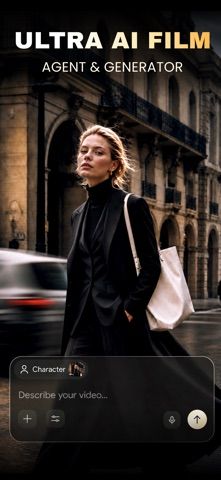
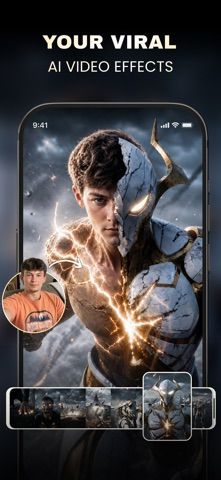
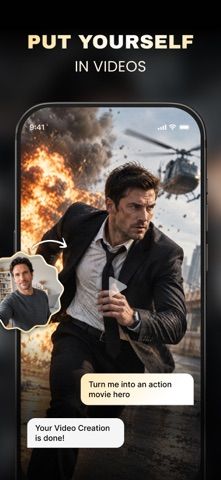
Anijam turns text ideas, photos, and templates into short AI-generated videos. Choose an effect or style, provide a prompt or image, and use its conversational agent to shape concepts, scenes, storylines, and revisions. The listing covers image-to-video and text-to-video generation, anime and cinematic looks, character transformations, product clips, and social-ready formats. Results are generated content rather than a guarantee of likeness, factual accuracy, or commercial rights; review the app's terms before using other people's images or publishing branded work. Anijam is free to download with paid credit packs and Creator subscriptions. The US App Store lists 1,500 credits for $10, 3,000 for $20, Creator Weekly for $9.90, and Creator Monthly for $29, alongside other offers whose periods are not clear from their labels. Apple’s unverified privacy label lists identifiers for tracking and unlinked device ID and product interaction for analytics. It requires iOS 14 or later and is rated 13+.

Anijam: AI Video Maker
Create short AI videos from prompts, photos, and templates, then refine scenes and styles with a conversational video agent.
Overview
A closer look at Anijam: AI Video Maker.
A closer look
App screenshots

Choose with confidence
The useful details.
What it does
- Generate short clips from text prompts, photos, and ready-made video templates.
- Use a conversational agent to develop video concepts, shots, scenes, and prompt revisions.
- Animate still images and explore cinematic, anime, cartoon, realistic, and 3D styles.
- Create social clips, character scenes, product visuals, and short-form story videos.
- Choose from a library of templates and effects that the developer says is updated regularly.
A good fit for
- Creators who want to experiment with short AI-generated clips from text or images.
- Social media users who prefer guided templates and prompt-based editing over a traditional timeline.
Worth knowing
- Video generation uses paid credits or subscription offers; the US store lists multiple offers and not every product label states its billing period.
- Generated video quality and likeness can vary; review outputs before sharing or using them commercially.
- Apple’s unverified privacy label lists identifiers used for tracking and analytics data; the app is rated 13+.
Frequently asked questions
Answers based on the app’s official listing and reviewed information.
What can I use to create a video?
The listing describes text prompts, uploaded images, and video templates as starting points.
Does Anijam help develop a video idea?
Yes. Its conversational video agent can help shape a concept, scenes, shots, storylines, and prompt revisions.
Which visual styles are available?
The listing mentions anime, cartoon, cinematic, realistic, 3D, fantasy, fashion, product, and other styles.
Can I animate a still photo?
Yes. The image-to-video feature turns an uploaded image into a moving clip with generated motion and effects.
How do Anijam's paid options work?
The US App Store lists credit packs and Creator subscription plans. Check the in-app offer for its exact price, billing term, and included credits.
Can I use generated videos commercially?
The app listing does not establish commercial rights for every output. Review Anijam's current terms and make sure you have rights to any source images or brands you use.
Researched from official sources; this is not a hands-on review. Last checked 2026-11-19.
Keep exploring
More apps that might be a good fit.

Storyboard 2020
Storyboard 2020 is an iPhone app for storyboarding. It is presented as a tool for planning a visual sequence with frames, panels, or shots.

StorySheet: Storyboard PDF
StorySheet: Storyboard PDF is an iPhone app for storyboarding. It is presented as a tool for planning a visual sequence with frames, panels, or shots.

StoryBoard - Story Planner
StoryBoard - Story Planner is an iPhone app for storyboarding. It is presented as a tool for planning a visual sequence with frames, panels, or shots.