
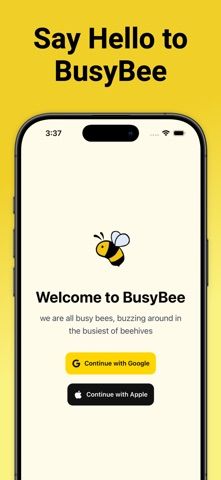
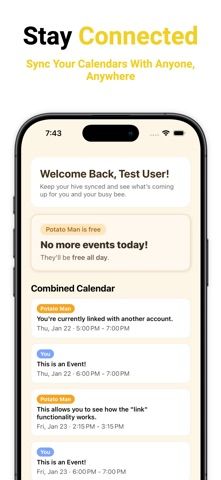
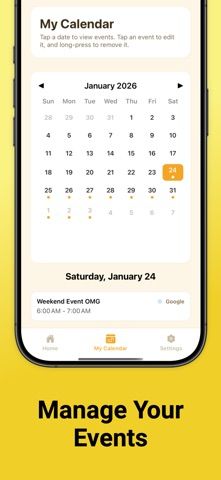
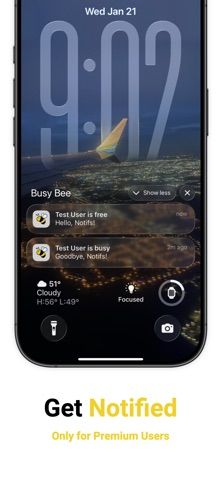
BusyBee helps a group find a time when everyone is available. It connects Apple and Google calendars, displays shared free and busy periods, and lets users create or edit events in the app. Calendar sharing controls let each person choose which calendars to share and change that choice later. BusyBee is designed for coordinating classes, work shifts, events, and group projects with partners, roommates, friends, or teammates. The free plan has a connection limit; BusyBee Premium adds richer schedule views, availability notifications, and up to 20 connections. The US App Store lists a $1.99 Premium purchase, but the listing does not clearly state its billing period. Check the checkout screen and calendar permissions before sharing availability.

BusyBee: Share/Link Calendars
A shared scheduling app that compares Apple and Google calendar availability and helps groups find time for classes, shifts, and events.
Overview
A closer look at BusyBee: Share/Link Calendars.
A closer look
App screenshots
Choose with confidence
The useful details.
What it does
- Connect Apple and Google calendars in one scheduling view.
- Compare shared availability to find a time for a group.
- Create and manage events from the app.
- Control which calendars are shared and expand the connection limit with Premium.
A good fit for
- Small groups that need to compare calendars before scheduling a class, shift, or event.
Worth knowing
- Calendar access and sharing permissions are required; the free plan limits connections, and the App Store does not clearly state the billing period for its $1.99 Premium purchase.
Frequently asked questions
Answers based on the app’s official listing and reviewed information.
What is BusyBee: Share/Link Calendars used for?
A shared scheduling app that compares Apple and Google calendar availability and helps groups find time for classes, shifts, and events.
What can you do with BusyBee: Share/Link Calendars?
Connect Apple and Google calendars in one scheduling view. Compare shared availability to find a time for a group. Create and manage events from the app. Control which calendars are shared and expand the connection limit with Premium.
Who is BusyBee: Share/Link Calendars designed for?
Small groups that need to compare calendars before scheduling a class, shift, or event.
What should you know before downloading BusyBee: Share/Link Calendars?
Calendar access and sharing permissions are required; the free plan limits connections, and the App Store does not clearly state the billing period for its $1.99 Premium purchase.
Does BusyBee: Share/Link Calendars include paid features?
The reviewed listing does not confirm current in-app purchase options.
Which platforms support BusyBee: Share/Link Calendars?
Greatooly's reviewed app information lists iOS.
Researched from official sources; this is not a hands-on review. Last checked 2026-11-04.
Keep exploring
More apps that might be a good fit.

Steadwell: Home Maintenance
Steadwell keeps a private home record of appliances, repairs, paint, and maintenance suggestions, with offline access and optional iCloud sync.

Sanjog: Sikh Wedding Planner
Sanjog plans Sikh wedding ceremonies together with shared guest RSVPs, budgets, checklists, schedules, vendors, and guest-ready PDFs.

VowFolio: Wedding Planner
VowFolio Planner organizes a couple’s guest list, seating chart, budget, checklist, vendors, wedding website, and guest photos.