
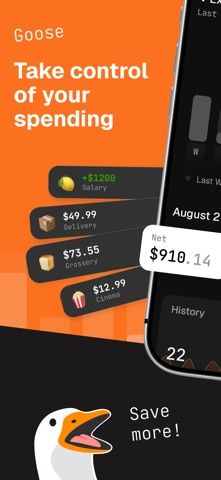
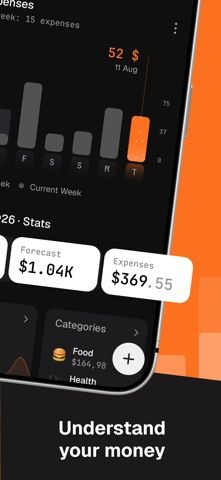
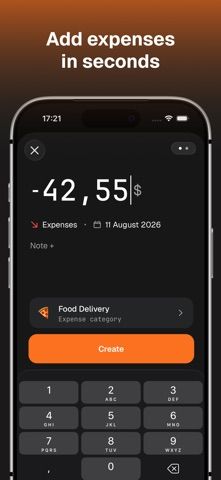
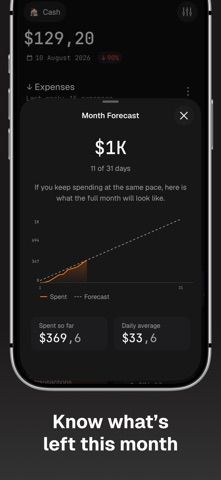
Goose is a manual expense tracker for people who want to enter spending themselves rather than connect a bank account. Users can record income and expenses, maintain accounts in different currencies, and move money between accounts using automatic exchange rates. The app projects month-end spending from the user's average daily spend, so the estimate updates as the month progresses. Budgets can be set for an account or a category, with warnings as an expense is added. An Apple Pay shortcut can prefill the amount and merchant after a purchase. The free plan includes one account, unlimited history, one budget, and the last three months of reports. Pro adds unlimited accounts and reports; it is listed at $2.99 monthly or $19.99 yearly in the US.

Goose: Manual Expense Tracker
A manual expense tracker with multiple currencies, Apple Pay shortcuts, monthly forecasts, account budgets, and spending alerts.
Overview
A closer look at Goose: Manual Expense Tracker.
A closer look
App screenshots
Choose with confidence
The useful details.
What it does
- Record income and expenses manually across accounts and currencies.
- Project likely spending for the rest of the month from the daily average.
- Create budgets and receive an overspending warning while adding an expense.
- Use an Apple Pay shortcut to prefill purchase details and speed up logging.
A good fit for
- People who want to track spending manually and avoid sharing bank credentials.
Worth knowing
- An internet connection is required to save new entries, and Sign in with Apple is used to sync across devices.
- The free plan is limited to one account, one budget, and three months of reports; Pro costs $2.99 monthly or $19.99 yearly in the US.
Frequently asked questions
Answers based on the app’s official listing and reviewed information.
What is Goose: Manual Expense Tracker used for?
A manual expense tracker with multiple currencies, Apple Pay shortcuts, monthly forecasts, account budgets, and spending alerts.
What can you do with Goose: Manual Expense Tracker?
Record income and expenses manually across accounts and currencies. Project likely spending for the rest of the month from the daily average. Create budgets and receive an overspending warning while adding an expense. Use an Apple Pay shortcut to prefill purchase details and speed up logging.
Who is Goose: Manual Expense Tracker designed for?
People who want to track spending manually and avoid sharing bank credentials.
What should you know before downloading Goose: Manual Expense Tracker?
An internet connection is required to save new entries, and Sign in with Apple is used to sync across devices. The free plan is limited to one account, one budget, and three months of reports; Pro costs $2.99 monthly or $19.99 yearly in the US.
Does Goose: Manual Expense Tracker include paid features?
Goose Pro is $2.99 per month or $19.99 per year in the US; local prices may differ.
Which platforms support Goose: Manual Expense Tracker?
Greatooly's reviewed app information lists iOS.
Researched from official sources; this is not a hands-on review. Last checked 2026-11-04.
Keep exploring
More apps that might be a good fit.

Jars: Savings Goal Tracker
Jars tracks user-entered savings goals, deposits, and withdrawal plans without holding or moving money.

Coal - Gift List & Budget
Budget for gifts by recipient and track each purchase through delivery, wrapping, and returns.

Budget Planner App: Tally
A personal budget app with voice expense entry, automatic category suggestions, spending limits, and charts.