
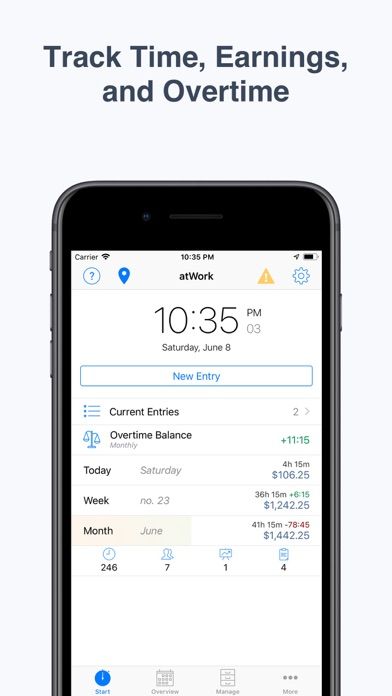
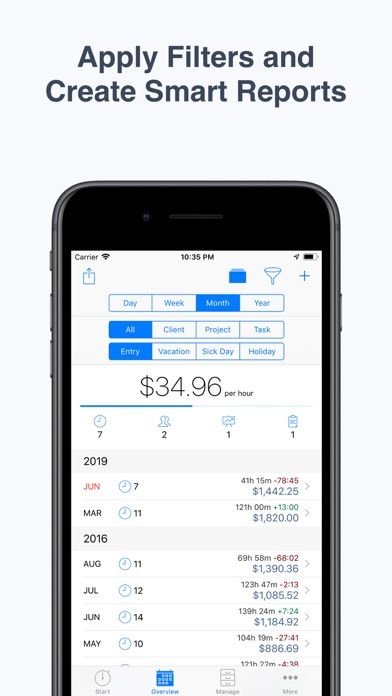
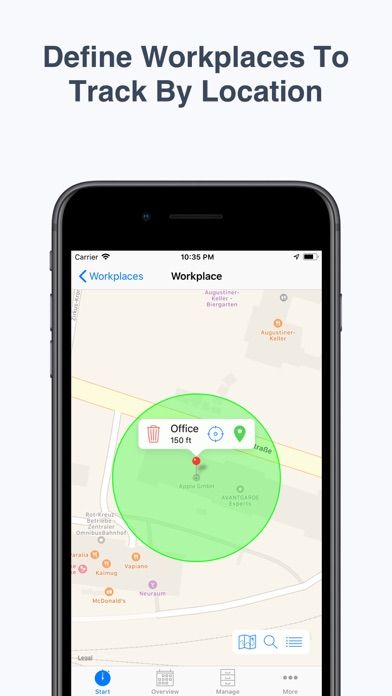
atWork is a timesheet and pay-tracking tool for freelancers, contractors, and hourly employees. Users can clock in and out, enter missed time later, manage several jobs or clients, and record breaks, overtime, leave, expenses, and payment status. The listing describes CSV, Excel, and PDF exports, iCloud backups, Apple Watch controls, Siri shortcuts, and optional location-based clock-in reminders. Location tracking may require sensitive permissions, so review how it works before enabling it. atWork can help maintain personal records, but payroll rules and employer policies vary; compare its totals with approved timekeeping and pay statements before making decisions.
Hours & Pay Tracker: atWork
Track time by job or client, log breaks and overtime, estimate earnings, and export timesheets with atWork.
By Sergej SteinbachApp Store rating 4.7 (3,836)Official store informationPublished 2026/11/03Checked 2026-11-03
Overview
A closer look at Hours & Pay Tracker: atWork.
A closer look
App screenshots
Choose with confidence
The useful details.
What it does
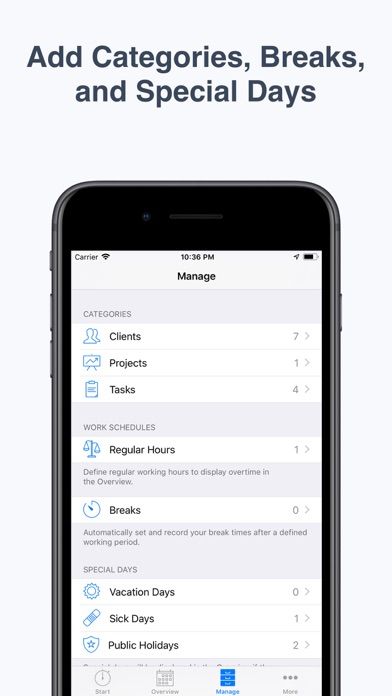
- Start or edit time entries and organize them by job, client, or task.
- Record breaks, overtime, leave, expenses, and payment status.
- Export detailed timesheets in CSV, Excel, or PDF formats.
- Use Apple Watch controls, Siri, iCloud backup, or optional location reminders.
A good fit for
- Hourly workers and freelancers who need detailed time records across multiple jobs.
Worth knowing
- Location-based clock-in uses location permissions; review settings and privacy details first.
- Pay and overtime calculations may not reflect every local labor or payroll rule.
- Use employer-approved records for official payroll, attendance, and disputes.
Frequently asked questions
Answers based on the app’s official listing and reviewed information.
What is Hours & Pay Tracker: atWork used for?
Track time by job or client, log breaks and overtime, estimate earnings, and export timesheets with atWork.
What can you do with Hours & Pay Tracker: atWork?
Start or edit time entries and organize them by job, client, or task. Record breaks, overtime, leave, expenses, and payment status. Export detailed timesheets in CSV, Excel, or PDF formats. Use Apple Watch controls, Siri, iCloud backup, or optional location reminders.
Who is Hours & Pay Tracker: atWork designed for?
Hourly workers and freelancers who need detailed time records across multiple jobs.
What should you know before downloading Hours & Pay Tracker: atWork?
Location-based clock-in uses location permissions; review settings and privacy details first. Pay and overtime calculations may not reflect every local labor or payroll rule. Use employer-approved records for official payroll, attendance, and disputes.
Does Hours & Pay Tracker: atWork include paid features?
The reviewed listing does not confirm current in-app purchase options.
Which platforms support Hours & Pay Tracker: atWork?
Greatooly's reviewed app information lists iOS.
Researched from official sources; this is not a hands-on review. Last checked 2026-11-03.
Keep exploring
More apps that might be a good fit.
Clearminutes: AI Meeting Notes
Clearminutes records meetings and creates on-device transcripts and summaries, with searchable playback and optional encrypted computer transfer.

HomeKeep Home Inventory
HomeKeep stores a private home inventory on iPhone, tracking item values and warranties with free CSV export and paid PDF reports.

Hold My Juice
Hold My Juice connects family email and calendars to surface school forms, activity changes, deadlines, and schedule conflicts.