
Nola helps creators turn photos and videos into social posts without building each layout from scratch. Users can start with a template or blank canvas, arrange media, then export a collage, story cover, or multi-slide carousel. The listing describes more than 200 templates, text and stickers, photo adjustments, video trimming, background removal, and direct sharing to social platforms. Its tools are aimed at people making visual posts for personal feeds or small businesses. Nola Premium unlocks additional templates, fonts, stickers, and editing tools through weekly or yearly subscriptions with a free trial; current prices are shown in the app. Nola is not affiliated with the social platforms it supports.

Nola: Carousel & Collage Maker
A social post design app for seamless carousels, photo and video collages, stories, and reusable templates.
By Bigrowth Ltd.Released 2026/08/31App Store rating 4.0 (4)Official store informationPublished 2026/11/04Checked 2026-11-04
Overview
A closer look at Nola: Carousel & Collage Maker.
A closer look
App screenshots
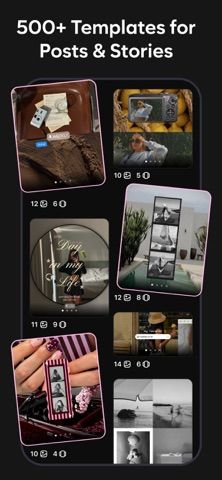
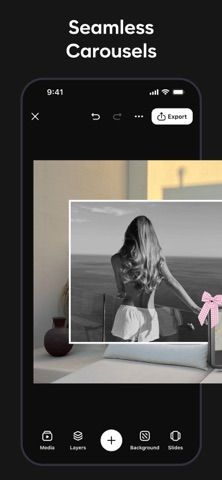
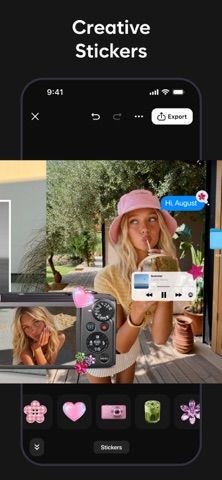
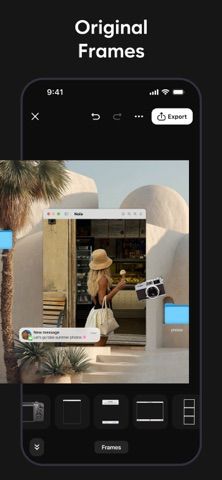
Choose with confidence
The useful details.
What it does
- Create seamless multi-slide carousels and photo or video collages
- Start from templates or a blank layout
- Edit images and video with filters, crop, text, and stickers
- Export or share finished designs to social apps
A good fit for
- Creators and small businesses making frequent social posts
- People who want ready-made layouts for photo dumps and stories
Worth knowing
- Premium uses auto-renewing weekly or yearly subscriptions; check trial and renewal terms before subscribing.
Frequently asked questions
Answers based on the app’s official listing and reviewed information.
What is Nola: Carousel & Collage Maker used for?
A social post design app for seamless carousels, photo and video collages, stories, and reusable templates.
What can you do with Nola: Carousel & Collage Maker?
Create seamless multi-slide carousels and photo or video collages Start from templates or a blank layout Edit images and video with filters, crop, text, and stickers Export or share finished designs to social apps
Who is Nola: Carousel & Collage Maker designed for?
Creators and small businesses making frequent social posts People who want ready-made layouts for photo dumps and stories
What should you know before downloading Nola: Carousel & Collage Maker?
Premium uses auto-renewing weekly or yearly subscriptions; check trial and renewal terms before subscribing.
Does Nola: Carousel & Collage Maker include paid features?
The app can be downloaded free; the listing describes a free trial for Premium. Nola Premium offers weekly and yearly auto-renewing plans; current prices are shown in the app.
Which platforms support Nola: Carousel & Collage Maker?
Greatooly's reviewed app information lists iOS.
Researched from official sources; this is not a hands-on review. Last checked 2026-11-04.
Keep exploring
More apps that might be a good fit.

RoomMakeover: AI Room Design
RoomMakeover previews AI interior-design ideas from room photos, with style controls, credit packs, and Pro plans.

Zu3D
Zu3D combines stop-motion capture, drawing, video editing, green-screen effects, sound, and export tools for animated films.

CreasePad
Draw in a book-style sketchpad with pressure-sensitive tools, PDF annotation, and optional iCloud sync.