
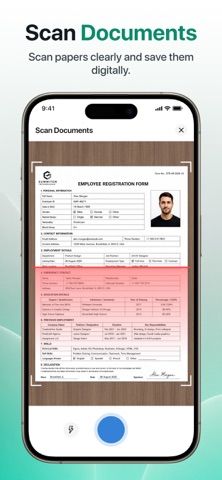
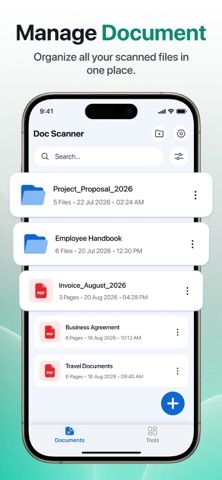
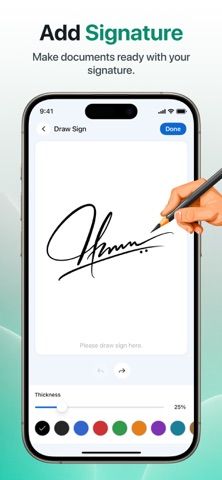
PDF Scanner: Scan Docs & PDF is a mobile document scanner and PDF organizer. Users can capture pages with the camera, crop or adjust the scan, apply filters and colors, and save the result as a PDF. The app also lets users create a signature, place it on documents, draw or annotate, organize saved files, and combine or split PDF documents. A QR-code and barcode scanner is included. The listing describes a straightforward workflow for digitizing and managing everyday documents, but does not specify OCR, cloud sync, account requirements, paid features, or where files are stored. Apple lists a free download; the current store description does not state whether subscriptions or in-app purchases are available. Scans may contain personal information, so users should review the linked privacy policy before importing sensitive forms, contracts, receipts, or identity documents.
PDF Scanner: Scan Docs & PDF
PDF Scanner: Scan Docs & PDF captures pages, adjusts scans, adds signatures and annotations, and merges or splits PDFs.
Overview
A closer look at PDF Scanner: Scan Docs & PDF.
A closer look
App screenshots
Choose with confidence
The useful details.
What it does
- Scan documents with the camera and crop or adjust the captured pages.
- Apply filters and colors and save scanned pages as PDF files.
- Create and add a signature and annotate documents with drawings or text.
- Organize saved documents and merge or split PDF files.
- Scan QR codes and barcodes with the device camera.
A good fit for
- People who want a basic mobile scanner with PDF signing and organization tools.
- Users who need to merge, split, annotate, or adjust scanned documents.
Worth knowing
- The listing does not specify OCR, account requirements, cloud sync, or paid terms.
- Review the privacy policy before scanning or storing documents that contain personal information.
Frequently asked questions
Answers based on the app’s official listing and reviewed information.
What is PDF Scanner: Scan Docs & PDF used for?
PDF Scanner: Scan Docs & PDF captures pages, adjusts scans, adds signatures and annotations, and merges or splits PDFs.
What can you do with PDF Scanner: Scan Docs & PDF?
Scan documents with the camera and crop or adjust the captured pages. Apply filters and colors and save scanned pages as PDF files. Create and add a signature and annotate documents with drawings or text. Organize saved documents and merge or split PDF files.
Who is PDF Scanner: Scan Docs & PDF designed for?
People who want a basic mobile scanner with PDF signing and organization tools. Users who need to merge, split, annotate, or adjust scanned documents.
What should you know before downloading PDF Scanner: Scan Docs & PDF?
The listing does not specify OCR, account requirements, cloud sync, or paid terms. Review the privacy policy before scanning or storing documents that contain personal information.
What does PDF Scanner: Scan Docs & PDF cost?
Apple lists a free download; the current store description does not state whether paid features or subscriptions are available.
Which platforms support PDF Scanner: Scan Docs & PDF?
Greatooly's reviewed app information lists iOS.
Researched from official sources; this is not a hands-on review. Last checked 2026-11-10.
Keep exploring
More apps that might be a good fit.

CleanHaus: Airbnb Turnovers
CleanHaus automates short-term rental turnovers by connecting booking calendars with cleaners, schedules and property tasks.

GoalStar: Daily Goal Tracker
GoalStar makes daily goals visible with a gold-star chart, streaks, reminders, widgets and optional NFC tap tags.

Accessbox - Password Manager
Accessbox stores passwords, passkeys and verification codes in encrypted Accesscards with AutoFill, breach alerts and optional iCloud sync.