
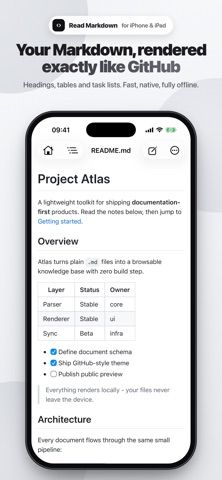
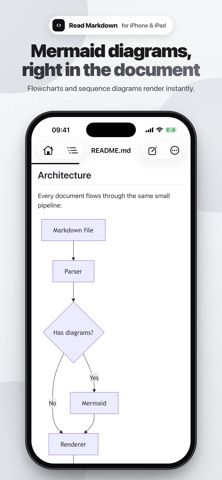
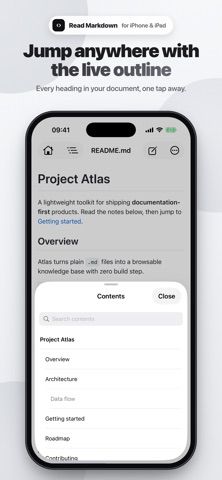
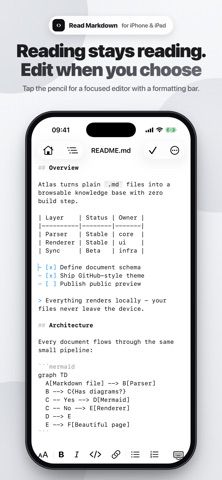
Read Markdown (R.md) is a lightweight reader and editor for .md files on iPhone and iPad. Open a document from Files, iCloud Drive, or another app and view headings, tables, task lists, block quotes, code, and Mermaid diagrams in a rendered layout. A document outline, in-page search, adjustable text size, and dark mode help with longer reads. When editing is needed, a formatting bar, smart list continuation, undo and redo, and an iPad side-by-side preview are available. The app edits files in place, works offline, and does not require an account; the developer says files are not uploaded or tracked. It can export paginated PDFs and supports hardware keyboard shortcuts on iPad. Read Markdown is free to download and requires iOS 16 or later; the App Store also lists compatibility with Mac.
Read Markdown: Fast & Light
Read Markdown opens and edits Markdown files with GitHub-style rendering, Mermaid diagrams, code highlighting, and PDF export.
Overview
A closer look at Read Markdown: Fast & Light.
A closer look
App screenshots
Choose with confidence
The useful details.
What it does
- Render Markdown files with tables, task lists, block quotes, code highlighting, and Mermaid diagrams.
- Edit files in place with formatting controls, smart typing, undo and redo, and live iPad preview.
- Find headings and text, adjust reading size, and follow links to nearby images or Markdown files.
- Export paginated PDFs and work offline without an account or file upload.
A good fit for
- Developers and writers who read README files, design documents, or Markdown notes on Apple devices.
- People who want a small offline Markdown editor that works with files they already own.
Worth knowing
- The App Store listing covers Apple platforms and does not describe Android or web access.
- The app edits Markdown files rather than providing a hosted notes database or account-based collaboration service.
- Requires iOS 16 or later; keyboard shortcuts and side-by-side editing are specifically described for iPad.
Frequently asked questions
Answers based on the app’s official listing and reviewed information.
What is Read Markdown: Fast & Light used for?
Read Markdown opens and edits Markdown files with GitHub-style rendering, Mermaid diagrams, code highlighting, and PDF export.
What can you do with Read Markdown: Fast & Light?
Render Markdown files with tables, task lists, block quotes, code highlighting, and Mermaid diagrams. Edit files in place with formatting controls, smart typing, undo and redo, and live iPad preview. Find headings and text, adjust reading size, and follow links to nearby images or Markdown files. Export paginated PDFs and work offline without an account or file upload.
Who is Read Markdown: Fast & Light designed for?
Developers and writers who read README files, design documents, or Markdown notes on Apple devices. People who want a small offline Markdown editor that works with files they already own.
What should you know before downloading Read Markdown: Fast & Light?
The App Store listing covers Apple platforms and does not describe Android or web access. The app edits Markdown files rather than providing a hosted notes database or account-based collaboration service. Requires iOS 16 or later; keyboard shortcuts and side-by-side editing are specifically described for iPad.
What does Read Markdown: Fast & Light cost?
Free download with no in-app purchases listed.
Which platforms support Read Markdown: Fast & Light?
Greatooly's reviewed app information lists iOS, macOS.
Researched from official sources; this is not a hands-on review. Last checked 2026-11-10.
Keep exploring
More apps that might be a good fit.

CleanHaus: Airbnb Turnovers
CleanHaus automates short-term rental turnovers by connecting booking calendars with cleaners, schedules and property tasks.

GoalStar: Daily Goal Tracker
GoalStar makes daily goals visible with a gold-star chart, streaks, reminders, widgets and optional NFC tap tags.

Accessbox - Password Manager
Accessbox stores passwords, passkeys and verification codes in encrypted Accesscards with AutoFill, breach alerts and optional iCloud sync.