
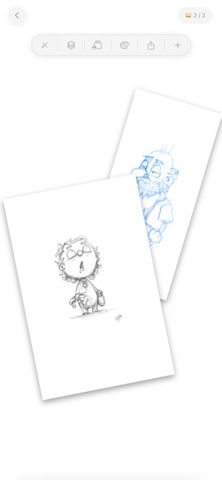
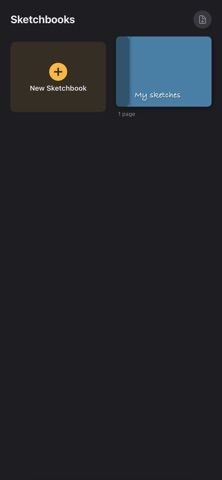
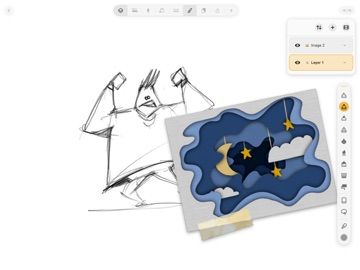
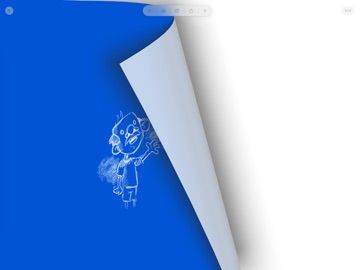
Simple Sketchbook is a digital drawing notebook designed to feel like a set of paper sketchbooks. Create multiple notebooks and choose blank, lined, grid, dotted, or textured page styles. On each page, users can draw with Apple Pencil or a finger, arrange imported images, and work with layers, opacity, visibility, and blend modes. The app also supports storyboard templates, timelapse video export, voice reflections transcribed on device, PDF exports, and Face ID or Touch ID locks for notebooks. The developer says notebooks can be backed up and restored and that nothing leaves the device unless the user chooses to share it. The current US App Store lists the app for $1.99 as a paid download and says there is no subscription. It works on iPhone and iPad, with Apple Pencil-focused controls on iPad.

Simple Sketchbook
Draw with Apple Pencil or touch in customizable sketchbooks with paper styles, layers, image references, and exports.
Overview
A closer look at Simple Sketchbook.
A closer look
App screenshots
Choose with confidence
The useful details.
What it does
- Create sketchbooks with blank, lined, grid, dotted, or specialty paper styles.
- Draw with Apple Pencil or touch and organize work on multiple layers.
- Import and arrange photos, add storyboard templates, and export pages as PNG or a notebook as PDF.
- Export drawing timelapses, record on-device voice reflections, and lock notebooks with biometrics.
A good fit for
- Artists and students who want a focused drawing notebook on iPhone or iPad.
- People who want to keep visual notes, references, and sketch process in private notebooks.
Worth knowing
- The US App Store lists the app for $1.99 upfront; the developer says there is no subscription.
- The iPad canvas is intentionally fixed without zoom; iPhone users can double-tap to zoom, according to the listing.
- The developer says content stays on device unless shared; use the export or backup tools to move notebooks between devices.
Frequently asked questions
Answers based on the app’s official listing and reviewed information.
Can I draw with Apple Pencil?
Yes. The app is designed around Apple Pencil on iPad and also supports drawing with a finger.
What page styles are available?
The listing includes blank, lined, grid, dotted, textured, and specialty paper templates.
Does it support layers?
Yes. Pages support multiple layers with individual opacity, blend mode, and visibility controls.
Can I export drawings?
You can export a page as a PNG, a sketchbook as a PDF, or a drawing session as a timelapse video.
Are voice reflections processed online?
The developer says voice reflections are transcribed on device and that sketchbooks stay on device unless you share them.
How much does Simple Sketchbook cost?
The current US App Store lists a $1.99 paid download and the developer says there is no subscription.
Researched from official sources; this is not a hands-on review. Last checked 2026-11-19.
Keep exploring
More apps that might be a good fit.

Storyboard 2020
Storyboard 2020 is an iPhone app for storyboarding. It is presented as a tool for planning a visual sequence with frames, panels, or shots.

StorySheet: Storyboard PDF
StorySheet: Storyboard PDF is an iPhone app for storyboarding. It is presented as a tool for planning a visual sequence with frames, panels, or shots.

StoryBoard - Story Planner
StoryBoard - Story Planner is an iPhone app for storyboarding. It is presented as a tool for planning a visual sequence with frames, panels, or shots.