
Strongbox is a password manager that works with Password Safe and KeePass database formats. The listing describes unlocking with Face ID or Touch ID, passkey support, password generation, and optional hardware-key protection. Users can choose where a vault is stored, including locally or through supported cloud services, and import or export compatible databases. The app can check for weak or exposed passwords, but security depends on the master password, storage choice, backups, and device configuration. The developer's security statements are not an independent audit. Test export and recovery before moving every credential, and keep a safe backup. Strongbox offers a free download with optional Pro features; verify current subscription or one-time options in the app.

Strongbox - Password Manager
Store passwords in a local or cloud vault, unlock with biometrics, generate credentials, and import Password Safe or KeePass databases.
Overview
A closer look at Strongbox - Password Manager.
A closer look
App screenshots
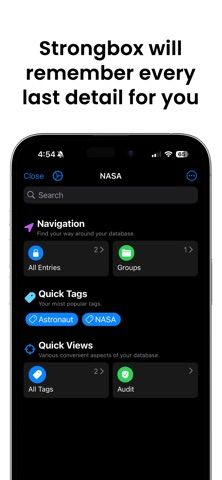
Choose with confidence
The useful details.
What it does
- Open Password Safe and KeePass-compatible databases.
- Unlock with supported biometrics, passkeys, PIN, or hardware keys.
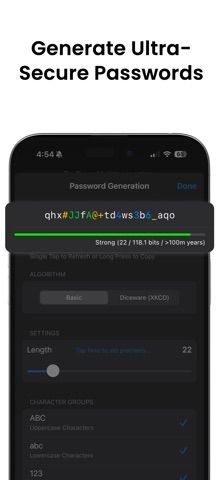
- Generate passwords and search or autofill saved credentials.
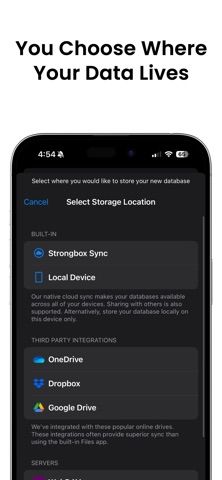
- Choose local storage or supported cloud storage and import or export vaults.
A good fit for
- People who want a KeePass-compatible password manager with control over vault storage.
Worth knowing
- Security depends on the master password, device, storage, and backup configuration.
- The developer's security claims are not an independent audit; test recovery before migration.
- Some Pro features require payment; confirm current plan options and prices.
Frequently asked questions
Answers based on the app’s official listing and reviewed information.
What is Strongbox - Password Manager used for?
Store passwords in a local or cloud vault, unlock with biometrics, generate credentials, and import Password Safe or KeePass databases.
What can you do with Strongbox - Password Manager?
Open Password Safe and KeePass-compatible databases. Unlock with supported biometrics, passkeys, PIN, or hardware keys. Generate passwords and search or autofill saved credentials. Choose local storage or supported cloud storage and import or export vaults.
Who is Strongbox - Password Manager designed for?
People who want a KeePass-compatible password manager with control over vault storage.
What should you know before downloading Strongbox - Password Manager?
Security depends on the master password, device, storage, and backup configuration. The developer's security claims are not an independent audit; test recovery before migration. Some Pro features require payment; confirm current plan options and prices.
Does Strongbox - Password Manager include paid features?
The reviewed listing does not confirm current in-app purchase options.
Which platforms support Strongbox - Password Manager?
Greatooly's reviewed app information lists iOS.
Researched from official sources; this is not a hands-on review. Last checked 2026-11-03.
Keep exploring
More apps that might be a good fit.

CompBook: Notes & Sketches
CompBook turns digital notebooks into a local library for typed notes, sketches, custom covers, paper styles, and PDF export.

FieldOps: Pressure Washing CRM
FieldOps is a pressure-washing CRM for managing leads, scheduling jobs, clients, quotes, invoices, team work, and payments.

Diple - Markdown Notes
Diple is a Markdown and plain-text writing library with collections, version history, document links, protected folders, and broad export options.