GreatoolyGreatooly
Twos app icon

Twos

Capture notes, tasks, reminders, and everyday details in simple lists, with daily organization and unfinished items that can carry into the next day.

By Twos Technologies, IncOfficial store informationPublished 2026/11/03Checked 2026-11-03

Overview

A closer look at Twos.

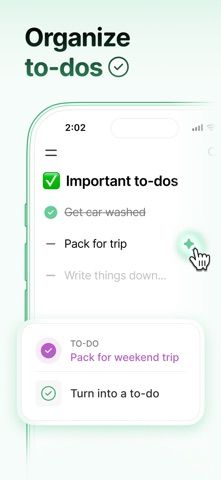
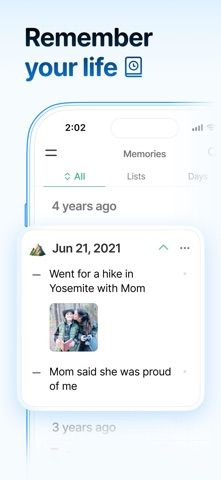
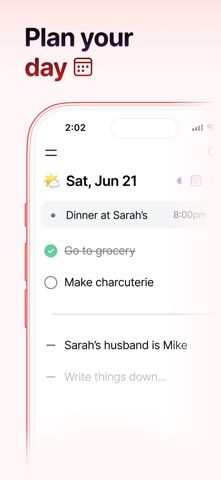
Twos combines quick notes and actionable items in lists. A task, reminder, event, or small detail can be captured in the same place, which suits people who do not want to decide between a notes app and a task manager for every thought. Daily organization provides a starting point for that capture.

The official listing describes carrying unfinished items forward, sharing lists, importing reading highlights, and offline use with syncing. These features connect lightweight capture with later review. Shared lists and synchronization still depend on the relevant account and connection behavior.

Twos is free to download, and the listing mentions optional Twos Plus upgrades. This entry does not verify their current prices or payment periods. Try the core daily workflow before relying on advanced features. The description here is based on official materials and does not claim hands-on testing of reminders, imports, or sync.
A closer look

App screenshots

Twos official iOS screenshot 1Twos official iOS screenshot 2Official iOS store screenshotOfficial iOS store screenshot

Choose with confidence

The useful details.

What it does

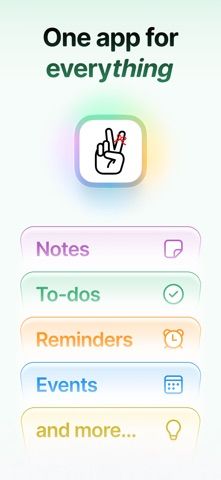
  • Notes, tasks, reminders, events, and lists
  • Daily organization and unfinished-item rollover
  • Sharing, offline capture, and syncing

A good fit for

  • People who want quick everyday capture without maintaining separate note and task systems

Worth knowing

  • Optional Twos Plus features have separate upgrade terms.
  • Offline capture does not mean changes sync to other devices without a connection.

Frequently asked questions

Answers based on the app’s official listing and reviewed information.

What is Twos used for?

Capture notes, tasks, reminders, and everyday details in simple lists, with daily organization and unfinished items that can carry into the next day.

What can you do with Twos?

Notes, tasks, reminders, events, and lists Daily organization and unfinished-item rollover Sharing, offline capture, and syncing

Who is Twos designed for?

People who want quick everyday capture without maintaining separate note and task systems

What should you know before downloading Twos?

Optional Twos Plus features have separate upgrade terms. Offline capture does not mean changes sync to other devices without a connection.

Does Twos include paid features?

The reviewed listing does not confirm current in-app purchase options.

Which platforms support Twos?

Greatooly's reviewed app information lists iOS.

Researched from official sources; this is not a hands-on review. Last checked 2026-11-03.

Keep exploring

More apps that might be a good fit.

CleanHaus: Airbnb Turnovers

CleanHaus automates short-term rental turnovers by connecting booking calendars with cleaners, schedules and property tasks.

GoalStar: Daily Goal Tracker

GoalStar makes daily goals visible with a gold-star chart, streaks, reminders, widgets and optional NFC tap tags.

Accessbox - Password Manager

Accessbox stores passwords, passkeys and verification codes in encrypted Accesscards with AutoFill, breach alerts and optional iCloud sync.