
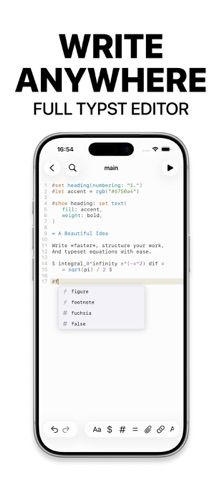
Typst Editor TypeWright brings a Typst writing workspace to iPhone and iPad. The editor highlights syntax, reports inline errors, and offers smart snippets while a live preview recompiles documents on the device. Users can add Typst Universe packages and custom fonts, then organize multi-file projects with folders, chapters, images, and bibliography assets. The interface is designed for touch, an external keyboard, and Apple Pencil, making it suitable for technical notes as well as longer reports and papers. The developer says compilation happens locally without a server. Apple lists the app as free and designed for iPad; its current compatibility listing requires iOS 26 or iPadOS 26. The listing does not show in-app purchases.

Typst Editor TypeWright
TypeWright edits and compiles Typst documents on iPhone and iPad with live preview, package support, custom fonts, and multi-file projects.
By Peter Balazs SzucsReleased 2026/09/10App Store rating 5.0 (2)Official store informationPublished 2026/11/10Checked 2026-11-10
Overview
A closer look at Typst Editor TypeWright.
A closer look
App screenshots
Choose with confidence
The useful details.
What it does
- Write Typst with syntax highlighting, inline errors, and smart snippets.
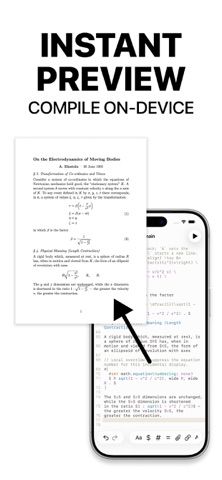
- Preview documents with on-device compilation as changes are made.
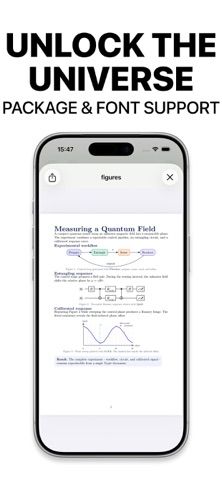
- Use Typst Universe packages and custom fonts.
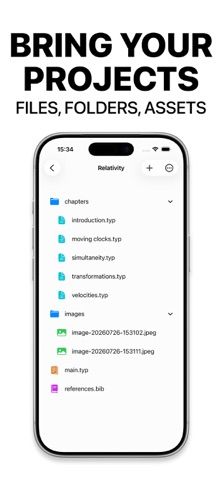
- Organize multi-file work into folders and chapters with images and bibliography assets.
- Edit with touch, an external keyboard, or Apple Pencil.
A good fit for
- Students, researchers, and academics who write papers, reports, or notes in Typst.
- Typst users who want to edit and preview documents on an iPhone or iPad without a compilation server.
Worth knowing
- The current App Store listing requires iOS 26 or iPadOS 26.
- The listing describes local editing and compilation but does not specify cloud sync or collaborative editing.
Frequently asked questions
Answers based on the app’s official listing and reviewed information.
What is Typst Editor TypeWright used for?
TypeWright edits and compiles Typst documents on iPhone and iPad with live preview, package support, custom fonts, and multi-file projects.
What can you do with Typst Editor TypeWright?
Write Typst with syntax highlighting, inline errors, and smart snippets. Preview documents with on-device compilation as changes are made. Use Typst Universe packages and custom fonts. Organize multi-file work into folders and chapters with images and bibliography assets.
Who is Typst Editor TypeWright designed for?
Students, researchers, and academics who write papers, reports, or notes in Typst. Typst users who want to edit and preview documents on an iPhone or iPad without a compilation server.
What should you know before downloading Typst Editor TypeWright?
The current App Store listing requires iOS 26 or iPadOS 26. The listing describes local editing and compilation but does not specify cloud sync or collaborative editing.
What does Typst Editor TypeWright cost?
The App Store lists TypeWright as a free download and shows no in-app purchases.
Which platforms support Typst Editor TypeWright?
Greatooly's reviewed app information lists iOS.
Researched from official sources; this is not a hands-on review. Last checked 2026-11-10.
Keep exploring
More apps that might be a good fit.

CleanHaus: Airbnb Turnovers
CleanHaus automates short-term rental turnovers by connecting booking calendars with cleaners, schedules and property tasks.

GoalStar: Daily Goal Tracker
GoalStar makes daily goals visible with a gold-star chart, streaks, reminders, widgets and optional NFC tap tags.

Accessbox - Password Manager
Accessbox stores passwords, passkeys and verification codes in encrypted Accesscards with AutoFill, breach alerts and optional iCloud sync.