
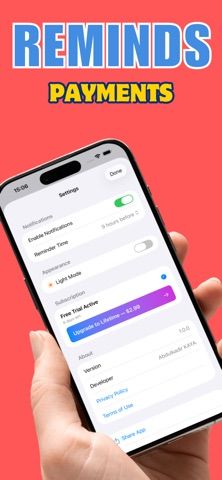
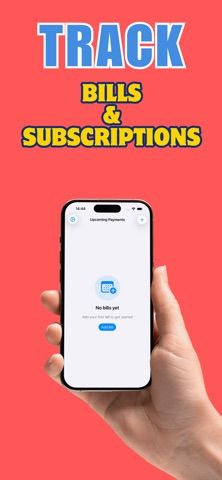
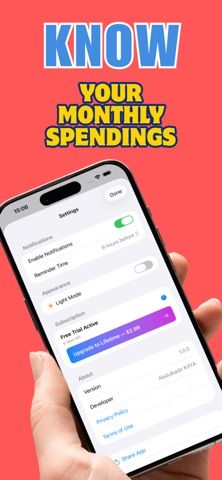
Bill Reminder: DueDay Tracker focuses on the practical job of remembering payments. Add one-time bills or recurring expenses such as rent, utilities, phone service, and subscriptions, then set when you want to be notified before each due date. A list of upcoming payments and a monthly spending overview help keep obligations visible without turning the app into a full budgeting platform. The developer says no account or bank connection is required, the app works offline, and data stays on the device. Apple lists the download as free with an optional Pro purchase; the US price shown is $2.99, but the store row does not identify its billing period. DueDay supports iPhone and iPad running iOS 26.1 or later.
Bill Reminder: DueDay Tracker
An offline bill and subscription reminder for recurring payments, one-time bills, due dates, and monthly spending overviews.
By Abdulkadir KAYAReleased 2026/01/21No ratings yetOfficial store informationPublished 2026/11/19Checked 2026-11-19
Overview
A closer look at Bill Reminder: DueDay Tracker.
A closer look
App screenshots

Choose with confidence
The useful details.
What it does
- Create reminders for one-time bills and recurring subscriptions or payments.
- Choose reminder timing before each due date.
- Review upcoming payments and organize bills in one list.
- See a monthly overview of bill and subscription spending.
- Use the app offline without an account or bank connection.
A good fit for
- People who mainly need timely reminders for bills and subscriptions.
- Users who prefer a lightweight, offline payment list over a full finance suite.
- Anyone who wants to track one-time and recurring due dates without linking a bank.
Worth knowing
- Requires iOS 26.1 or later on iPhone or iPad.
- The app is focused on reminders and a monthly overview rather than detailed budgeting or investment tracking.
- Bill details and payment status rely on manual updates; no bank connection is advertised.
- Apple lists Pro at $2.99 in the US store but does not state the billing period in the retrieved price row.
Frequently asked questions
Answers based on the app’s official listing and reviewed information.
What is DueDay used for?
It keeps track of bill and subscription due dates and sends reminders before payments are due.
Can I track recurring bills?
Yes. The listing supports recurring payments as well as one-time bills.
Can I choose when reminders arrive?
Yes. The app lets you customize reminder timing for upcoming due dates.
Does DueDay work offline?
The developer says it works offline and does not require an account or bank connection.
Is DueDay free?
The App Store lists a free download and a Pro purchase priced at $2.99 in the US. The listing does not state the Pro billing period.
What iOS version does it require?
Apple currently lists iOS 26.1 or later for iPhone and iPad.
Researched from official sources; this is not a hands-on review. Last checked 2026-11-19.
Keep exploring
More apps that might be a good fit.

Personal Ledger: Pro Finance
An offline double-entry ledger for tracking net worth, assets, liabilities, income, expenses, cash flow, and debts.

my expenses simplified
A basic personal expense tracker with receipt attachments, spending summaries, category budgets, trend charts, and detailed transaction notes.

Kesef: Expense Tracker
An offline expense and budget tracker with voice entry, recurring transactions, multi-currency records, and shared bill splitting.