
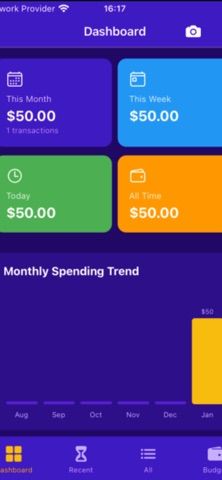
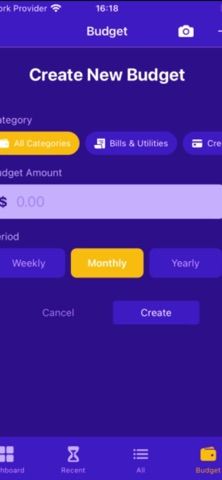
my expenses simplified offers manual expense records and straightforward budget views for people who want a simple picture of daily spending. Add amounts, dates, categories, merchants, and notes; attach a receipt photo as proof of purchase; and check summaries for today, the week, the month, or all time. Category budgets can use weekly, monthly, or yearly limits, while a trend chart shows how spending changes over time. The App Store metadata lists the app as a free download and requires iOS 15.1 or later. The retrieved listing and product metadata do not expose a clear in-app purchase or privacy-policy breakdown, so check the current store page before assuming all features are free or choosing where to store sensitive records. This is a manual tracker, not an automatic bank connection.

my expenses simplified
A basic personal expense tracker with receipt attachments, spending summaries, category budgets, trend charts, and detailed transaction notes.
Overview
A closer look at my expenses simplified.
A closer look
App screenshots
Choose with confidence
The useful details.
What it does
- Record expenses with date, amount, category, merchant, and personal note.
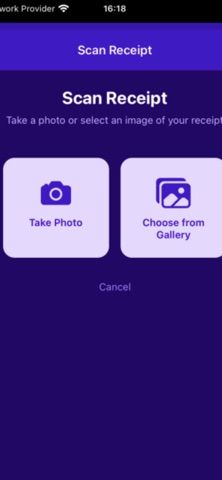
- Attach a receipt photo to an expense record.
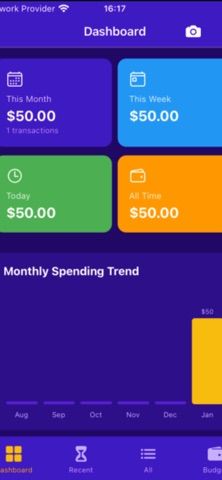
- Review spending totals for today, this week, this month, or all time.
- Set category spending limits by week, month, or year and view trend charts.
A good fit for
- People who want a simple expense log with receipt attachments and category budgets.
- Users who prefer entering purchases manually and reviewing a few clear spending summaries.
Worth knowing
- The listing metadata says the app is free to download but does not clearly expose whether any features require in-app purchases.
- Requires iOS 15.1 or later.
- The available listing does not clearly document bank connections, cloud sync, or a detailed privacy policy; avoid assuming those are available.
- Manual entries and category budgets only reflect information you add.
Frequently asked questions
Answers based on the app’s official listing and reviewed information.
What does my expenses simplified track?
It records purchases with amounts, dates, categories, merchant names, and notes, then summarizes spending.
Can I attach receipts?
Yes. The listing describes taking or uploading a receipt photo to attach proof of purchase to an expense.
Can I set category budgets?
Yes. The listing describes weekly, monthly, or yearly limits for spending categories.
What spending summaries are available?
The app description mentions summaries for today, this week, this month, and all time, plus a monthly spending trend chart.
Is the app free?
Apple metadata lists the download as free. The retrieved listing does not clearly expose a paid-feature table, so check the current App Store page for offer details.
Which devices support the app?
The current Apple metadata requires iOS 15.1 or later.
Researched from official sources; this is not a hands-on review. Last checked 2026-11-19.
Keep exploring
More apps that might be a good fit.

Personal Ledger: Pro Finance
An offline double-entry ledger for tracking net worth, assets, liabilities, income, expenses, cash flow, and debts.

Kesef: Expense Tracker
An offline expense and budget tracker with voice entry, recurring transactions, multi-currency records, and shared bill splitting.
Bill Reminder: DueDay Tracker
An offline bill and subscription reminder for recurring payments, one-time bills, due dates, and monthly spending overviews.