
Divvy helps turn one savings account into several clearly labeled goals. Create visual jars for a bike, trip, concert, or another target, assign portions of your savings to each, and watch progress build over time. The jars are virtual categories; the app does not create separate bank accounts or move money between financial institutions. The developer describes Divvy as a simple, ad-free tool for adults and children, with no recurring fees or upsells and future features included in the purchase. Apple’s listing currently says the app is free to download with a one-time purchase for full access, but the retrieved U.S. page does not show the purchase amount. Apple’s privacy label says the developer reports no data collection. It requires iOS 17.6 or later and is listed for iPhone.

Divvy - Savings Tracker
A visual savings-goal tracker that divides a real savings balance into virtual jars for purchases, trips, and other goals.
Overview
A closer look at Divvy - Savings Tracker.
A closer look
App screenshots
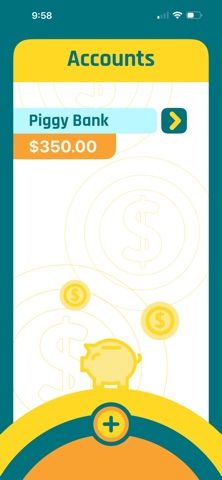
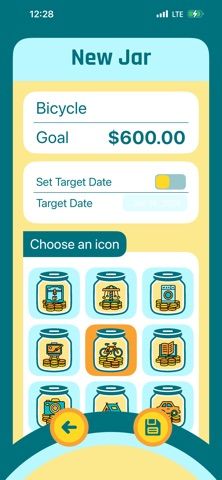
Choose with confidence
The useful details.
What it does
- Create visual savings jars for separate goals while tracking a shared savings balance.
- Set a target for each goal and review progress as savings accumulate.
- Use a simple, family-friendly interface for teaching savings habits.
- Keep the app ad-free without a recurring subscription, according to the developer.
A good fit for
- People who want to divide savings goals visually without opening multiple bank accounts.
- Parents looking for a simple way to talk with children about saving toward goals.
Worth knowing
- Savings jars are visual allocations; Divvy does not hold funds or connect to a bank.
- The App Store listing describes a one-time purchase but does not show its U.S. price in the retrieved page; confirm the price in the purchase sheet.
- The listing requires iOS 17.6 or later and lists iPhone compatibility.
Frequently asked questions
Answers based on the app’s official listing and reviewed information.
What does Divvy track?
It helps you organize savings toward goals using separate visual jars and progress indicators.
Does Divvy move money into separate accounts?
No. The jars are virtual allocations for planning; the listing does not describe bank connections or money transfers.
Can I create more than one savings goal?
Yes. Divvy is designed to organize one or more savings balances into jars for different goals.
How much does Divvy cost?
The App Store says it is free to download with a one-time purchase for full access. The retrieved U.S. listing does not show the exact amount, so check the purchase sheet.
Does Divvy show ads or charge monthly?
The developer says Divvy has no ads, monthly fees, or upsells; the full app is unlocked with a one-time purchase.
What iPhone software version does Divvy require?
The U.S. App Store listing requires iOS 17.6 or later.
Researched from official sources; this is not a hands-on review. Last checked 2026-11-19.
Keep exploring
More apps that might be a good fit.

Personal Ledger: Pro Finance
An offline double-entry ledger for tracking net worth, assets, liabilities, income, expenses, cash flow, and debts.

my expenses simplified
A basic personal expense tracker with receipt attachments, spending summaries, category budgets, trend charts, and detailed transaction notes.

Kesef: Expense Tracker
An offline expense and budget tracker with voice entry, recurring transactions, multi-currency records, and shared bill splitting.