GreatoolyGreatooly
Jibble Time Tracker app icon

Jibble Time Tracker

Track employee hours and attendance, prepare timesheets, schedule work, and connect records to payroll tools.

By Jibble TechApp Store rating 4.8 (1,609)Official store informationPublished 2026/11/03Checked 2026-11-03

Overview

A closer look at Jibble Time Tracker.

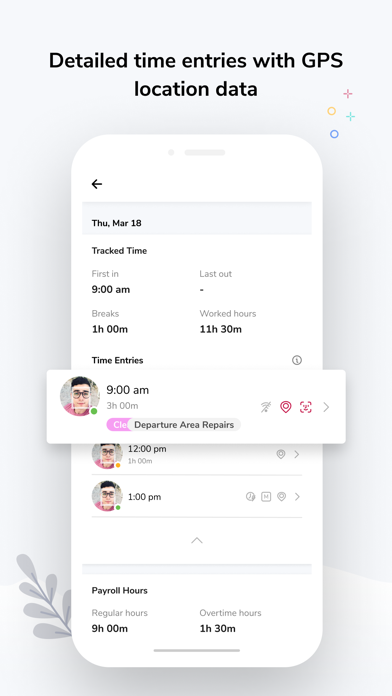
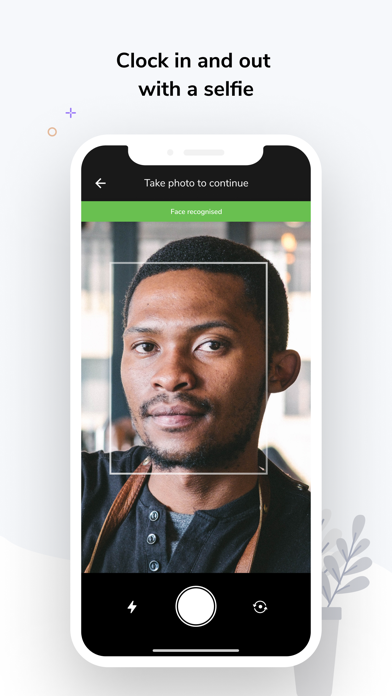
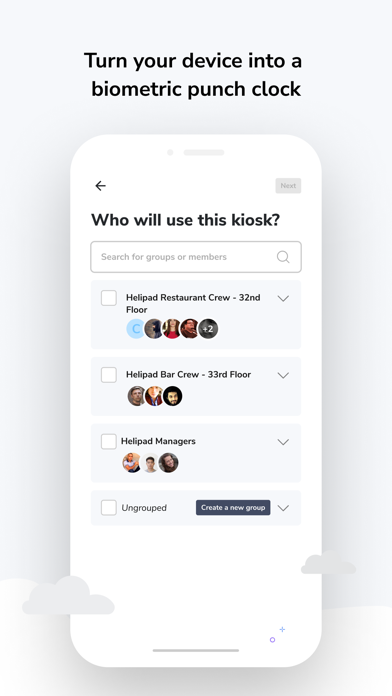
Jibble Time Tracker is a workforce time-tracking app for organizations that need attendance records and timesheets. Employees can clock in from a phone or other supported device, while teams can use a shared kiosk. The listing describes multiple verification methods, including PINs, QR codes, facial recognition, selfies, GPS, geofencing, NFC, and RFID, depending on the employer’s setup.

Jibble also lists timesheets that summarize regular hours, overtime, breaks, and paid time off, plus scheduling, time-off management, and integrations with tools such as Slack, Microsoft Teams, QuickBooks, and Xero. The developer describes the product as free for unlimited users with no credit card required; confirm current plan limits and paid add-ons with the service.

GPS and biometric attendance can involve sensitive employee data. Employers should explain collection, retention, and access practices and check local requirements. Payroll-ready exports still need review before payment. We have not tested integrations, timesheet calculations, or the accuracy of location and identity checks.

A closer look

App screenshots

Jibble Time Tracker official iOS screenshot 1Jibble Time Tracker official iOS screenshot 2Official iOS store screenshotOfficial iOS store screenshot

Choose with confidence

The useful details.

What it does

  • Clock in through supported mobile, kiosk, and web methods
  • Record attendance with employer-enabled location or identity checks
  • Review timesheets for hours, overtime, breaks, and paid leave
  • Connect with listed scheduling, communication, and payroll tools

A good fit for

  • Organizations that need employee attendance tracking and timesheets across mobile or shared devices

Worth knowing

  • Available clock-in and verification methods depend on employer configuration.
  • GPS and biometric data require clear privacy and retention policies.
  • Payroll summaries and integrations should be checked before operational use; not independently tested.

Frequently asked questions

Answers based on the app’s official listing and reviewed information.

What is Jibble Time Tracker used for?

Track employee hours and attendance, prepare timesheets, schedule work, and connect records to payroll tools.

What can you do with Jibble Time Tracker?

Clock in through supported mobile, kiosk, and web methods Record attendance with employer-enabled location or identity checks Review timesheets for hours, overtime, breaks, and paid leave Connect with listed scheduling, communication, and payroll tools

Who is Jibble Time Tracker designed for?

Organizations that need employee attendance tracking and timesheets across mobile or shared devices

What should you know before downloading Jibble Time Tracker?

Available clock-in and verification methods depend on employer configuration. GPS and biometric data require clear privacy and retention policies. Payroll summaries and integrations should be checked before operational use; not independently tested.

Does Jibble Time Tracker include paid features?

The developer describes Jibble as free for unlimited users with no credit card required. Confirm current plan limits and any optional paid add-ons with Jibble.

Which platforms support Jibble Time Tracker?

Greatooly's reviewed app information lists iOS.

Researched from official sources; this is not a hands-on review. Last checked 2026-11-03.

Keep exploring

More apps that might be a good fit.

Starday: Family Chores Tracker

Starday turns children’s daily chores into quests with points, streaks, parent-approved rewards, family profiles, and shared progress.

TooTask·Checklist&Task Manager

TooTask organizes timed tasks, untimed backlog, routines, and repeatable checklists, then keeps the current task visible on Apple devices.

FaveNest – Visual Bookmarks

FaveNest saves links, notes, files, screenshots, and places into a searchable visual library that syncs through private iCloud.